Reviews|
Garmin Bounce 2 Review: Voice Calling, AMOLED Display & Everything New
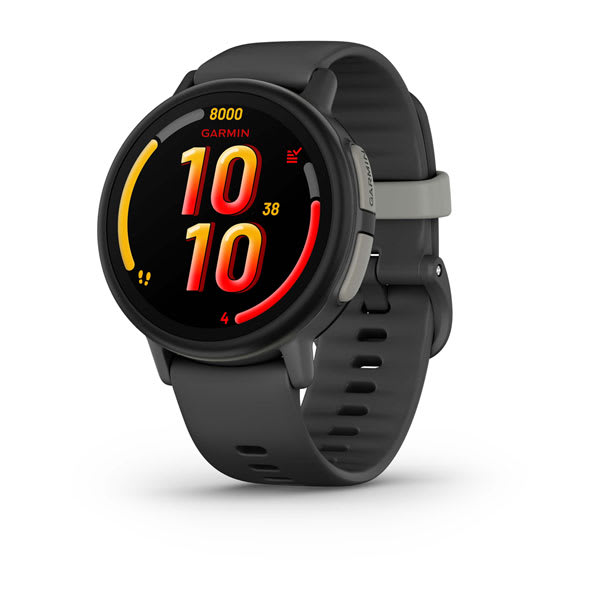
Our hands-on Garmin Bounce 2 review covers the new voice calling, AMOLED display, battery life, and GPS accuracy. Is the $300 upgrade worth it for your family?
Our hands-on Garmin Vivofit Jr. 3 review covers step counting, chore management, swim-proof durability, and the 1-year battery life. Is this $90 no-fee fitness tracker worth it for your family?
Garmin Vivofit Jr. 3
$89.99· 3.5/5 rating
Affiliate Disclosure: This article contains affiliate links. If you purchase through our links, we may earn a small commission at no extra cost to you. This helps support our site and allows us to keep testing products for families like yours. All opinions are 100% our own -- we bought the Garmin Vivofit Jr. 3 with our own money and have no sponsorship relationship with Garmin.
The Garmin Vivofit Jr. 3 is not a smartwatch. I want to be upfront about that. There is no calling, no texting, no GPS tracking, and no camera. If you need to reach your child or know where they are, this is not the device for you -- our best GPS smartwatches for kids guide covers those options.
What the Vivofit Jr. 3 actually is: the best kids fitness tracker you can buy for under $100. After eight weeks on our 6-year-old tester's wrist, the standout qualities are clear. The battery lasts over a year on a single coin cell -- no charging cable, no nightly routine, no dead watch on a Monday morning. The 5 ATM water resistance means it survives swimming, baths, sprinklers, and every other water encounter in a young kid's life. And the chore management system through the Garmin Jr. parent app is the most useful parenting tool I have found on any kids wearable.
At $89.99 with zero monthly fees, the Vivofit Jr. 3 sits in an interesting space. It costs more than the VTech KidiZoom DX3 but offers no cameras or games. It costs a fraction of Garmin's own Bounce 2 but has none of the connectivity. What it does offer is Garmin-quality fitness tracking, tank-like durability, and a battery that you will genuinely forget about. For families with active kids ages 4 to 9 who want to build healthy habits without handing over a communication device, this is the tracker to beat.
Let me walk through everything I observed over eight weeks of real-world testing.
Here is a quick reference table covering the core hardware before we go deep.
| Spec | Details |
|---|---|
| Display | Color screen with customizable watch faces |
| Touchscreen | No (single button navigation) |
| Connectivity | No cellular or Wi-Fi; Bluetooth (pairs and syncs periodically to the Garmin Jr. app) |
| GPS | None |
| Camera | None |
| Battery | 1+ year (replaceable CR2025 coin cell) |
| Charging | None required -- replace battery after ~1 year |
| Water Resistance | 5 ATM (swim-proof to 50 meters) |
| Activity Tracking | Steps, active minutes, sleep tracking |
| Chore Management | Yes, via Garmin Jr. parent app |
| Games | Adventure trails via Garmin Jr. app (phone-based, unlocked by activity) |
| Themed Watch Faces | Disney, Marvel, and standard options |
| Target Age | 4-9 years |
| Price | $89.99 |
| Monthly Plan | None required -- ever |
The spec sheet makes the Vivofit Jr. 3's identity crystal clear. This is a purpose-built fitness tracker with parental tools, not a communication device. For families who want their young child wearing something durable that encourages movement and responsibility without any connectivity concerns, that is exactly the point. Our best kids smartwatches without monthly fees guide covers every no-fee option on the market if you want to compare.
Garmin packages the Vivofit Jr. 3 simply. Inside you get:
There is no charging cable because there is no charging. The battery is already installed and running. Setup involves downloading the free Garmin Jr. app on your phone (iOS or Android), creating a parent account, pairing the tracker via Bluetooth, and configuring your child's profile. Total time from unboxing to a happy child: about 10 minutes, with most of that spent in the app setting up chores and rewards rather than dealing with the device itself.
The pairing process was smoother than I expected. The watch displayed a pairing code, I entered it in the app, and the connection established on the first attempt. Compared to the SIM activation and eSIM provisioning involved with cellular watches like the TickTalk 4, this was refreshingly simple.
One thing to know: while the tracker itself has no ongoing Bluetooth connection to your phone, you do need to sync periodically through the Garmin Jr. app to pull activity data, update chore lists, and unlock new adventure content. Our tester synced every day or two and the process took about 10 seconds.
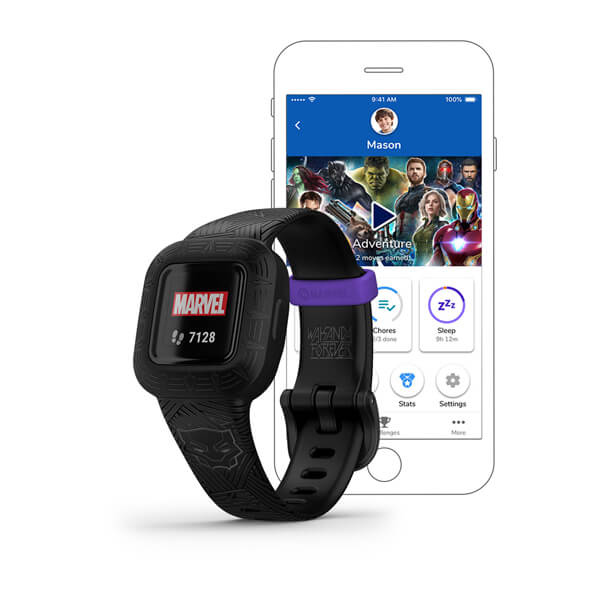
The Garmin Vivofit Jr. 3 looks and feels like a proper piece of Garmin hardware, not a toy. The band is a comfortable silicone strap available in multiple designs -- our tester chose the Marvel Black Panther version, and the themed styling was a genuine selling point at age 6. Disney Princess, Marvel Avengers, and other licensed designs are available depending on the retailer.
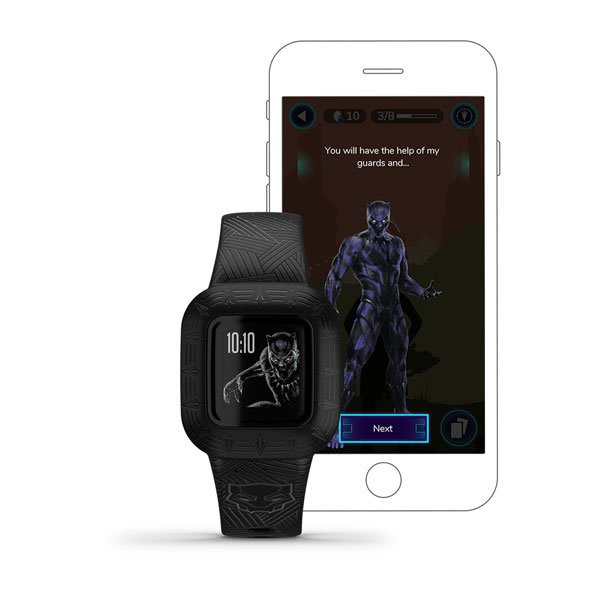
The tracker module snaps into the band securely and sits flush. It is noticeably slimmer and lighter than the VTech KidiZoom DX3, which makes sense given the absence of cameras, speakers, and a rechargeable battery. On our 6-year-old tester's wrist, it looked proportional and comfortable. She could put it on and take it off independently within the first day, and she wore it 24/7 including during sleep without any complaints about bulk or irritation.
The color display is small but readable. Watch faces are customizable with themed designs that tie into the licensed characters. Navigation uses a single physical button rather than a touchscreen -- press to cycle through screens showing time, steps, active minutes, chores, and other data. Our tester mastered the interface within an hour. The simplicity is an asset at this age range. There are no menus to get lost in and no settings to accidentally change.
5 ATM swim-proof. This is where the Vivofit Jr. 3 punches way above its price class. At $89.99, you get the same 5 ATM water resistance rating that Garmin puts on the $299.99 Bounce 2. Our tester wore it in the pool, in the bathtub, through sprinkler sessions, and in the rain over eight weeks. Zero issues. The watch does not need to come off for any water activity short of deep-sea diving. If your child is a swimmer or just a kid who gets wet constantly -- which is most kids -- this durability is a major advantage over splash-proof alternatives. Our best waterproof smartwatches for kids guide covers the full waterproof landscape, and the Vivofit Jr. 3 is the cheapest 5 ATM option by a wide margin.
After eight weeks of daily wear including playground falls, bike rides, swimming, and the general destruction that a 6-year-old subjects everything to, the Vivofit Jr. 3 shows minimal cosmetic wear. A couple of light scratches on the screen. The band looks essentially new. Garmin builds durable products, and that reputation holds here.
The Vivofit Jr. 3 tracks three core metrics: steps, active minutes, and sleep.
Step counting accuracy: I ran the same manual counting test I use on every tracker -- a 200-step walk with me counting alongside. The Vivofit Jr. 3 reported 192 steps, about 96 percent accuracy. That is better than the VTech KidiZoom DX3 and in line with what I expect from Garmin hardware. For a kids fitness tracker, this level of accuracy is more than adequate to motivate movement and track trends.
Active minutes track time spent in moderate-to-vigorous physical activity. Our tester averaged 60 to 90 active minutes on school days and over 100 on weekends, which felt accurate based on my observation. The watch displays a daily 60-minute activity goal -- aligned with the CDC recommendation for children -- and our tester took visible satisfaction in hitting that target each day. The goal is customizable through the Garmin Jr. app.
Sleep tracking is a feature the VTech DX3 does not offer, and it is genuinely useful. The Vivofit Jr. 3 automatically detects when your child falls asleep and wakes up, logging total sleep duration. I compared the watch's sleep data against my own observations for two weeks. The Vivofit Jr. 3 was typically within 10 to 15 minutes of the actual times -- close enough to spot patterns like whether your child is consistently getting less sleep on school nights versus weekends. Sleep data syncs to the Garmin Jr. app where you can view trends over time.
What it does not track: Heart rate, GPS-based distance, calories, or specific activity modes like swimming laps or running routes. There is no on-wrist workout tracking beyond steps and general movement. For families who want more advanced fitness metrics for older kids, our best fitness trackers for tweens guide covers options with heart rate monitoring and GPS.
This is the feature that separates the Vivofit Jr. 3 from every other kids fitness tracker. The Garmin Jr. parent app includes a full chore and task management system, and after eight weeks I can say it is the single best parenting tool I have found on any kids wearable.
Here is how it works. In the Garmin Jr. app, you create tasks -- "brush teeth," "make bed," "feed the dog," "read for 20 minutes" -- and assign them to specific days or make them daily recurring. The tasks appear on your child's Vivofit Jr. 3 as a checklist. When your child completes a task, they mark it done on the watch. You can verify completion in the app and approve it. Completed tasks earn virtual coins that accumulate toward rewards you define -- "30 minutes of iPad time," "choose dinner tonight," "trip to the ice cream shop," or whatever motivates your child.
Our tester responded to this system immediately. Within the first week, she was checking her watch every morning to see her task list and marking items off with visible pride. The combination of the watch as a physical reminder on her wrist and the coin-reward incentive created a habit loop that worked better than any chore chart we have tried. After eight weeks, morning routines that used to involve repeated reminders now happen with minimal prompting.
The parent side is well designed. The Garmin Jr. app lets you manage tasks, set schedules, define rewards and their coin costs, and view a history of completed chores. You can also set up multiple children if you have more than one Vivofit Jr. device. The interface is clean and intuitive.
Adventure apps extend the gamification further. The Garmin Jr. app includes adventure trails -- themed journeys where your child progresses by hitting daily activity goals. Meeting step and active minute targets unlocks new milestones along the trail, with quizzes and facts tied to the theme. The Disney and Marvel adventures are engaging for kids in the 4 to 8 range. Our tester was motivated to move more specifically to unlock the next story chapter. These adventure games run in the phone app, not on the watch itself, but the activity that fuels them happens on-wrist throughout the day.
I have reviewed a lot of kids wearables. I have charged watches nightly. I have dealt with dead batteries at school pickup. I have ordered replacement proprietary cables. The Garmin Vivofit Jr. 3 makes all of that disappear.
The battery lasts over a year. Not days. Not weeks. Over a year. The Vivofit Jr. 3 runs on a standard CR2025 coin cell battery -- the same kind you find in key fobs and bathroom scales. You can buy a pack of them at any grocery store for a few dollars. When the battery eventually dies, you pop the back off the tracker module, swap in a new coin cell, and close it up. Total replacement time: about 60 seconds. Total cost: about $2.
After eight weeks of continuous 24/7 wear including sleep tracking, the battery indicator on our test unit has not moved from full. Garmin's claim of 1+ year battery life appears entirely legitimate based on the power draw I have observed.
Why this matters practically: You never think about charging. The watch goes on your child's wrist and stays there. No bedtime charging routine. No forgetting to charge on Sunday night and sending your kid to school with a dead tracker on Monday. No proprietary cables to lose. No USB ports to get corroded by juice-covered fingers. The watch just works, continuously, for over a year.
Compared to the 2 to 3 day battery on the VTech KidiZoom DX3, the 2 to 3 day battery on the Garmin Bounce 2, or the ~16-hour battery on the Fitbit Ace LTE, the Vivofit Jr. 3's battery life is in a completely different category. For parents who are tired of managing yet another device that needs charging, this alone might be worth the $90.
There is no communication capability whatsoever. No calls, no texts, no voice messages, no messaging of any kind. You cannot reach your child through this device. It is a fitness tracker with a clock on it, not a safety device. If there is any scenario where you need to contact your child remotely, this is not the answer. Our best kids smartwatches with calling guide covers options for families that need connectivity.
No GPS or location tracking. You cannot see where your child is. The Vivofit Jr. 3 does not have a GPS chip, a cellular radio, or any way to report its position. If location tracking is on your requirements list at all, you need a different device entirely.
The screen is basic and button-only. There is no touchscreen. Navigation relies on pressing a single button to cycle through screens. The display is small and the resolution is modest. Kids who have used an iPad or a touchscreen watch may find the interface primitive. Our tester adapted quickly, but her 9-year-old cousin found it underwhelming after five minutes.
At $90, the value proposition requires the right priorities. The VTech KidiZoom DX3 costs $70 and includes dual cameras and games. The BIGGERFIVE Vigor 2 costs about $36 and offers heart rate monitoring. The Vivofit Jr. 3 has neither cameras, games, nor heart rate -- what you are paying for is Garmin's build quality, the 5 ATM waterproofing, the year-long battery, and the chore management system. Those are significant advantages, but only if they align with what your family actually needs.
No on-device games or entertainment. The adventure trails are motivating, but they live in the phone app, not on the watch. The watch itself displays time, activity stats, and chores. Kids looking for on-wrist entertainment will be disappointed. For a young kid who wants to play games on their watch, the VTech DX3 is the better choice.
The Garmin Vivofit Jr. 3 is the right choice if:
Consider alternatives if:
Here is how the Vivofit Jr. 3 stacks up against the watches families most frequently cross-shop in the no-monthly-fee category.
| Feature | Garmin Vivofit Jr. 3 | VTech KidiZoom DX3 | BIGGERFIVE Vigor 2 |
|---|---|---|---|
| Price | $89.99 | $69.99 | ~$35.99 |
| Monthly Fee | None | None | None |
| Camera | None | Dual (selfie + side) | None |
| Games | Adventure app (phone-based) | Yes (6+ built-in) | None |
| Activity Tracking | Steps, active minutes, sleep | Steps, active minutes | Steps, heart rate, sleep |
| Chore Management | Yes (Garmin Jr. app) | No | No |
| Water Resistance | 5 ATM (swim-proof) | Splash-proof only | IP68 |
| Battery Life | 1+ year (coin cell) | 2-3 days | 7-10 days |
| GPS | None | None | None |
| Calling | None | None | None |
| Touchscreen | No (button only) | Yes | Yes |
| Best Age | 4-9 | 4-8 | 5-12 |
| Best For | Fitness habits + chore management | Cameras and games at a low price | Budget heart rate tracking |
Vivofit Jr. 3 vs VTech KidiZoom DX3: These two serve fundamentally different purposes at different price points. The VTech is a fun camera and game device for $70. The Vivofit Jr. 3 is a durable fitness tracker with chore management for $90. If your child wants entertainment on their wrist, the VTech wins. If you want to build activity habits, track sleep, assign chores, and never worry about water or charging, the Garmin is worth the premium. The swim-proof rating alone is a significant differentiator for water-active families.
Vivofit Jr. 3 vs BIGGERFIVE Vigor 2: The BIGGERFIVE costs less than half the Garmin and includes heart rate monitoring, which the Vivofit Jr. 3 lacks. But the Garmin counters with 5 ATM waterproofing versus IP68, a 1-year battery versus 7-10 days, chore management, and Garmin's proven durability and software ecosystem. The BIGGERFIVE is the better pure-value fitness band. The Garmin is the better overall kid-focused system, especially if the chore management and swim-proof durability matter to your family.
Rating: 3.5 / 5
The Garmin Vivofit Jr. 3 is the best kids fitness tracker for families who want to encourage active habits and build daily responsibility in young children. After eight weeks on our 6-year-old tester's wrist, the three qualities that stood out most were the year-long battery life that eliminates charging entirely, the 5 ATM swim-proof durability that survives everything a young kid encounters, and the chore management system that genuinely improved our tester's daily routines. Those three features together are not available on any other kids wearable at this price.
The limitations are equally clear. There is no calling, no texting, no GPS, no camera, and no on-device games. The screen is small and button-operated. At $89.99, the Vivofit Jr. 3 costs more than alternatives that offer entertainment features it lacks. This is not a smartwatch in any communication sense -- it is a fitness tracker with Garmin's build quality and a thoughtful parenting toolkit.
For parents of 4 to 9-year-olds who want a durable, water-proof wearable that tracks activity, manages chores, and runs for a year without touching a charger -- all with no monthly fee -- the Garmin Vivofit Jr. 3 is a smart investment. When your child outgrows it and needs connectivity, the Garmin Bounce 2 is the natural upgrade path within the same ecosystem. See where the Vivofit Jr. 3 ranks in our best kids smartwatches for 2026 roundup, or use our kids smartwatch buying guide to decide when that transition makes sense.
Check the current price on Amazon
Browse all current pricing and deals on kids smartwatches and fitness trackers on our deals page.
No, the Garmin Vivofit Jr. 3 has zero recurring costs -- you pay $89.99 once, and the free Garmin Jr. app includes all chore management, activity tracking, and adventure trail features.
The Vivofit Jr. 3 has no cellular radio, no Wi-Fi, and no direct internet connection, so there is nothing to subscribe to. You pay the one-time purchase price of $89.99, download the free Garmin Jr. app, and the tracker is fully functional with no recurring costs. The Garmin Jr. app is free and includes all chore management, activity tracking, and adventure trail features. For a full list of watches that work without recurring fees, see our best kids smartwatches without monthly fees guide.
No, the Garmin Vivofit Jr. 3 has zero communication features -- no phone calls, no texting, no voice messages, and no internet connection of any kind.
The Vivofit Jr. 3 has zero communication features. It cannot make phone calls, send text messages, send voice messages, or connect to the internet in any way. It is a fitness tracker with chore management, not a communication device. If your child needs to be able to call or text you, you need a cellular watch like the Garmin Bounce 2 or TickTalk 5.
Yes, the Garmin Vivofit Jr. 3 is rated 5 ATM (swim-proof to 50 meters) and is the most affordable swim-proof kids wearable at $89.99 -- safe for pools, baths, showers, and open water.
The 5 ATM rating means it is safe for swimming in pools and open water, showering, and bathing. Our tester wore it in the pool multiple times over eight weeks with zero issues. This is the same water resistance rating Garmin uses on the $300 Bounce 2. At $89.99, the Vivofit Jr. 3 is the most affordable swim-proof kids wearable available. For a full comparison of waterproof options, see our best waterproof smartwatches for kids guide.
Parents create tasks in the free Garmin Jr. app, the tasks appear on the child's watch as a checklist, and completed tasks earn virtual coins toward parent-defined rewards -- the most effective chore system on any kids wearable.
You set up tasks and rewards in the free Garmin Jr. app on your phone. Tasks like "brush teeth," "make bed," or "do homework" appear on your child's Vivofit Jr. 3. When your child completes a task, they mark it done on the watch. You verify completion in the app. Completed tasks earn virtual coins toward rewards that you define. The system supports daily recurring tasks, specific day scheduling, and multiple children. It is the most effective chore management tool I have found on any kids wearable.
The battery lasts over 1 year on a standard CR2025 coin cell (available at any grocery store for a few dollars), and replacement takes about 60 seconds with no tools -- there is no charging cable or nightly routine.
Garmin rates the battery at 1+ year, and based on eight weeks of continuous 24/7 use including sleep tracking, that claim appears accurate. The Vivofit Jr. 3 uses a standard CR2025 coin cell battery available at any grocery store or online for a few dollars. When the battery eventually dies, you open the back of the tracker module with a small coin or screwdriver, swap in a new CR2025, and close it up. The process takes about 60 seconds. There is no charging cable and no charging routine.
The Garmin Vivofit Jr. 3 is best for kids ages 4-9 -- young enough to enjoy the Disney and Marvel themes, and old enough to engage with step goals, chore tracking, and the adventure app gamification.
The sweet spot is ages 4 to 9. Kids in this range respond well to the step goals and chore tracking, enjoy the Disney and Marvel themed watch faces and adventure apps, and find the simple button interface easy to navigate. Kids over 9 tend to find the feature set too basic and the themed designs too young. For older kids who want fitness tracking, our best fitness trackers for tweens guide covers options with more advanced metrics. For younger kids in the 4 to 6 range specifically, our best smartwatches for 5-year-olds guide explains why the Vivofit Jr. 3 is one of our top picks.
Our hands-on Garmin Bounce 2 review covers the new voice calling, AMOLED display, battery life, and GPS accuracy. Is the $300 upgrade worth it for your family?

Our hands-on VTech KidiZoom DX3 review covers the dual cameras, games, activity tracking, and whether this $70 no-fee kids watch is worth it for your family.
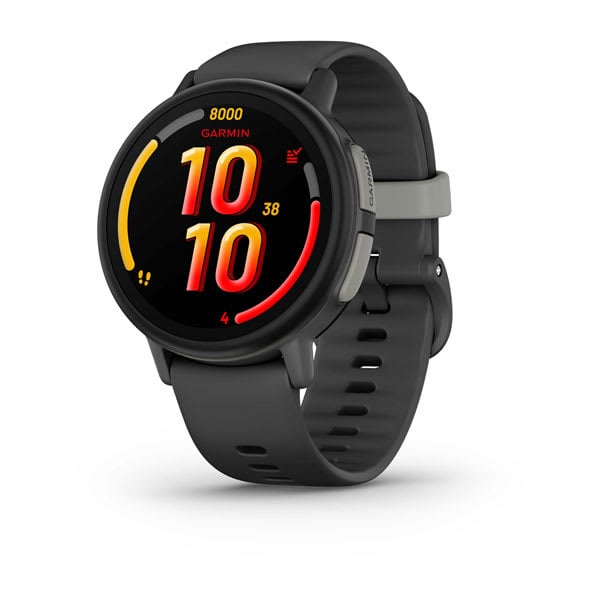
Our hands-on Garmin Bounce review covers GPS accuracy, battery life, durability, and whether this premium kids smartwatch is worth buying.
Verizon's Gizmo Watch 4 (July 2026) adds true swim-proofing and Watch Removal Detection over the Watch 3 -- a first look at what's new, the Verizon catch, and who should buy it.
The Pinwheel Watch puts a parent-monitored AI chat (PinwheelGPT) on a kid's wrist, with award-winning battery and standalone calling. Here's whether it's worth $14.99/mo.
New review alerts, deal drops, and seasonal buying guides — delivered weekly. No spam, unsubscribe anytime.
No spam. Unsubscribe anytime.