Affiliate Disclosure: This article contains Amazon affiliate links. If you purchase through these links, we earn a small commission at no extra cost to you. We only recommend products we've personally tested and believe in. Our opinions are our own.
Top pick: For most tweens ages 10-12, I recommend the Garmin Bounce ($150) -- it has the best fitness tracking in a kids' package your tween won't refuse to wear. If cool factor matters most and your family uses iPhones, the Apple Watch SE ($249) is the one every kid in my test group wanted, and if you'd rather skip monthly fees entirely, the Garmin Vivofit Jr. 3 (~$90) delivers Garmin-quality tracking with up to a year of battery life.
If you have a tween, you already know the drill. You suggest something, they roll their eyes. You buy something they asked for, they've already moved on. And when it comes to wearable tech, the margin for error is razor-thin: too childish and it lives in a drawer, too adult and you've handed over the keys to the internet.
I've been testing kids' smartwatches for years now, but the 10-12 age bracket is genuinely the hardest to buy for. My 11-year-old, Jake, made that crystal clear when he looked at a watch I brought home last spring and said, "Dad, I'm not wearing that. It looks like it's for a kindergartner." Fair enough, kid.
Here's the thing, though -- the tween years are actually when a fitness tracker makes the most sense. Kids this age are starting to form real habits around physical activity. They're old enough to understand step counts and goals. They respond to competition and challenges. And with youth sports, PE classes, and just the general energy level of a 10 to 12-year-old, there's a lot of activity worth tracking.
So I did what any reasonable tech-obsessed parent would do: I got five of the best fitness-focused smartwatches on the market, handed them to Jake and a rotating crew of his friends, and spent two months collecting real-world data on what works, what doesn't, and what actually survives a tween's daily life.
This is what I found.
What Tweens Actually Want in a Smartwatch
Before I share the picks, let me give you some context. I sat down with Jake and four of his friends (ages 10-12) and asked them what matters in a smartwatch. Here's what they told me, roughly in priority order:
- It can't look babyish. This was unanimous and emphatic. One kid said, "If it has cartoon characters on it, absolutely not." The watch needs to look like something a teenager or adult might wear.
- Step counting and fitness challenges. They actually thought this was cool. Competing with each other on daily steps was genuinely appealing to all five kids.
- Customizable watch faces. They want to make it theirs. Color options and swappable bands matter more than you'd think.
- Music or at least music controls. Being able to listen to something during a run or bike ride rated high.
- Texting or messaging of some kind. Not full social media access -- they understood why that's off the table -- but being able to message friends and parents.
- Water resistance. "Can I wear it in the pool?" was one of the first questions from three out of five kids. (If that is a priority for your family, check out our best waterproof smartwatches for kids roundup.)
What was interesting is what they didn't prioritize: GPS tracking (they know it's for parents, and they're mostly fine with it), games (they have other devices for that), and phone calls (texting felt more natural to all of them).
What Parents Actually Need
Now, the parent side of the equation. Here's what I think matters most when your kid is in this age range:
- GPS location tracking. At 10-12, kids are starting to walk to friends' houses, ride bikes around the neighborhood, and have some independence. Knowing where they are without calling to check in is genuinely useful.
- Communication that you control. Approved contacts only. No random numbers, no social media messaging.
- Content limitations. No web browser, no app store free-for-all, no unfiltered anything. For a full breakdown of how these safety features actually work, we have a dedicated guide.
- Durability. Tweens are not gentle with their belongings. The watch needs to handle being banged against desks, playground equipment, and the occasional rage-removal after a bad soccer game.
- Battery life that doesn't require daily nagging. You don't want another thing to manage every night.
The fitness angle is actually a win-win here. Kids think they're getting a cool activity tracker. Parents get a communication and safety device. Everyone's happy.
Quick Comparison: Our 5 Best Picks
Detailed Reviews
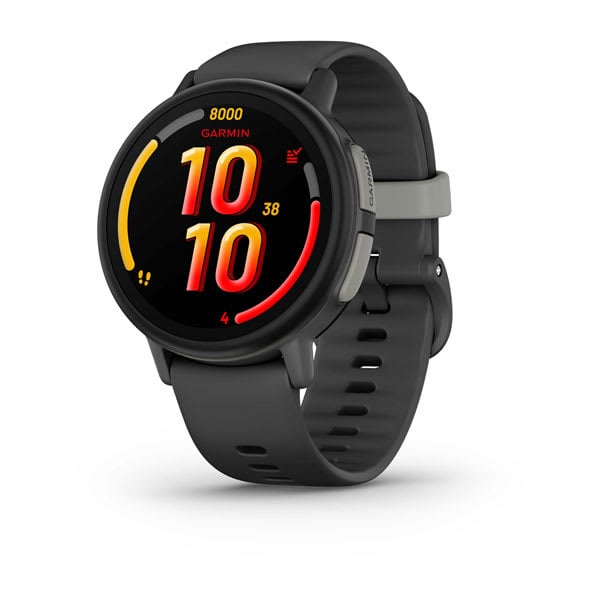
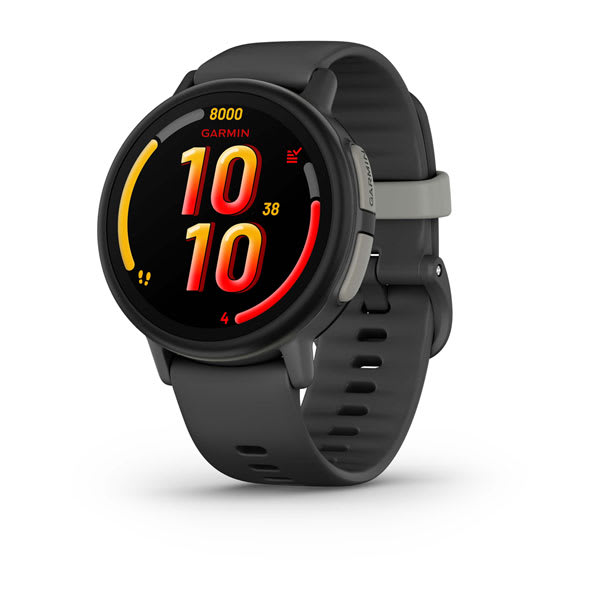
1. Garmin Bounce (~$150) -- Best Fitness-Focused
Check price on Amazon
If fitness tracking is your primary goal -- and you want a watch that was actually designed for kids rather than adapted from an adult product -- the Garmin Bounce is the one to beat.
This watch sits in the Garmin ecosystem, which means the fitness tracking is legitimately excellent. We're talking accurate step counting, active minutes tracking, move alerts when your kid has been sitting too long, and the ability to set daily activity goals. Jake wore it for three weeks and actually started voluntarily going on evening walks to hit his step goal. I almost fell over.
What the tween thought: Jake rated the Garmin Bounce a 7 out of 10 on looks. "It's not embarrassing," he said, which from an 11-year-old is practically a standing ovation. The round face looks more like a real watch than some of the kid-specific options. His main complaint was that the interface felt "a little slow" compared to an Apple Watch -- but he acknowledged he was comparing it to a watch that costs roughly $100 more.
Fitness features that stood out:
- Step tracking with daily goals that auto-adjust based on activity level
- Active minutes tracking that distinguishes between walking and actual exercise
- Move alerts that buzz when they've been sedentary too long
- Swim-proof at 5 ATM, so pool days and beach trips are covered
- Toe-to-Toe step challenges to compete with other Garmin users
- Sleep tracking (basic but functional)
Parental controls: The Garmin Jr. app is solid. You manage contacts, set safe zones with geofencing alerts, view location history, and control what features are accessible. The LTE connection requires a monthly plan (around $10/month through Garmin), but it gives you calling, messaging, and real-time GPS without needing a phone nearby. For a detailed side-by-side with the Xplora X6Play, see our Garmin Bounce vs Xplora X6Play comparison.
Pros:
- Best-in-class fitness tracking for a kids' watch
- Garmin's reputation for accuracy is well-earned
- Swim-proof and genuinely durable
- Clean design that doesn't scream "kids' watch"
- Toe-to-Toe challenges are a real motivator
Cons:
- Monthly cellular plan required
- Screen is smaller than some competitors
- Interface isn't as polished as Apple's
- No music storage or playback
Bottom line: If you want the best fitness tracking in a package your tween won't refuse to wear, the Garmin Bounce is the pick. The ongoing monthly cost is the main drawback, but the Garmin ecosystem for fitness data is hard to match.
Buy the Garmin Bounce on Amazon
2. Apple Watch SE (~$249) -- Best "Cool Factor"
Check price on Amazon
I'll be honest: part of me resisted putting the Apple Watch SE on this list because it's the most expensive option and it requires an iPhone in the family. But after watching Jake's face when he put it on, I knew I had to include it. This is the watch tweens want.
The Apple Watch SE with Family Setup lets you set up the watch for a child who doesn't have their own iPhone. You manage it from your phone, control contacts, enable or disable features, and set up location sharing. And the fitness tracking is genuinely excellent -- Apple's Activity Rings are one of the most effective gamification systems I've ever seen for motivating physical activity.
What the tween thought: This was the runaway winner for style. Every single kid in our test group wanted this one. "It's an actual Apple Watch," Jake said, as if that explained everything. And honestly, for a tween, it kind of does. The brand recognition alone makes this the watch they'll actually wear every day. His friend Marcus added, "Nobody's going to make fun of you for wearing an Apple Watch." That peer pressure angle is real, and it matters at this age.
Fitness features that stood out:
- Activity Rings (Move, Exercise, Stand) that are genuinely addictive to close
- Workout tracking for dozens of activities including swimming, cycling, and running
- Heart rate monitoring that's accurate and consistent
- Step counting and distance tracking
- Built-in workout app with guided options
- Family sharing for activity competitions
Parental controls: Apple's Family Setup is the best parental control system in this roundup. You manage everything from your iPhone -- approved contacts, screen time limits during school hours, location sharing, and which apps are available. The Schooltime mode automatically restricts the watch to basic functions during class hours. If your family is already in the Apple ecosystem, setup is seamless.
Pros:
- The watch every tween wants to wear
- Activity Rings are a proven fitness motivator
- Family Setup parental controls are best-in-class
- Swim-proof to 50 meters
- Huge selection of bands and watch faces
- Crash Detection and Fall Detection for safety
Cons:
- Most expensive option at ~$249 (plus cellular plan if you want it)
- Requires an iPhone in the family for Family Setup
- Battery life is the weakest here at about 18 hours
- Daily charging becomes another thing to manage
- Cellular adds another ~$10/month to your phone plan
Bottom line: If budget isn't the primary concern and your family uses iPhones, the Apple Watch SE is the one your tween will actually be excited about. The fitness tracking is top-tier, the parental controls are excellent, and the cool factor is unmatched. Just be ready for daily charging.
Buy the Apple Watch SE on Amazon
3. Fitbit Ace LTE (list $229.95; no new Amazon stock) -- Best Dedicated Kids Fitness
Check price on Amazon
The Fitbit Ace LTE is an interesting proposition. It's specifically designed as a kids' device with LTE connectivity, combining Fitbit's fitness tracking heritage with Google's software chops. The standout feature here is the games that require actual physical movement to play -- a clever approach that turns screen time into active time.
This one has a unique chunky, rounded design that's distinctive. It doesn't try to look like an adult watch, which is both its strength and its weakness depending on which tween you ask.
What the tween thought: This was the most polarizing watch in our group. Jake rated it a 6 out of 10 on looks -- "It's kind of chunky" -- but his friend Sophia actually preferred it because of the bright colors and the movement-based games. "The games are actually fun," she said, though she added, "I wouldn't want to wear it to a birthday party." The Noodle and Eejie characters are fun but do skew a touch young for the 11-12 crowd. Ten-year-olds were more enthusiastic.
Fitness features that stood out:
- Activity tracking with steps, active minutes, and sleep
- Movement-based games (Eejie) that reward physical activity
- Activity-linked virtual pet (Noodle) that needs you to move to keep it happy
- Fitbit family challenges and competitions
- Sleep tracking with sleep stages
- Swim-proof design
Parental controls: The Fitbit Ace app (managed through Google) gives parents solid control. You approve contacts, set quiet hours, view activity and location data, and manage which features are available. The LTE connection (around $10/month) enables calling, messaging, and GPS tracking without needing a nearby phone.
Pros:
- Movement-based games are genuinely motivating for younger tweens
- Fitbit's activity tracking is accurate and well-presented
- LTE for calling, messaging, and GPS
- Swim-proof and durable
- The gamification of activity is creative and well-executed
Cons:
- Design may feel too "kiddie" for older tweens (11-12)
- Monthly cellular plan required
- Battery life is about a day, requiring nightly charging
- The Noodle/Eejie characters won't appeal to every kid
- Screen could be larger for the overall watch size
Bottom line: The Fitbit Ace LTE is ideal for the 10-year-old who needs a nudge toward being more active. The movement-based games are a genuine differentiator. But if your kid is closer to 12 and very conscious of what's "cool," the design might be a tough sell. Know your kid.
Buy the Fitbit Ace LTE on Amazon
4. Xplora X6Play (~$170) -- Best All-Rounder with Step Rewards
Check price on Amazon
The Xplora X6Play takes a different approach to motivating fitness: cold, hard rewards. The Xplora Goplay platform converts your kid's steps and activity into points (Xplora Coins), and those points can be redeemed for real rewards -- gift cards, donations to charity, or entries into prize drawings. If your tween is motivated by tangible incentives, this is brilliant.
Beyond the fitness angle, the X6Play is a competent all-rounder with a built-in camera, calling, messaging, and GPS. It packs a lot of features into the price point.
What the tween thought: Jake gave this one a 7 out of 10. "The coins thing is actually cool," he said. "I walked extra just to get more points." His friend Ava was the biggest fan in the group: "I like that you actually get something for exercising. Not just a number going up." The camera was a hit too -- they immediately started taking goofy wrist-angle selfies. The square design is modern enough not to look childish, though it's clearly not an Apple Watch.
Fitness features that stood out:
- Step counting with Xplora Goplay rewards system
- Xplora Coins earned through physical activity
- Activity goals and daily challenges
- Family step competitions
- Camera for active moments (3MP)
- IP68 water resistance for splashes and rain
Parental controls: The Xplora app gives parents control over contacts, GPS tracking with geofencing, safe zones, and SOS alerts. You can view location history, manage calling permissions, and control the camera remotely. The watch requires a SIM card and monthly plan (around $10/month through Xplora or a compatible carrier).
Pros:
- Goplay rewards system genuinely motivates activity
- Good camera for a kids' watch
- Competitive price point at ~$170
- Solid GPS and communication features
- Modern design that doesn't scream "kids' watch"
Cons:
- Fitness tracking isn't as detailed as Garmin or Fitbit
- IP68 means splash-proof, not swim-proof -- no pool use
- Monthly plan required
- Battery life varies significantly with usage
- Rewards catalog could be more extensive
Bottom line: The Xplora X6Play is a smart choice for tweens who need external motivation to be active. The rewards system works, the feature set is comprehensive for the price, and the design is acceptable to the tween aesthetic committee. Just don't expect the fitness tracking depth of a Garmin or Fitbit.
Buy the Xplora X6Play on Amazon
5. Garmin Vivofit Jr. 3 (~$90) -- Best Budget Fitness Option
Check price on Amazon
If you want excellent fitness tracking without the monthly cellular bill, the Garmin Vivofit Jr. 3 is the value play. There's no LTE, no calling, no messaging. What you get is Garmin-quality activity tracking, a battery that lasts up to a year (not a typo), and a price that makes it easy to say yes.
This is essentially a dedicated fitness tracker that happens to tell time, rather than a smartwatch. For families who want to introduce fitness tracking without giving their tween a communication device, it's a strong option.
What the tween thought: This is where age segmentation really matters. Jake (11) rated it a 5 out of 10 and said, "It's fine but it doesn't really do anything besides track steps." But his 10-year-old neighbor thought it was great and loved the customizable watch faces. The Vivofit Jr. 3 also comes in Marvel, Disney, and Star Wars themed versions, which can be a plus or minus depending on your kid's relationship with those brands. Some tweens are still into Marvel. Some would rather not advertise it on their wrist.
Fitness features that stood out:
- Step tracking with daily goals
- Active minutes tracking
- Move bar that fills when sedentary too long
- Toe-to-Toe step challenges with nearby Garmin users
- Swim-proof at 5 ATM
- Sleep tracking
- Chore and task management through the parent app
- Up to 1-year battery life with replaceable coin cell battery
Parental controls: Without cellular connectivity, parental controls are limited to what you manage through the Garmin Jr. app via Bluetooth sync. You can assign chores and tasks, set activity goals, and view activity data. There's no GPS tracking, calling, or messaging -- which for some parents is actually a feature, not a bug.
Pros:
- Best price on this list at ~$90
- No monthly fees ever
- Battery lasts up to a year
- Garmin-quality fitness tracking
- Swim-proof and extremely durable
- Chore and task management is a nice bonus
- Lightest and most comfortable of the group
Cons:
- No GPS, calling, or messaging
- Design may feel young for 11-12 year olds
- Themed bands can skew very "kids"
- Small screen
- No touchscreen (button-operated)
- Limited to fitness and basic watch functions
Bottom line: The Garmin Vivofit Jr. 3 is the right choice if you want your tween to build fitness habits without adding a communication device to the mix. The battery life alone is worth considering -- zero charging management for an entire year. But for older tweens who want a "real" smartwatch, it may feel limiting.
Buy the Garmin Vivofit Jr. 3 on Amazon
The "Cool Factor" Test: What the Kids Actually Said
I promised real tween feedback, so here's the unfiltered version. I let Jake and four friends (ages 10-12) rank all five watches after a week of rotating through them. Their ranking, from coolest to least cool:
- Apple Watch SE -- "Obviously." (Jake, 11)
- Garmin Bounce -- "It looks like a real watch." (Marcus, 12)
- Xplora X6Play -- "The coins are sick." (Ava, 11)
- Fitbit Ace LTE -- "Fun but I wouldn't wear it to school." (Sophia, 10)
- Garmin Vivofit Jr. 3 -- "It's like a Fitbit from 2015." (Jake, being brutal)
What struck me was how consistent the feedback was. Every kid mentioned the same three things: how it looks, what it does beyond fitness, and whether their friends would think it was cool. Fitness tracking by itself wasn't enough to excite any of them -- but fitness tracking packaged inside something that feels grown-up and stylish? That they were into.
The other surprise: every single kid liked step challenges. When I set up a weekend step competition between Jake and Marcus, they both voluntarily went outside more. Marcus texted his mom asking to walk to the store instead of drive. That alone might be worth the cost of any watch on this list.
Fitness Features That Actually Motivate Kids
After two months of testing, here are the fitness features that moved the needle on actual physical activity -- not just the ones that sound good on paper:
Step challenges and competitions. This was number one by a mile. Whether it was Garmin's Toe-to-Toe, Fitbit's family challenges, or Xplora's leaderboards, head-to-head competition got kids moving more than any solo goal. If you're buying a fitness tracker for a tween, make sure there's a social competition element.
Rewards systems. Xplora's Goplay coins were the most explicit version of this, but Apple's Activity Ring completion and Garmin's badge system also worked. Tweens respond to visible, tangible progress. Abstract health benefits mean nothing to an 11-year-old. Points, badges, and streaks mean everything.
Move reminders. These worked better than I expected. When the Garmin Bounce buzzed Jake after 45 minutes of gaming and told him to move, he actually got up about 60% of the time. Not perfect, but way better than me telling him the same thing.
Family competitions. Setting up a weekend family step challenge on Fitbit got the whole household more active. When your kid sees that Dad only has 8,000 steps and they have 10,000, the smugness alone fuels another 2,000.
Sleep tracking. This was a slow burn, but after a few weeks Jake became genuinely interested in his sleep data. He started connecting how he felt during soccer practice with how much sleep he'd gotten. I didn't push it -- he figured it out himself. That's the ideal outcome.
Setting Up Parental Controls: Quick Guide by Watch
Here's a brief rundown of what setup looks like for each watch. I'm not going to do full tutorials -- each manufacturer has detailed guides -- but I want to set expectations for the initial time investment.
Garmin Bounce: Download the Garmin Jr. app, create a child profile, activate the LTE plan, and add approved contacts. Setup takes about 20-30 minutes. The geofencing and safe zone setup is intuitive. Plan on a few days of tweaking notification settings to get them right.
Apple Watch SE: Pair through your iPhone, enable Family Setup, configure approved contacts, set up Schooltime mode, and adjust location sharing. This takes 30-45 minutes if you're already familiar with Apple's ecosystem, longer if you're not. The good news is the controls are the most granular of any watch here.
Fitbit Ace LTE: Download the Fitbit Ace app, create a child account, activate LTE service, and configure contacts and permissions. About 20-30 minutes. The interface is clean and straightforward. Google's family management tools handle most of the heavy lifting.
Xplora X6Play: The Xplora Connect SIM comes pre-installed, so download the Xplora app, register the watch, add contacts, and configure safe zones. Budget 30 minutes. The Goplay rewards setup is separate and adds another 10 minutes. The app interface could be more polished, but it gets the job done.
Garmin Vivofit Jr. 3: Download the Garmin Jr. app, pair via Bluetooth, and set up the child profile. This is the fastest setup at about 10 minutes because there's no cellular activation. Assign chores and set activity goals through the app. Simple and fast.
FAQ: Fitness Trackers and Smartwatches for Tweens
Are fitness trackers safe for kids ages 10-12?
Yes. The fitness tracking itself -- step counting, active minutes, sleep monitoring -- uses basic accelerometer and gyroscope sensors that are completely safe. These are the same sensors in the smartphone that's probably already in your house. The privacy considerations are more about the connected features (GPS, messaging) than the fitness tracking, and those are well-managed through parental controls on all the watches listed here.
Do tweens actually use fitness features, or do they get bored after a week?
In my testing, the fitness features had better staying power than I expected, but with a catch: there needs to be a social or competitive element. Solo step counting held interest for about two weeks. Step challenges against friends or family members stayed engaging for the entire two-month test period. Buy the watch, then set up competitions. That's the formula.
Should I get my tween a fitness tracker or a full smartwatch?
It depends on whether you also need communication and GPS. Our kids smartwatch buying guide walks through this decision in detail. If your tween walks to school, rides their bike to friends' houses, or spends time away from you where you'd want to reach them, a smartwatch with cellular (Garmin Bounce, Apple Watch SE, Fitbit Ace LTE, or Xplora X6Play) makes sense. If they're mostly at home or school and you just want to encourage physical activity, the Garmin Vivofit Jr. 3 does the fitness job at a fraction of the cost with zero monthly fees.
Is the Apple Watch SE too expensive for an 11-year-old?
That depends entirely on your family's budget and values. At ~$249 plus optional cellular, it's the most expensive option here. But it's also the one your tween is most likely to wear consistently, which means you actually get value from the investment. A $90 watch that lives in a drawer is more expensive than a $249 watch that gets worn daily. I'd also point out that the Apple Watch SE holds its resale value well if your kid outgrows it or you upgrade later.
Can these watches handle sports and rough play?
All five watches on this list are built for active kids. The Garmin Bounce, Apple Watch SE, Fitbit Ace LTE, and Garmin Vivofit Jr. 3 are all swim-proof (5 ATM or equivalent). The Xplora X6Play is IP68 rated, meaning it handles splashes and rain but shouldn't be submerged for extended pool sessions. For contact sports like basketball or soccer, I'd recommend a snug-fitting band to prevent the watch from catching or snagging. None of these watches broke or showed significant damage during our two-month testing period, and that included some genuinely rough treatment.
Do these fitness trackers require a monthly subscription?
The Garmin Bounce, Fitbit Ace LTE, and Xplora X6Play all require monthly cellular plans, typically around $10/month. The Apple Watch SE requires a cellular plan only if you opt for the GPS + Cellular model and want it to work independently from your phone (add-on to your existing carrier plan, usually $5-10/month). The Garmin Vivofit Jr. 3 has zero ongoing costs -- no cellular, no subscription, and the coin cell battery lasts about a year before needing a cheap replacement.
What's the best fitness tracker for a tween who plays organized sports?
The Garmin Bounce or Apple Watch SE. Both have the most detailed workout tracking, including specific sport modes, heart rate monitoring (Apple Watch SE), and post-activity summaries. If your kid plays competitive sports and wants to track performance over time, these two have the data depth to support that. The Apple Watch SE has an edge here with its heart rate sensor providing more granular workout data.
Will my tween's school allow a smartwatch?
This varies enormously by school. Many schools now have policies about smartwatches, and some ban them outright while others allow them in restricted modes. The Apple Watch SE's Schooltime mode and similar features on the Garmin Bounce and Fitbit Ace LTE are designed specifically for this -- they restrict the watch to basic clock functions during school hours. I'd recommend checking with your school's policy before purchasing and highlighting these school modes to administrators if needed. The Garmin Vivofit Jr. 3 is rarely an issue at schools since it doesn't have communication features.
The Verdict: Which Should You Actually Buy?
After two months of testing, here's my straightforward recommendation:
-
Want the best fitness tracking in a kids' package? Get the Garmin Bounce. The Garmin ecosystem for activity data is unmatched in this category, and the design is tween-acceptable.
-
Want the watch your tween will be thrilled to wear? Get the Apple Watch SE. Yes, it costs more. Yes, the battery life is mediocre. But the Activity Rings, the cool factor, and the Family Setup controls make it a legitimate contender.
-
Want gamified fitness for a younger tween (age 10)? Get the Fitbit Ace LTE. The movement-based games are a clever differentiator that works best with the younger end of this age range.
-
Want step rewards and solid all-around features? Get the Xplora X6Play. The Goplay rewards system adds a tangible incentive layer that some tweens really respond to.
-
Want fitness tracking without monthly fees or communication features? Get the Garmin Vivofit Jr. 3. At about $90 with a year-long battery and zero subscription costs, it's the low-commitment entry point.
No matter which one you pick, the most important thing is setting up those step challenges and family competitions. The hardware motivates for a few days. The competition motivates for months. I've seen it firsthand -- and I've got the step count data to prove it. If your tween is closer to 13 and ready for something more grown-up, our best smartwatches for teens guide covers the next step up. For Android families looking for a premium option, the Samsung Galaxy Watch combines excellent fitness tracking with parental controls. And for a broader look at the top GPS watches across all age groups, see our best GPS smartwatches for kids roundup. You can also compare current prices on every watch above at our deals page.