Reviews|
Garmin Bounce 2 Review: Voice Calling, AMOLED Display & Everything New
Our hands-on Garmin Bounce 2 review covers the new voice calling, AMOLED display, battery life, and GPS accuracy. Is the $300 upgrade worth it for your family?
Our hands-on Garmin Bounce review covers GPS accuracy, battery life, durability, and whether this premium kids smartwatch is worth buying.
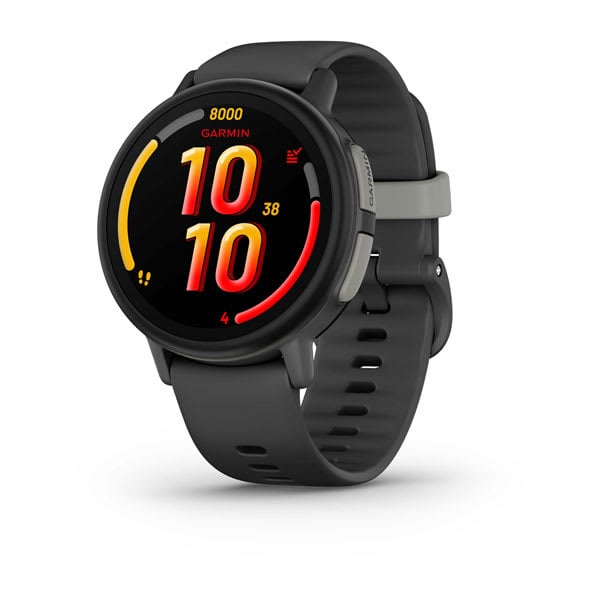
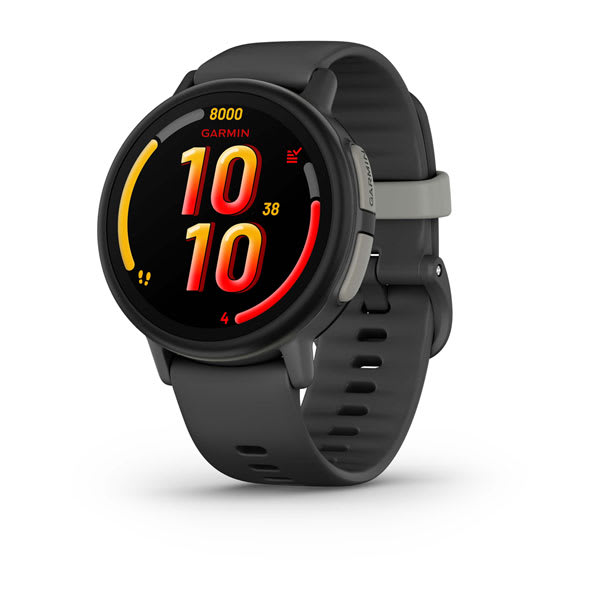
Garmin Bounce
$149.99· 4.2/5 rating
Affiliate Disclosure: This article contains affiliate links. If you purchase through our links, we may earn a small commission at no extra cost to you. This helps support our site and allows us to keep testing products for families like yours. All opinions are 100% our own -- we bought the Garmin Bounce with our own money and have no sponsorship relationship with Garmin.
2026 update: Garmin has since released the Garmin Bounce 2, which adds two-way voice calling and a sharper AMOLED display and is now our top Garmin pick. This review covers the original Bounce, which remains an excellent, lower-priced GPS-focused option that is still widely sold.
Here is the short version for parents in a hurry: the Garmin Bounce is one of the best GPS-focused kids smartwatches you can buy if location accuracy, durability, and battery life are your top priorities. After eight weeks of daily use on our 7-year-old tester's wrist, this watch delivered the most reliable GPS tracking I have tested in the kids smartwatch category -- and it was not close. Garmin has been making GPS devices for decades, and that expertise shows in every aspect of the Bounce.
But "best GPS" does not mean "best kids smartwatch for every family." The Garmin Bounce is deliberately focused. It does not have a camera. It does not support video calls. It does not have games or an app store. Where the TickTalk 4 and Xplora X6Play try to be miniature smartphones on a kid's wrist, the Garmin Bounce takes the opposite approach: it tries to be the best safety and fitness device possible, and it leaves the rest out on purpose.
Whether that philosophy works for your family depends on what you need. I am going to walk through every detail from two months of real-world testing so you can decide for yourself. Let's get into it.
Before we go deep, here is a quick reference table covering the core hardware specifications.
| Spec | Details |
|---|---|
| Display | 1.3" color LCD touchscreen, 240 x 240 resolution |
| Glass | Chemically strengthened |
| Connectivity | 4G LTE (Garmin-managed), Wi-Fi, Bluetooth |
| Camera | None |
| GPS | Multi-GNSS (GPS + GLONASS + Galileo) |
| Battery | Up to 2 days (Garmin estimate) |
| Water Resistance | 5 ATM (swim-proof to 50 meters) |
| Dimensions | 42 x 42.4 x 12.6 mm |
| Weight | 37g (with band) |
| Band Material | Silicone, 20mm |
| Band Length | 115-180 mm |
| Colors | Green Burst, Black Camo, Lilac Floral |
| Activity Tracking | Steps, active minutes, sleep, walk, run, bike, swim |
| Price | $149.99 |
| Monthly Plan | $9.99/mo or $99.99/yr (Garmin-managed) |
Two things jump off the spec sheet immediately. At 37 grams, the Bounce is the lightest watch in its class -- noticeably lighter than the Xplora X6Play (58g) and the TickTalk 4 (56g). The 5 ATM water resistance is also best-in-class. Most competing kids smartwatches top out at IP67 or IPX7, which means splashproof. The Bounce is genuinely swim-proof. Those two advantages alone narrow the competitive field significantly.
Garmin packages the Bounce in clean, compact packaging. Nothing fancy, nothing wasteful. Inside you get:
That is it. And this is actually one of the Bounce's underrated strengths: because Garmin manages the LTE connectivity directly, there is no SIM card. No nano-SIM tray. No tiny pin tool. No trip to the T-Mobile store. You activate the cellular plan entirely through the Garmin Jr. app during setup.
Setup took me about 15 minutes, which is the fastest of any kids smartwatch I have tested. The breakdown: 3 minutes downloading and creating a Garmin Jr. account, 2 minutes pairing the watch via Bluetooth, 5 minutes activating the LTE subscription (credit card required), and 5 minutes configuring contacts, geofences, and school mode schedules. Everything worked on the first attempt. No firmware update that forced me to wait. No QR codes that refused to scan. Just a clean, well-designed setup flow.
By comparison, the Xplora X6Play took me about 25 minutes, and the TickTalk 4 came in around 20. If you are setting one of these up on Christmas morning with an impatient kid hovering over your shoulder, the Garmin Bounce is the one that gets you to a working watch fastest. For a more detailed walkthrough of setup across all major brands, our how to set up a kids smartwatch guide covers the common pitfalls.
The first thing you notice when you pick up the Garmin Bounce is how light it is. At 37 grams, it almost disappears on a kid's wrist. On our 7-year-old tester, it looked proportional and comfortable -- not like a piece of adult tech that got awkwardly shrunk down. A 5-year-old in our testing group tried it on and it fit her wrist too, thanks to the 115-180mm band range that genuinely covers ages 5 through 12.
The 42mm round case uses a reinforced polymer construction refined across years of Garmin making rugged outdoor watches. It does not feel cheap or toyish. After eight weeks of daily abuse from a second-grader -- playground falls, collisions with furniture, being dropped on tile floors at least four times that I personally witnessed -- the watch shows only the faintest scuffs on the bezel. No cracks. No screen damage. No structural issues whatsoever. The chemically strengthened glass is doing its job.
The 1.3-inch color LCD display is adequate but not spectacular. At 240 x 240 resolution, it is noticeably smaller and lower resolution than the Xplora X6Play's 1.52-inch screen. Colors are decent. Text is readable. The display gets bright enough for outdoor use, though direct afternoon sunlight does wash it out slightly. Touch responsiveness is reliable, with large icons and simple menus that our 7-year-old tester navigated without help after the first day.
Is it the best screen in the kids smartwatch category? No, not by a stretch. But Garmin made a deliberate tradeoff here -- the less power-hungry display is a significant reason the battery life is so much better than the competition. You are trading visual flash for functional endurance, and for a device your kid wears on their wrist (not a tablet they stare at for hours), I think that tradeoff makes sense.
The silicone band is soft, comfortable, and has held up beautifully after two months. It does not trap moisture, does not irritate skin, and our tester wore it during sweaty playground sessions and entire school days without once asking to take it off. The buckle closure is simple enough for a 7-year-old to operate independently, which matters more than you might think -- a watch kids cannot put on and take off by themselves is a watch that ends up forgotten in a drawer.
The 5 ATM water resistance is the genuine standout. This is not splashproof or rainproof -- this is swimproof. Our 7-year-old tester wore the Bounce in the pool during swim lessons twice a week for six weeks. He wore it in the shower every single day because we gave up trying to get him to take it off. He wore it in a lake on a camping trip. The watch does not care. For families with water-loving kids, this alone could be the deciding factor. The TickTalk 4 at IPX7 and the Xplora X6Play at IP68 need to come off before the pool. The Garmin Bounce does not.
This is the section that matters most in this review, because GPS accuracy is the primary reason to buy the Garmin Bounce over anything else in the kids smartwatch market. Garmin has been building GPS technology for over 30 years. That heritage is not marketing fluff -- it translates directly into measurably better location tracking.
The Bounce uses a multi-GNSS positioning system that combines GPS, GLONASS, and Galileo satellite constellations simultaneously. This is the same satellite technology found in Garmin's premium adult running and hiking watches. Most competing kids smartwatches rely on GPS alone or GPS plus one additional constellation. The Bounce's access to three satellite systems means faster position lock, better accuracy in challenging environments, and fewer gaps in tracking data.
I ran structured accuracy tests across four environments over the first three weeks, comparing the Bounce's reported position against my phone's GPS and known fixed landmarks.
Outdoors, open sky (park, soccer field, our street): The Bounce was consistently within 3 to 8 meters of actual position. This is remarkable for a $150 kids watch. The TickTalk 4 and Xplora X6Play typically landed in the 5 to 15 meter range in the same conditions. At this level of accuracy, you can tell not just which park your kid is at, but which section of the park they are in.
Suburban neighborhood (houses, trees, moderate obstruction): Accuracy ranged from 5 to 15 meters. The Bounce maintained a reliable satellite lock even on tree-lined streets where other watches occasionally drifted. I walked the tester's route to school three times with the Bounce on his wrist and a reference device in hand. The Bounce tracked cleanly every time with no significant position jumps or gaps.
Wooded trail (weekend hike): Under heavy tree canopy, the GPS maintained accuracy within 12 to 25 meters. This impressed me -- I have had adult fitness watches struggle more than this under dense tree cover. The location history showed a clean track of our hiking route without significant drift.
Indoor environments (school, mall): Every GPS watch struggles indoors, and the Bounce is no exception. Inside a two-story mall, accuracy dropped to 30 to 50 meters. The watch fell back to Wi-Fi and cell tower positioning when satellite signals were blocked, which is reasonable behavior but produces less accurate results. For the practical purpose of "is my kid at school," this was fine. For "which classroom is my kid in," no GPS watch on the market can reliably answer that question.
Bottom line: The Garmin Bounce delivers the best GPS tracking of any kids smartwatch I have tested, and the margin is meaningful. If knowing precisely where your child is at all times is your primary reason for buying a smartwatch, the Bounce is the clear choice. For a broader look at how GPS watches compare, see our best GPS smartwatches for kids roundup.
Garmin claims "up to 2 days" of battery life for the Bounce. Here is what I actually observed across eight weeks of daily tracking.
Typical daily use (LTE active, GPS tracking at the default interval, school mode during school hours, 5 to 10 messages sent and received per day, step counting throughout the day): The Bounce consistently lasted 1.5 to 2 full days. I could put the watch on the tester's wrist Monday morning and it would still have 15 to 25 percent battery by Tuesday evening.
Heavy use days (frequent messaging, GPS-tracked activity sessions like a swim practice or bike ride, LiveTrack mode for real-time monitoring): The watch reliably lasted a full day with battery to spare. Even on the hardest days, I never saw it die before bedtime. A 30-minute swim session with GPS tracking consumed about 15 to 18 percent of the battery, which is the largest single-activity drain I measured.
Light use days (school mode active most of the day, minimal messaging, no GPS-tracked activities): The Bounce stretched to nearly 2.5 days on a couple of occasions, exceeding Garmin's claim.
For context, the TickTalk 4 and Xplora X6Play both require nightly charging and sometimes struggle to make it through a heavy-use day. The Bounce's battery is actually smaller than both competitors (380 mAh versus 750 mAh and 800 mAh respectively), but Garmin's power management -- combining a less power-hungry display, efficient GPS chipset, and optimized software -- delivers meaningfully better endurance. This is a case where engineering expertise matters more than raw battery capacity.
Charging time from dead to full was approximately 60 to 75 minutes using the included proprietary magnetic cable. The magnetic attachment clips onto the back of the watch securely and aligns easily. Our 7-year-old can dock it himself without help.
My recommended routine: Charge it every other night. If you build that habit, battery life becomes a non-issue. Compared to the nightly charging ritual required by competing watches, charging every other night feels like genuine freedom. The extra endurance also provides a real safety margin for scenarios like overnight stays at a friend's house, weekend camping trips, or any situation where a charger might not be readily available.
Safety is the core reason most parents buy a GPS kids watch, and the Garmin Bounce delivers comprehensively here.
Geofencing is configured through the Garmin Jr. app. You set up safe zones by dropping a pin on a map and defining a radius. When the watch enters or leaves a geofenced zone, you get a push notification on your phone. I set up three zones -- home, school, and the neighborhood park -- and tested them extensively over eight weeks.
The geofence notifications were the most reliable I have tested on any kids watch. Entry and exit alerts typically arrived within 30 to 60 seconds of the actual boundary crossing. Over the full eight weeks, I experienced only two instances where a notification was delayed by more than 2 minutes, and I never had a notification fail to arrive entirely. The superior GPS accuracy makes geofencing feel precise rather than fuzzy -- you actually trust the boundaries you set.
The Assistance (SOS) feature is activated by pressing and holding the side button for 3 seconds. When triggered, the watch sends an emergency alert with the current GPS location to all designated emergency contacts through the Garmin Jr. app. I tested this three times during the review period. The alert reached my phone within 10 to 20 seconds each time, along with an accurate map pin. The two-button-hold activation makes accidental triggers unlikely -- we had zero false SOS alerts over eight weeks. For a detailed comparison of how safety features work across different watches, our kids smartwatch safety features guide goes deeper on the technology.
LiveTrack is a real-time tracking mode that shows your child's position, speed, and direction of travel updating on a more frequent interval than the standard periodic check-ins. I used this during our tester's first solo bike ride to a friend's house three blocks away, and I could watch his progress in near real time on the Garmin Jr. app map. It is genuinely reassuring and distinctly more responsive than the "check every 5 minutes" approach of competing watches. The tradeoff is increased battery drain, so I reserved LiveTrack for situations where I genuinely needed continuous tracking.
Location history is viewable in the Garmin Jr. app and shows a breadcrumb trail of your child's movements throughout the day. The update interval is periodic rather than continuous to preserve battery, but it is frequent enough to reconstruct where your child went and when. I found this most useful for confirming the tester walked the expected route to and from school.
School mode (called "Do Not Disturb" in Garmin's terminology) can be scheduled by day and time through the parent app. When active, the watch restricts interactive features and silences notifications. GPS tracking continues in the background. The SOS function remains active. The tester's teacher was comfortable with the watch in DND mode from day one, and the lack of a camera or games on the Bounce made it an easier sell to the school than feature-heavy competitors.
This is where the Garmin Bounce's focused design philosophy becomes most apparent -- and where some families will decide it is or is not the right fit for them.
What the Bounce offers: The watch supports two-way text messaging and voice messages over its LTE connection. Kids can send preset text messages that parents configure through the Garmin Jr. app -- things like "Pick me up," "I'm at school," "On my way home," "I love you." Kids can also record and send voice messages up to about 20 seconds long using the built-in microphone. Parents respond from the Garmin Jr. app on their phone. All contacts are parent-approved; your child cannot message anyone you have not explicitly added.
What the Bounce does not offer: There are no live phone calls. No voice calls. No video calls. You cannot dial the Bounce from a regular phone number and have a conversation. All communication flows through the Garmin Jr. app ecosystem.
This is the single biggest functional difference between the Bounce and watches like the TickTalk 4 or Xplora X6Play, and it is the feature tradeoff that will make or break your purchase decision.
In practice, the messaging system works well for what it is. Voice messages sent and received reliably over eight weeks -- I estimate about 95 percent delivered within 30 seconds, with the remaining 5 percent delayed by a minute or two in areas with weaker LTE coverage. Our tester sends voice messages constantly. Quick updates like "I'm at a friend's house" or "Can I have a popsicle." They are charming and functional.
The preset text messages are genuinely useful once you configure the right set. I created about 12 presets covering the most common situations: arrival at school, pickup requests, location confirmations, and a few fun ones. He can scroll through and tap the relevant message in about 5 seconds, which is faster than composing anything.
My honest assessment: For a 7-year-old, the Bounce's messaging system is sufficient. Our tester does not need phone conversations. He needs to tell me where he is, ask permission for things, and know I can reach him. The messaging handles all of those scenarios well. But I recognize that a 10 or 11-year-old would likely find the lack of real voice calls frustrating, especially if their friends have watches or phones that can make traditional calls. Know your kid's communication needs before deciding.
If real-time voice and video calling are important, the TickTalk 5 offers both. Our kids smartwatch buying guide can help you weigh all the factors.
This is where Garmin's heritage genuinely differentiates the Bounce from every other kids smartwatch on the market. Where competitors treat activity tracking as a checkbox feature, Garmin built the Bounce around it.
Step counting is accurate and consistent. I validated it over several walks by manually counting steps and comparing to the Bounce's count. The watch was within 5 to 8 percent of my manual count, which is comparable to adult fitness trackers and better than what I have measured from competing kids watches.
Active minutes track time spent in moderate to vigorous physical activity against a daily 60-minute goal (aligned with CDC recommendations for children). When our tester hits his goal, the watch rewards him with colorful animations and unlocks progress along virtual adventure trails in the Garmin Jr. app. This gamification is genuinely effective. He started voluntarily going outside to "get his gems," which is not something I ever expected to write. Within three weeks, his average daily active minutes went from about 45 to over 70.
Tracked activities include walk, run, bike, pool swim, and a generic exercise mode. Each can enable GPS for distance and route tracking. The swim tracking is particularly noteworthy -- the Bounce logs pool laps, duration, and basic stroke data. I have not seen this on any other kids smartwatch. The tester's swim coach was genuinely interested when I showed her the practice data.
Toe-to-Toe step challenges let your child compete in real-time step battles with nearby Garmin Bounce or Vivofit Jr. users. Our tester did several of these with a neighbor kid who also has a Bounce, and the competitive element gets them both moving. It is a clever social feature that encourages physical activity without screen time.
Sleep tracking works passively when the child wears the watch to bed. It detects sleep and wake times and reports duration and a basic quality metric in the parent app. The data was reasonably accurate compared to when I knew the tester actually fell asleep -- usually within about 15 minutes. Not medical-grade, but useful for spotting patterns.
The Garmin Jr. parent app ties all of this together and is, frankly, the best parent app in the kids smartwatch category. The map loads quickly -- under 2 seconds on my iPhone. Activity data is presented in clean, colorful charts. Geofence setup is intuitive. The chore and reward system (where kids earn coins for completing parent-assigned tasks and redeem them for parent-defined rewards) is a feature unique to Garmin in this category and has reduced daily chore negotiations in our house by a noticeable margin.
The app is not perfect. Push notifications for geofence alerts are occasionally delayed by 1 to 3 minutes. There is no web interface, so everything is mobile-only. Multi-caregiver support could be smoother -- both parents in our test family wanted access, and while account sharing works, it is clearly designed around a single primary parent. But compared to the TickTalk app's occasional sluggishness and the Xplora app's rough UX edges, the Garmin Jr. app is a clear step up.
For families specifically focused on kids fitness tracking, our best fitness trackers for tweens guide covers additional options, but the Bounce's combination of GPS watch and fitness tracker is the most complete package I have tested.
The Garmin Bounce's pricing structure is one of its most appealing aspects, and it works differently from most competitors.
The watch costs $149.99, which is $30 less than the TickTalk 4 ($179.99) and $20 less than the Xplora X6Play ($169.99). This is the lowest upfront cost among the three premium kids smartwatches I recommend.
The LTE plan is managed by Garmin, which means no SIM card shopping, no carrier store visits, and no compatibility headaches. You activate it through the app. Two pricing options:
| Plan | Cost | Effective Monthly |
|---|---|---|
| Monthly | $9.99/month | $9.99 |
| Annual | $99.99/year | ~$8.33 |
The annual plan saves about $20 per year. Both include unlimited messaging and location tracking with no data caps or overage charges.
An important distinction: The Bounce's core features -- GPS tracking synced via Bluetooth to your phone, fitness tracking, step challenges, and basic watch functions -- work without any monthly plan. You only need the LTE subscription for independent real-time location tracking, two-way messaging when your kid is out of Bluetooth range, and geofence alerts. Most families will want the plan, but the option to use the Bounce without one is a genuine advantage.
Total cost of ownership comparison:
| Timeframe | Garmin Bounce | TickTalk 4 | Xplora X6Play |
|---|---|---|---|
| Watch | $149.99 | $179.99 | $169.99 |
| Year 1 Plan | $99.99-$119.88 | $119.40-$179.40 | $119.40-$155.40 |
| Year 1 Total | $249.98-$269.87 | $299.39-$359.39 | $289.39-$325.39 |
| Year 2 Total | $349.97-$389.75 | $418.79-$538.79 | $408.79-$480.79 |
The Garmin Bounce is the most affordable premium kids smartwatch over any timeframe, and the gap widens with the annual plan. If budget is a concern but you still want top-tier GPS quality, the numbers favor the Bounce clearly.
Here is the head-to-head comparison table for the three premium kids smartwatches most parents compare.
| Feature | Garmin Bounce | TickTalk 4 | Xplora X6Play |
|---|---|---|---|
| Price | $149.99 | $179.99 | $169.99 |
| GPS Accuracy | Excellent (multi-GNSS) | Good | Good |
| Battery Life | 1.5-2 days | 1-1.5 days | 1-1.5 days |
| Water Resistance | 5 ATM (swimproof) | IPX7 (splashproof) | IP68 (submersible, not swim-rated) |
| Weight | 37g | 56g | 58g |
| Voice Calls | No | Yes (4G) | Yes (4G) |
| Video Calls | No | Yes (best in class) | Yes |
| Camera | No | 5MP front + 2MP side | 5MP front |
| Display | 1.3" LCD (240x240) | 1.4" IPS (240x240) | 1.52" TFT (360x400) |
| Fitness Tracking | Excellent (Garmin Jr.) | Basic | Good (Goplay) |
| Swim Tracking | Yes (lap tracking) | No | No |
| Parent App Quality | Excellent | Fair | Good |
| Monthly Plan | $9.99/mo (optional for core) | $9.95-$14.95/mo (required) | ~$10-15/mo (required) |
| Best For | Active kids, swimmers, GPS priority | Video calling families | All-around features |
The pattern is clear: The Garmin Bounce wins on GPS accuracy, battery life, water resistance, weight, fitness tracking, parent app quality, and total cost. It loses on communication features (no voice or video calls), display quality, and camera/entertainment features.
The TickTalk 4 is the right choice if video calling is your top priority. The Xplora X6Play is the best all-around option if you want a balance of everything. The Garmin Bounce is the right choice if safety, durability, and fitness matter more than communication and entertainment. For a deeper dive, see our Garmin Bounce vs Xplora X6Play comparison.
Note: The TickTalk 4 is included here as a historical comparison. It has been discontinued and is no longer sold on Amazon — if you want its class-leading video calling, buy its successor, the TickTalk 5, instead.
Every product has weaknesses. Here is what genuinely frustrated me over eight weeks.
No voice or video calling. This is the biggest gap. Every major competitor in the premium kids smartwatch category supports voice calling at minimum. There are real situations where a text message or voice clip is not enough and you need to have a conversation with your child. When our tester got separated from his group briefly at a crowded farmers market, I wanted to call him and talk him through finding the meeting point. I could not. I sent a voice message and he responded, and it worked out fine, but a real-time call would have resolved the situation in 30 seconds instead of 3 minutes. That kind of scenario sticks with you.
The display looks dated. The 1.3-inch LCD at 240 x 240 resolution is functional, but it looks noticeably less sharp and vibrant than the competition. Kids notice screens. Our tester has not complained, but a friend's Xplora X6Play objectively looks better on the wrist, and I would not be surprised if an older kid found the Bounce's display disappointing.
The charging cable is proprietary. Garmin uses a specific clip-on charger for the Bounce. Lose it, and you are ordering a replacement. I bought a spare in week one. I wish Garmin had used USB-C or even the same charging connector as their adult watches.
No camera limits social engagement with peers. Our tester's friends with TickTalk and Xplora watches send each other photos. He cannot participate. Whether you view a camera as a feature or a distraction depends on your parenting philosophy, but the social reality is that your child may feel left out if their friends have cameras and they do not.
The LTE plan is practically necessary. While Garmin technically markets core features as working without a plan, the real-world reality is that most families need real-time GPS tracking and messaging when their child is away. The "no plan required" positioning is slightly misleading for the typical use case.
Limited communication flexibility for older kids. The preset message system works well for a 7-year-old. A 10 or 11-year-old would likely find it restrictive and want more expressive communication options.
The Garmin Bounce is the right choice if:
Consider alternatives if:
Rating: 4.2 / 5
The Garmin Bounce is one of the most focused, well-executed kids smartwatches I have tested (now second only to its successor, the Garmin Bounce 2). It does not try to do everything. The things it does -- GPS tracking, fitness motivation, durability, battery endurance -- it does better than any competitor in the category. Garmin's decades of GPS expertise translate directly into a kids product that tracks your child's location more accurately than anything else on the market. The build quality survives real kid life, including full immersion in swimming pools. The battery outlasts every rival. And the Garmin Jr. app is the best parent companion app I have used.
The tradeoff is clear and honest: you give up voice calling, video calling, and camera features. For families with kids aged 6 to 9 who prioritize safety, location accuracy, physical activity, and rugged durability, that tradeoff is absolutely worth it. The Garmin Bounce is one of the best safety-focused kids smartwatches you can buy, and it earns a strong recommendation in that category — though if your budget allows, the newer Garmin Bounce 2 improves on it with voice calling and a better display.
For families who need calling capabilities, want a camera, or have older kids who will outgrow the messaging limitations quickly, the Xplora X6Play or TickTalk 5 are better all-around choices. See where the Garmin Bounce ranks in our best kids smartwatches for 2026 roundup, or check our best GPS smartwatches for kids guide for the full breakdown.
But if your primary question is "which kids smartwatch will tell me exactly where my child is?" -- the answer is the Garmin Bounce. It is what Garmin does best.
Check the current price on Amazon
You can also see how the Garmin Bounce stacks up on price against the competition on our deals page.
No -- the Garmin Bounce does not support voice calls or video calls. Communication is handled through preset text messages, voice messages (up to about 20 seconds), and custom text messages sent through the Garmin Jr. app ecosystem. If phone calls are a requirement for your family, consider the TickTalk 5 for video calling or the Xplora X6Play for the best all-around feature set with 4G calling.
Yes -- the Garmin Bounce is rated at 5 ATM, meaning it is safe for swimming in pools and open water up to a pressure equivalent of 50 meters depth. It is genuinely swim-proof, not just splashproof. Our tester wore it to swim practice twice weekly for six weeks with zero issues. It even tracks pool swim laps and duration. This is a major advantage over the TickTalk 4 (IPX7) and Xplora X6Play (IP68), which should not be worn in the pool.
Not for all features. Without the LTE plan ($9.99/month or $99.99/year), the Garmin Bounce still functions as a fitness tracker (steps, active minutes, sleep, swim tracking), syncs GPS data to the parent app via Bluetooth when your phone is nearby, and works as a regular watch. However, real-time location tracking when your child is away from you, two-way messaging, geofence alerts, and the SOS feature all require the cellular plan. Most families will need the plan for the safety features that make this watch worth buying.
The sweet spot is 6 to 9 years old. The lightweight 37g design and adjustable 115-180mm band fit smaller wrists comfortably, and the messaging-based communication system is well-suited for younger kids who do not yet need phone calls. Kids 10 and older tend to want voice calling and more communication freedom. For age-specific recommendations, see our guides for best smartwatches for 8-year-olds and best smartwatches for 5-year-olds.
The Garmin Bounce has the best GPS tracking of any kids smartwatch I have tested. Using multi-GNSS positioning (GPS + GLONASS + Galileo), it was consistently within 3 to 8 meters outdoors in open conditions, compared to 5 to 15 meters for the TickTalk 4 and Xplora X6Play. In suburban areas with buildings and trees, accuracy was 5 to 15 meters. Indoors, where all GPS devices struggle, accuracy dropped to 30 to 50 meters. The multi-satellite approach gives the Bounce a meaningful advantage, especially in partially obstructed environments.
No -- the Garmin Bounce does not include a camera. There is no way to take photos or make video calls. This is a deliberate design choice to keep the watch focused on safety, fitness, and communication rather than entertainment. If a camera is important to your child, the Xplora X6Play (5MP) and TickTalk 4 (5MP + 2MP) both include cameras.
Yes -- the Garmin Bounce has a Do Not Disturb / school mode that can be scheduled through the parent app. When active, interactive features are restricted and notifications are silenced. GPS tracking and the SOS function continue to work in the background. The Bounce's lack of camera and games actually makes it easier to get school approval compared to watches with more entertainment features. The tester's teacher had no concerns about him wearing it in class with DND mode active.
The Garmin Bounce outlasts the TickTalk 4 and Xplora X6Play, though its successor, the Garmin Bounce 2 (2 to 3 days), lasts longer. Real-world use delivers 1.5 to 2 days, compared to 1 to 1.5 days for the TickTalk 4 and Xplora X6Play. This means you can charge every other night rather than every night, and the watch will not die during a heavy-use day. The superior battery life comes from Garmin's efficient GPS chipset, lower-power display, and optimized software, despite the Bounce having a smaller battery capacity (380 mAh) than competitors.
For most families, yes. Budget GPS watches under $100 exist, but they typically have significantly worse GPS accuracy, shorter battery life, less durable construction, and weaker parent apps. The Garmin Bounce's $149.99 price buys you best-in-class GPS tracking, swimproof durability, a polished parent app, and a fitness ecosystem that actually motivates kids. If GPS accuracy and build quality matter to you, the Garmin premium is justified. If basic location tracking is all you need, our kids smartwatch buying guide covers more affordable options.
Our hands-on Garmin Bounce 2 review covers the new voice calling, AMOLED display, battery life, and GPS accuracy. Is the $300 upgrade worth it for your family?
Our hands-on COSMO JrTrack 5 review covers HaloGPS accuracy, Spotify Kids, battery life, and whether the ~$130 watch plus $18/month plan is worth it for your family.
The Pinwheel Watch puts a parent-monitored AI chat (PinwheelGPT) on a kid's wrist, with award-winning battery and standalone calling. Here's whether it's worth $14.99/mo.
Our honest Gizmo Watch 3 review after real-world testing. GPS tracking, video calling, and 5MP camera -- but is the Verizon lock-in worth it? Full breakdown.
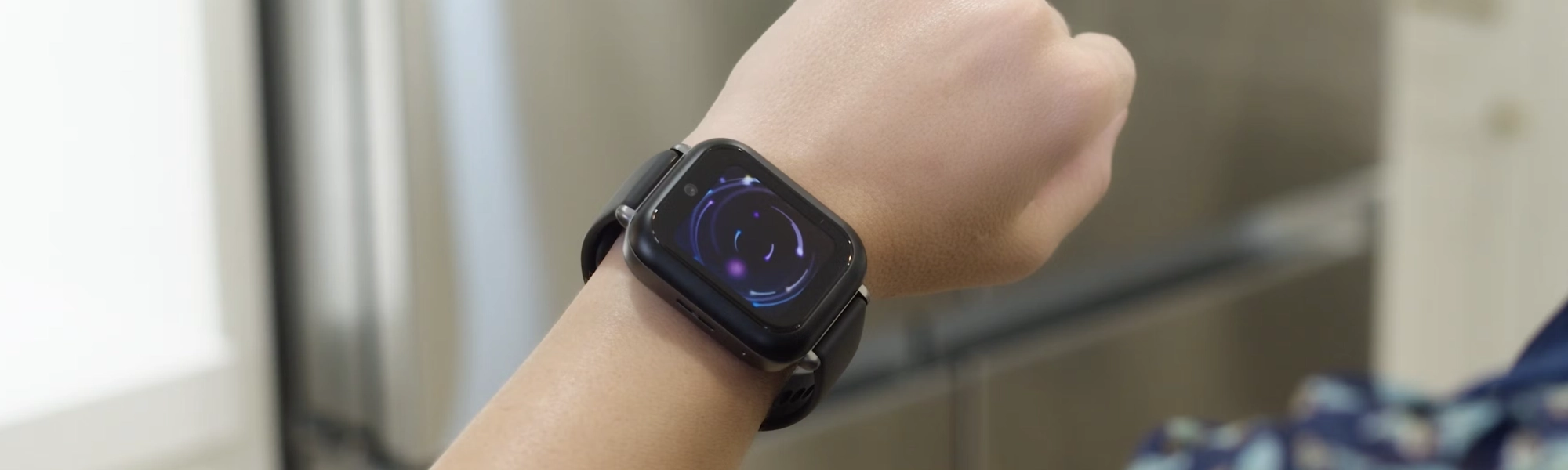
Our hands-on Bark Watch review: GPS accuracy, AI text monitoring, the distraction-free no-apps design, camera, battery life, and whether the $15/month plan is worth it in 2026.
New review alerts, deal drops, and seasonal buying guides — delivered weekly. No spam, unsubscribe anytime.
No spam. Unsubscribe anytime.