Reviews|
Gizmo Watch 4 Review (2026): What's New vs the Watch 3?
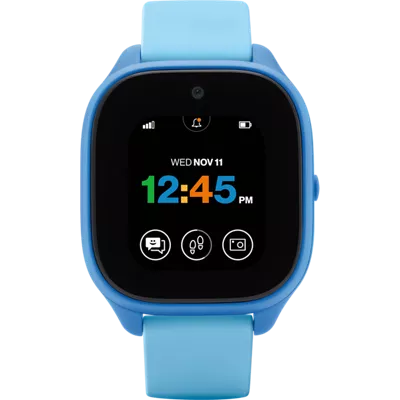
Verizon's Gizmo Watch 4 (July 2026) adds true swim-proofing and Watch Removal Detection over the Watch 3 -- a first look at what's new, the Verizon catch, and who should buy it.
Can the Samsung Galaxy Watch 7 work as a kids smartwatch? We break down Family Setup, GPS tracking, costs, and how it compares to purpose-built kids watches.
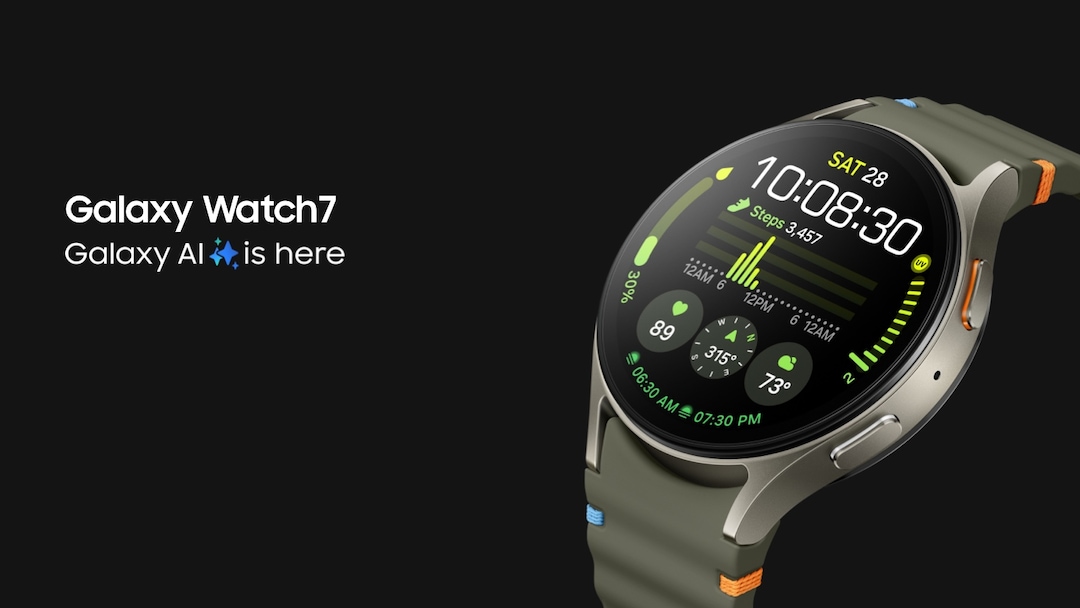
Samsung Galaxy Watch 7
$219.99· 3.75/5 rating
Affiliate Disclosure: This article contains affiliate links. If you purchase through our links, we may earn a small commission at no extra cost to you. This helps support our site and allows us to keep testing products for families like yours. All opinions are 100% our own -- we have no sponsorship relationship with Samsung or Google.
Can a Samsung Galaxy Watch work as a kids smartwatch? Yes -- but only if you buy the right model and understand the tradeoffs.
In early 2025, Samsung and Google launched "Galaxy Watch for Kids," a dedicated kids mode for the Galaxy Watch 7 LTE. It turns the watch into a standalone device your child can wear without a phone, with parental controls managed through Google Family Link. The Galaxy Watch 8 LTE, released later in 2025, also supports it.
Here is the critical distinction: this is not a purpose-built kids smartwatch. It is a full adult smartwatch with a kids mode layered on top. That means your tween gets a device that looks and feels like a real watch -- no cartoon interfaces or chunky plastic -- but it also means the parental controls are less locked down than what you get from a Garmin Bounce or a TickTalk 5.
If you are an Android household with a Samsung phone and your kid is 10 or older, the Galaxy Watch 7 is the closest equivalent to the Apple Watch SE with Family Setup -- and we compare them directly in our Samsung Galaxy Watch vs Apple Watch SE head-to-head. If you are an Apple household, stop here -- Samsung's kids mode requires a Samsung Galaxy phone, no exceptions.
Samsung's version of family setup is officially called "Galaxy Watch for Kids." It was built in partnership with Google and runs through Google Family Link -- the same app many parents already use to manage their kids' Android tablets and Chromebooks.
Setting up Galaxy Watch for Kids takes 30 to 45 minutes, which is roughly comparable to Apple Watch Family Setup and noticeably longer than purpose-built kids watches like the Garmin Bounce (about 15 minutes).
After initial setup, the watch operates independently. Your child does not need a phone. You manage everything remotely through Family Link on your phone.
This is the most important decision point, and the answer is straightforward: if you want true kids mode with standalone functionality, you must buy the Galaxy Watch 7 LTE (or Galaxy Watch 8 LTE). The Galaxy Watch FE does not support Galaxy Watch for Kids mode.
| Feature | Galaxy Watch 7 LTE | Galaxy Watch FE (Bluetooth) |
|---|---|---|
| Galaxy Watch for Kids mode | Yes | No |
| Standalone operation (no phone needed) | Yes | No |
| Cellular calling | Yes | No (requires paired phone) |
| GPS tracking via Family Link | Yes (standalone) | No (only when connected to phone) |
| SOS emergency feature | Yes (works independently) | No standalone SOS |
| School Time mode | Yes | No |
| Price | ~$220 (street price) | ~$190 (street price) |
So why did we include the Galaxy Watch FE in this article? Because some parents buy it thinking it will work as a kids watch, and we want to save you from that mistake. The Galaxy Watch FE is a fine fitness tracker for a tween who already has a Samsung phone, but it cannot replace a dedicated kids smartwatch for independent use. If budget is a concern and you need standalone features, a purpose-built watch like the TickTalk 5 will cost less than the Galaxy Watch FE and do more for a child.
With Galaxy Watch for Kids, location sharing is built into Google Family Link. You can see your child's location from your phone, and the watch uses a combination of GPS, Wi-Fi, and cellular triangulation for positioning.
The good news: Samsung's GPS hardware is accurate, typically within 3 to 5 meters outdoors. The bad news: the tracking experience is not as polished as what you get with purpose-built kids watches. There is no geofencing (getting alerts when your child enters or leaves a zone), and the real-time tracking interface through Family Link is functional but basic. Compared to the Apple Watch's Find My network, which can relay location through nearby Apple devices even when cellular signal drops, Samsung's tracking is more dependent on the watch maintaining its own connection.
For parents who want the most robust location tracking available, our kids smartwatch safety features guide covers what to look for.
Your child gets their own phone number through the cellular plan. They can make and receive calls and send text messages to contacts you approve through Family Link. This is a significant advantage over some purpose-built kids watches that rely on proprietary apps -- grandma can just call the number directly without downloading anything.
The calling quality is good. Samsung's microphone and speaker hardware is solid, and the watch supports both standard calls and messaging. However, there is no video calling -- the watch has no camera. If video calls matter, consider the TickTalk 5, which includes a built-in camera for video chat.
The Galaxy Watch 7 includes an SOS feature where pressing the side button five times sends an emergency alert. This works independently over LTE, so your child does not need to be near a phone. The watch can also share the child's location when SOS is triggered.
Samsung also includes Fall Detection on the Galaxy Watch 7, which can automatically detect a hard fall and send an alert if the wearer does not respond. This is the same sensor technology used in the adult watch -- not a watered-down version.
Compared to the Apple Watch SE's emergency features (Emergency SOS, Crash Detection, Fall Detection), Samsung's offering is comparable. Both are meaningfully more advanced than the SOS buttons on most purpose-built kids watches, which typically just dial a preset number.
This is where the Galaxy Watch 7 genuinely outperforms every purpose-built kids smartwatch on the market. You get continuous heart rate monitoring, sleep tracking, workout detection, step counting, and Samsung's Energy Score feature that evaluates physical readiness.
For active tweens who play sports, the fitness tracking alone might justify the Galaxy Watch 7 over a basic kids watch. Our best fitness trackers for tweens guide covers all the options, but the Galaxy Watch 7 offers the most comprehensive health data of any wrist-worn device in the kids and tweens category.
Design that tweens actually want to wear. This is the single biggest advantage. A 12-year-old who would be embarrassed by a chunky, colorful kids watch will happily wear a Galaxy Watch 7. It looks like a normal smartwatch because it is a normal smartwatch. Samsung also offers kid-friendly bands and over 20 customizable watch faces designed for younger users -- fun without being babyish.
Superior hardware. The Galaxy Watch 7 has a bright AMOLED display, a fast processor running Wear OS, and build quality that outclasses every purpose-built kids watch we have tested. The touchscreen is responsive, the interface is smooth, and it does not feel like a toy.
Fitness tracking that actually works. Purpose-built kids watches include basic step counting at best. The Galaxy Watch 7 provides heart rate zones, sleep staging, workout tracking with GPS routes, and health insights that are genuinely useful for active kids.
Real app ecosystem. Wear OS gives access to a curated selection of apps, including educational ones. While you will want to manage this carefully through Family Link, the option to add apps over time means the watch can grow with your child.
Longevity. A purpose-built kids watch has a shelf life -- your child will outgrow it by 12 or 13. The Galaxy Watch 7 can transition from kids mode to a regular smartwatch as your child gets older, making it a longer-term investment.
Simpler, more locked-down interface. A Garmin Bounce or Gabb Watch shows your kid what you want them to see, and nothing else. The Galaxy Watch 7 in kids mode is more restricted than normal mode but still more open than a purpose-built kids watch. A determined tween can explore more than you might want.
Lower total cost. A TickTalk 5 runs well under the Galaxy Watch 7 plus a monthly plan. A Garmin Bounce is about $150 with a plan. The Galaxy Watch 7 LTE starts around $220 plus a comparable monthly plan. The Samsung option is meaningfully more expensive.
No Samsung phone required. Purpose-built kids watches work with any smartphone -- Android or iPhone. Samsung's kids mode requires a Samsung Galaxy phone specifically. If you have a Pixel, an iPhone, or any other phone, you simply cannot use Galaxy Watch for Kids mode. The Apple Watch SE has the same problem in reverse -- it requires an iPhone.
Better parental control granularity. Dedicated kids watches give parents control over virtually every aspect of the watch. Samsung's kids mode through Family Link is good but not as fine-grained. You cannot, for example, set up geofencing alerts, restrict the watch to specific hours of use (beyond School Time), or get detailed usage reports.
More robust location tracking. Purpose-built GPS kids watches are designed around tracking. Features like geofencing, location history, and real-time following are standard. Samsung's location sharing through Family Link is more basic. Check our kids smartwatch safety features guide for a detailed comparison.
Better battery life. Many purpose-built kids watches last 2 to 4 days on a single charge. The Galaxy Watch 7 lasts roughly 24 hours. With LTE active and location sharing running -- exactly the features you bought it for -- expect closer to 20 hours. Nightly charging is not optional. For a safety device on a child's wrist, that is a genuine drawback.
The Galaxy Watch 7 makes the most sense for a specific family profile:
Age 10 and up. This is not a watch for a 7-year-old. The interface, while simplified in kids mode, is still more complex than a Garmin Bounce or Gabb Watch. Your child needs to be comfortable navigating a touchscreen smartwatch interface. Our best smartwatches for 10-year-old boys guide covers age-appropriate options.
Samsung Galaxy phone households. If the parent managing the watch has a Samsung Galaxy phone, setup and ongoing management are straightforward. If not, look elsewhere.
Kids pushing for a phone. The Galaxy Watch 7 with cellular gives your child independence -- calls, texts, GPS -- without handing over a full smartphone. Our smartwatch vs phone for kids guide digs into this tradeoff in detail.
Active, sporty tweens. The fitness tracking on the Galaxy Watch 7 is genuinely best-in-class for this age group. If your child is serious about sports or fitness, no purpose-built kids watch comes close.
Kids who refuse to wear a "baby watch." Social pressure is real. If your 11-year-old will not wear a Garmin Bounce because it looks like a kids toy, the Galaxy Watch 7 solves that problem immediately.
| Model | MSRP | Typical Street Price |
|---|---|---|
| Galaxy Watch 7 (40mm LTE) | $349 | ~$220-280 |
| Galaxy Watch 7 (44mm LTE) | $379 | ~$230-280 |
| Galaxy Watch 8 (40mm LTE) | $379 | ~$280-320 |
The Galaxy Watch 7 has been on the market since mid-2024 and frequently drops to $200 or below during sales. That is a significant discount from MSRP and makes the cost more competitive with the Apple Watch SE at $299.
You need a standalone smartwatch plan from a supported carrier:
| Carrier | Monthly Cost | Notes |
|---|---|---|
| Verizon | ~$10/month | Standalone plan with unlimited talk, text, and 15GB high-speed data |
| T-Mobile | ~$5-12/month | Varies by plan; $5/line on some family plans |
| AT&T | ~$10-15/month | Standalone wearable line |
| Watch | Year 1 Total (Watch + 12 Months Service) |
|---|---|
| Samsung Galaxy Watch 7 LTE | ~$280-400 |
| Apple Watch SE 3 (GPS + Cellular) | ~$369-429 |
| Garmin Bounce | ~$350-400 |
| TickTalk 5 | ~$250-300 |
The Samsung Galaxy Watch 7 falls in the middle to upper range for total first-year cost, comparable to the Apple Watch SE. It is more expensive than most purpose-built kids watches but offers more hardware capability. For a detailed breakdown of ongoing plan costs, see our kids smartwatch monthly plans compared guide. You can also check our deals page for the latest prices on all the watches we review.
What we love:
What could be better:
The Samsung Galaxy Watch 7 with Galaxy Watch for Kids mode is the best option for Android families who want to give their tween a smartwatch that does not look or feel like a kids toy. It is the direct answer to the Apple Watch SE with Family Setup -- a premium adult smartwatch adapted for younger users, with real parental controls and standalone cellular operation.
But "adapted for younger users" is the key phrase. This is not a watch designed from the ground up for children. The parental controls are good but not bulletproof. The battery life is mediocre for a safety device. The cost is higher than purpose-built alternatives. And the Samsung phone requirement limits which families can use it.
Our recommendation: if your child is 10 or older, your household uses Samsung Galaxy phones, and your kid has outgrown (or refuses to wear) a traditional kids smartwatch, the Galaxy Watch 7 LTE is an excellent choice. It bridges the gap between a locked-down kids device and a full smartphone in a way that few other products can.
If your child is under 10, if you do not have a Samsung phone, or if robust parental controls and long battery life are your top priorities, stick with a purpose-built kids smartwatch. Our best kids smartwatches for 2026 guide covers all the top options.
Samsung's kids mode needs a Samsung phone — not just any Android — which shapes every one of these matchups:
No -- Galaxy Watch for Kids requires a Samsung Galaxy smartphone running One UI 5.1 or later. There is no way to set up kids mode with an iPhone, a Google Pixel, or any non-Samsung Android phone. If you are an Apple household, the Apple Watch SE with Family Setup is your equivalent option. If you want a kids watch that works with any phone, consider a purpose-built option from our best kids smartwatches guide.
No -- as of early 2026, Galaxy Watch for Kids mode is only supported on the Galaxy Watch 7 LTE and Galaxy Watch 8 LTE models. The Galaxy Watch FE -- even the LTE version -- does not support it. The Bluetooth-only versions of the Galaxy Watch 7 and 8 also do not support it. If you want kids mode, you must buy an LTE model of the Galaxy Watch 7 or newer.
Yes, that is the entire point of Galaxy Watch for Kids mode. Once you complete the initial setup (which does require your Samsung phone), the watch operates independently with its own phone number, cellular connection, and GPS. Your child does not need to carry a phone. You manage the watch remotely through Google Family Link on your phone.
At launch, Verizon, T-Mobile, and AT&T all support Galaxy Watch for Kids in the United States. Monthly plan costs typically range from $5 to $15 per month depending on your carrier and plan. The watch uses an eSIM, so activation is done digitally during setup -- there is no physical SIM card.
Both approaches are similar in concept -- an adult smartwatch with a kids mode managed by a parent. Samsung uses Google Family Link for parental controls; Apple uses its own Family Setup through the Watch app. The key differences: Samsung requires a Samsung Galaxy phone (Apple requires an iPhone), Samsung offers Teacher Approved apps (Apple offers a broader App Store with Screen Time controls), and Samsung's location tracking uses Family Link (Apple uses Find My, which has the advantage of the broader Apple device network for location relay). Both cost roughly the same when you factor in watch price plus monthly cellular plan.
The Galaxy Watch 7 is rated 5 ATM and IP68, meaning it is water resistant to 50 meters. It can handle swimming, showers, and rain without issue. However, Samsung recommends avoiding high-pressure water activities like water skiing. This is the same water resistance rating as the Apple Watch SE and significantly better than most purpose-built kids watches.
In real-world kids usage with LTE active, location sharing on, and regular calls and messages, expect 18 to 24 hours of battery life. Samsung rates the Galaxy Watch 7 at "up to 40 hours," but that is with the always-on display off and limited use. This means nightly charging is mandatory. For comparison, the Apple Watch SE gets about 18 hours under similar conditions, while purpose-built kids watches like the Garmin Bounce last 2 to 4 days.
Verizon's Gizmo Watch 4 (July 2026) adds true swim-proofing and Watch Removal Detection over the Watch 3 -- a first look at what's new, the Verizon catch, and who should buy it.
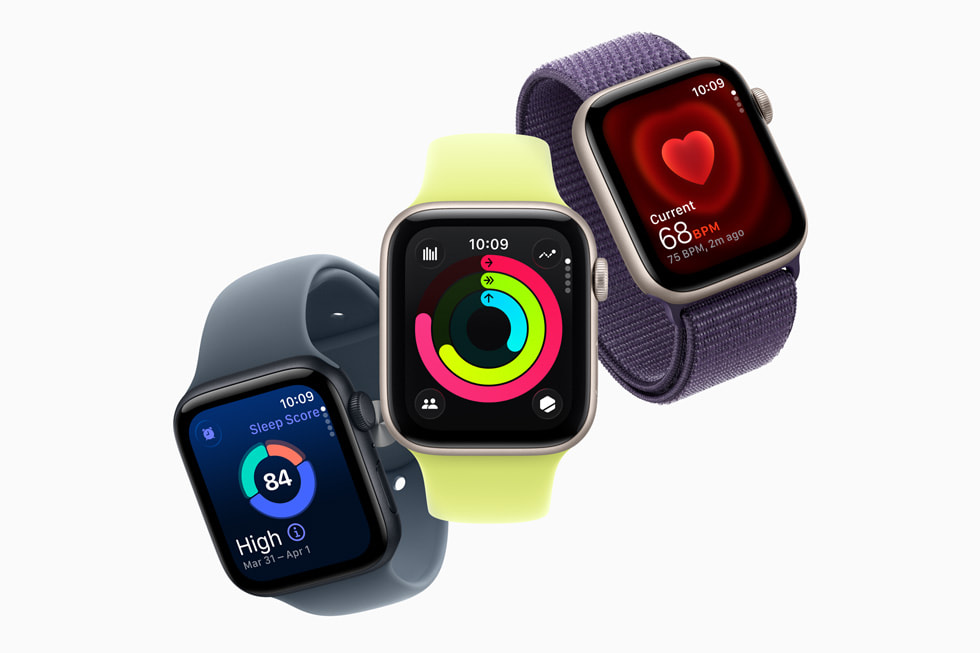
Samsung Galaxy Watch 7 vs Apple Watch SE 3 as a kids smartwatch: we compare the phone requirement, GPS tracking, safety features, battery, and cost to help you pick.
The Pinwheel Watch puts a parent-monitored AI chat (PinwheelGPT) on a kid's wrist, with award-winning battery and standalone calling. Here's whether it's worth $14.99/mo.
Our honest Gizmo Watch 3 review after real-world testing. GPS tracking, video calling, and 5MP camera -- but is the Verizon lock-in worth it? Full breakdown.

Our hands-on Gabb Watch 3e review covers GPS tracking, wireless charging, battery life, and whether this intentionally simple kids smartwatch is worth buying in 2026.
New review alerts, deal drops, and seasonal buying guides — delivered weekly. No spam, unsubscribe anytime.
No spam. Unsubscribe anytime.