Affiliate Disclosure: This article contains affiliate links to Amazon. If you purchase through these links, we earn a small commission at no extra cost to you. This helps fund our independent testing. We bought every watch on this list with our own money -- no freebies, no sponsored picks.
Top pick: The Garmin Bounce ($149.99) is my best overall no-internet kids smartwatch -- it delivers excellent GPS with a completely locked-down LTE connection that handles only location and calls, with no browser, app store, or social media. The Gabb Watch 3e ($229.99) is the most intentionally internet-free GPS pick, though a price increase means it is no longer the budget option. The VTech KidiZoom DX3 ($69.99) is the only fully offline option with zero connectivity of any kind.
I got an email from a reader last month that stopped me in my tracks. She wrote: "Ryan, my 8-year-old daughter came home from school and told me her friend showed her YouTube on her smartwatch during recess. Now my daughter wants the same watch. I bought her a GPS watch so I could reach her, not so she could browse the internet on her wrist. Am I crazy for thinking a kids watch shouldn't have a web browser?"
You are not crazy. Not even a little bit.
This email hit close to home because I had a nearly identical moment with one of our 8-year-old testers. He came home talking about a classmate's watch that could "go on the internet," and I realized that not all kids smartwatches are created equal when it comes to online access. Some give your child GPS tracking and calling with zero internet exposure. Others are essentially tiny smartphones strapped to a wrist, complete with web browsers and app stores.
I have spent the last several months specifically testing kids smartwatches through the lens of internet access -- which ones truly keep the web out, which ones give parents control over connectivity, and which ones claim to be "safe" while still opening doors to online content. The results were eye-opening.
Here are the best kids smartwatches that genuinely keep the internet off your child's wrist, ranked by how well they balance safety, functionality, and the reality of what families actually need.
Why Parents Are Specifically Looking for No-Internet Watches
Before I get into the picks, I want to validate something: wanting a watch without internet access is not being overprotective. It is being informed.
The research on children and internet access is not ambiguous. The American Academy of Pediatrics, the American Psychological Association, and the U.S. Surgeon General have all raised alarms about the effects of unrestricted internet and social media on children. Cyberbullying, inappropriate content exposure, data privacy violations, addictive design patterns -- these are not hypothetical risks. They are documented, studied, and ongoing.
A kids smartwatch is supposed to solve a specific problem: letting your child communicate with you and letting you know where they are. A web browser does not help with either of those goals. Social media does not help with either of those goals. An app store does not help with either of those goals. These features introduce the exact risks you bought the watch to avoid.
The parents I talk to typically fall into three camps:
Camp 1: "No internet, period." These parents want a device with absolutely zero online connectivity. No cellular data for browsing, no Wi-Fi web access, no way for their child to encounter online content. A watch that tells time, plays some games, maybe has a camera -- and that is it.
Camp 2: "Connected but locked down." These parents want GPS tracking and calling -- which require a cellular connection -- but want the internet-facing side of that connection completely blocked. The watch can use data for location pings and phone calls, but there is no browser, no social media, no downloadable apps.
Camp 3: "I just want real parental controls." These parents are okay with some connectivity features but want genuine, enforced controls that their child cannot bypass. School mode that actually works. Contact lists that cannot be modified by the child. No back doors to the open internet.
All three camps are valid. And the good news is that there are solid options for each one. For a deeper look at the safety features that matter most, check out our guide on kids smartwatch safety features explained.
Understanding the Spectrum: Fully Offline vs. Connected-but-No-Browser
This is the most important distinction in this entire article, and most review sites gloss over it. "No internet" means very different things depending on which watch you are looking at.
Fully Offline Watches
These watches have zero wireless connectivity. No cellular radio, no Wi-Fi, no Bluetooth (or Bluetooth only for syncing with a parent app). They cannot connect to the internet in any way. The trade-off is significant: no GPS tracking and no calling. Your child gets a fun gadget with games, a camera, and a clock, but you cannot reach them or locate them through the watch.
Best for: Younger kids (ages 4-7) whose parents want a "first watch" experience without any connectivity concerns. Also great as a secondary device for entertainment at home.
Connected but No Browser
These watches use cellular networks for GPS tracking, calling, and messaging -- but they intentionally block web browsing, social media, and app downloads. The cellular connection exists solely for safety and communication features. Your child's watch can ping its location to your phone and make calls to approved contacts, but it cannot load a web page.
Best for: Kids ages 5-12 who need GPS tracking and the ability to call parents, without any exposure to online content. This is where most parents in my experience land.
Here is how I think about it: a fully offline watch is a toy that tells time. A connected-but-no-browser watch is a safety tool. Both have their place, and the right choice depends on what problem you are trying to solve.
If your primary concern is screen time and age-appropriateness, read our smartwatch vs phone for kids guide for a broader look at this decision.
Quick Comparison: The Best No-Internet Kids Smartwatches
Now let me break each one down in detail.
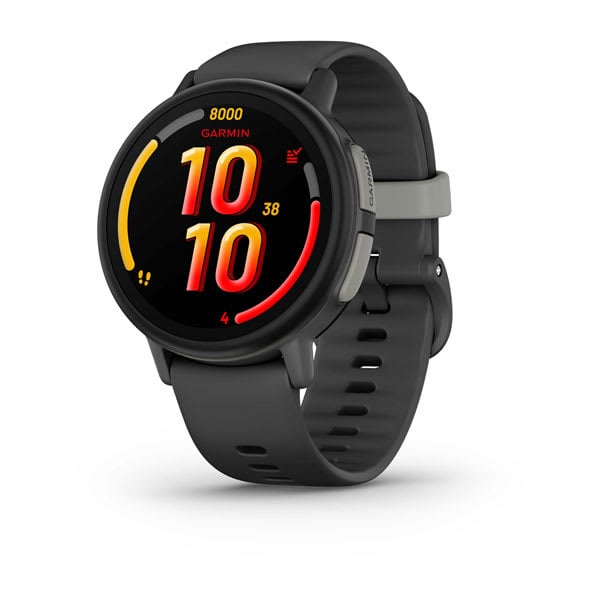
1. Garmin Bounce -- Best Overall No-Internet Kids Smartwatch
Check price on Amazon
Price: $149.99 + LTE plan (~$10/month)
Ages: 6-12
Our Rating: 4.5 / 5
Internet access: None. Zero. The LTE connection handles GPS and communication only.
The Garmin Bounce earns the top spot because it delivers the best combination of GPS accuracy, communication features, and complete internet lockout that I have tested. Garmin did not build a stripped-down smartphone and call it a kids watch. They built a purpose-designed safety and fitness device that happens to use LTE connectivity -- and then made sure the LTE connection cannot be used to browse the web.
Let me be specific about what "no internet" means on the Garmin Bounce. There is no web browser. There is no app store. There is no way to download additional applications. There is no social media integration. The LTE radio in this watch exists to do three things: transmit GPS location data to the parent app, enable voice calls with approved contacts, and send preset text messages. That is the entire scope of its internet-facing functionality.
Our 11-year-old tester wore this for several weeks and never once stumbled onto online content, because there is nowhere to stumble to. The watch interface consists of a clock, a contacts list, a step counter, active minute tracking, and movement challenges. That is the complete feature set. Garmin's decades of experience building fitness devices shows here -- they know how to make a focused tool that does its job without scope creep.
GPS accuracy was excellent, consistently in the 3 to 6 meter range outdoors. This is Garmin-grade tracking, the same satellite engineering that goes into their adult running and hiking watches. When our tester rode his bike to a friend's house, I could see his route with near-perfect fidelity on the companion app. The geofencing alerts were fast and reliable -- I got notified within a minute when he left the school zone.
The fitness features are a genuine bonus. Step counting and active minute tracking turned into a family competition that got everyone moving more. The watch encourages physical activity rather than screen time, which is exactly the opposite of what a web-connected device does.
Battery life runs 2 to 3 days with regular use, which puts it among the better performers in the connected-watch category. The swim-proof rating (5 ATM) is legitimate. Build quality is excellent -- this watch survived concrete drops, playground chaos, and weeks of rough treatment.
What "no internet" really means here: The Garmin Bounce uses LTE strictly as a data pipe for GPS coordinates and voice/text communication. There is no browser, no app store, no way to access web content. The watch's software is closed and cannot be modified by the user. This is as locked-down as a connected watch gets.
Pros:
- No internet browser, no social media, no app store
- Excellent GPS accuracy (3-6 meters) without any web access
- Fitness-focused features encourage activity over screen time
- LTE calling and preset messaging with approved contacts only
- Swim-proof (5 ATM) and genuinely durable
- 2-3 day battery life
Cons:
- Pricier than an offline watch at $149.99 plus a monthly LTE plan
- LTE plan required for communication and GPS features (~$10/month)
- No camera (pro or con depending on your view)
- Interface takes a day or two for younger kids to learn
- Slightly chunky on wrists of children under 6
For more detail on how this watch performs in GPS testing specifically, see our full best GPS smartwatches for kids roundup.
2. Xplora X6Play -- Best Parental Controls with No Internet
Check price on Amazon
Price: $169.99 + carrier plan (~$5-10/month)
Ages: 5-12
Our Rating: 3.8 / 5
Internet access: None. 4G cellular is restricted to GPS, calls, and messaging.
The Xplora X6Play is the watch I recommend most often to parents who want full communication features -- calling, messaging, even a camera -- but absolutely no path to web browsing. Xplora has built their entire product line around the concept of kid-safe connectivity, and the X6Play is their flagship execution of that philosophy.
Here is what makes Xplora's approach different: they use 4G cellular connectivity for all the features parents want (GPS tracking, two-way calling, voice and text messaging with approved contacts, SOS alerts), but they have architecturally blocked web access at the system level. There is no browser app. There is no hidden browser. There is no way to install a browser. The operating system simply does not support it.
Our 8-year-old tester wore this as his primary watch for extended testing and the experience was exactly what I hoped for: he could call approved contacts, send voice messages, take photos with the built-in camera, and track his steps. He could not Google anything, watch YouTube, or access any social media platform. Those capabilities do not exist on the device.
The school mode feature is one of the strongest I have tested. When school mode is active, the watch disables everything except the clock display and the SOS button. No calls in, no calls out, no camera, no games, no notifications. Teachers never had an issue. You configure school mode hours through the parent app, and the child cannot override them from the watch.
Messaging on the X6Play is restricted to approved contacts that you set up through the companion app. Your child cannot add contacts, cannot receive messages from unknown numbers, and cannot communicate with anyone outside the approved list. This is the kind of controlled communication environment that most parents are actually looking for.
GPS accuracy landed in the 5 to 8 meter range in our testing, which is very good. The companion app shows real-time location with a clean, readable map interface. Geofencing is reliable and customizable -- I set up zones for school, home, and the neighborhood park.
The camera is the one feature that divides parents. Some want their kids to have a camera for fun. Others prefer no camera at all, especially given school policies. The X6Play has a basic camera that can take photos but cannot upload them to the internet or share them with anyone outside the approved contact list. Photos stay on the watch or get sent to parents through the companion app. That is a reasonable middle ground in my opinion, but if you want zero camera, the Garmin Bounce or Gabb Watch 3e are better options.
What "no internet" really means here: The X6Play's 4G connection is functionally a closed pipe. It carries GPS data, voice calls, and approved messages. There is no browser, no app store, no social media, and no mechanism for the child to access web content. The parent app gives you full control over every feature.
Pros:
- No web browser or social media access at the system level
- Strong parental controls with full remote management
- School mode completely locks down the watch during class hours
- 4G calling and safe messaging with approved contacts only
- Camera photos cannot be shared outside the family
- IP68 water resistance handles rain and hand-washing
Cons:
- Has a camera, which some schools ban and some parents prefer to avoid
- Monthly carrier plan required (~$5-10/month)
- Watch is a bit bulky for the smallest wrists (under age 5)
- Battery life of 2-3 days requires regular charging
- Camera quality is basic
3. Gabb Watch 3e -- Most Intentionally Internet-Free Watch with GPS
Check price on Amazon
Price: $229.99 + Gabb plan ($12.99-$17.99/month)
Ages: 6-12
Our Rating: 4.0 / 5
Internet access: None. Gabb's entire brand is built on keeping the internet away from kids.
Gabb is the company I point parents to when they tell me their number one priority is keeping their child away from the internet. It is not just a feature of their products -- it is their entire mission statement. Gabb was founded specifically to create connected devices for kids that provide communication and safety without any online access. The Gabb Watch 3e is the purest expression of that philosophy in watch form.
There is no internet browser. No app store. No social media. No games. No camera. The Gabb Watch 3e makes calls, sends basic preset messages, tracks your child's location via GPS, counts steps, and tells the time. That is the complete list of features. Gabb did not start with a full-featured smartwatch and strip things out. They started with a communication and safety tool and resisted the temptation to add anything that does not serve those goals.
Our 8-year-old tester wore the Gabb Watch 3e and the simplicity was immediately apparent. He could make and answer calls within the first hour. The contact list displays photos instead of text names, which is excellent for younger kids who are still developing reading skills -- we found this same advantage when testing watches for our best smartwatches for 5-year-olds guide. The SOS button is a long press on the side that calls the primary emergency contact and shares GPS location. We tested it repeatedly and it worked every time within about 15 seconds.
GPS accuracy was solid at 5 to 8 meters outdoors. Not quite as precise as the Garmin Bounce, but more than adequate for knowing whether your child is at school, at the park, or at a friend's house. The companion app is straightforward -- location map, geofencing, contact management, and school mode scheduling. Nothing fancy, nothing confusing.
At $229.99 for the device after a Gabb price increase, the Gabb Watch 3e is now the most expensive connected watch on this list. The monthly plan runs $12.99 to $17.99 through Gabb's own service, which includes the cellular connection for calls and GPS. There is no way to use the watch without the plan, which is standard for this category.
The design is clean and understated. It does not scream "kids watch" the way some more colorful options do, which can be a plus for children who are starting to care about how things look. Our tester never complained about wearing it, and several other parents asked me about it at pickup -- they liked that it looked simple and purposeful rather than toy-like.
What "no internet" really means here: Gabb has built their entire ecosystem around the principle of no internet access for kids. The Gabb Watch 3e uses cellular connectivity exclusively for GPS tracking, phone calls, and preset messages. There is no browser, no app store, no camera, no games, and no mechanism to access web content. This is the most intentionally internet-free connected watch I have tested.
Pros:
- Designed from the ground up with no internet as the core principle
- Simple, intuitive interface kids understand immediately
- Photo-based contacts work great for younger children
- GPS tracking and geofencing through companion app
- Clean design that does not look overly toy-like
Cons:
- Fewer features overall compared to the Garmin Bounce or Xplora X6Play
- Basic design may bore older or tech-savvy kids
- No camera (pro or con depending on perspective)
- Monthly Gabb plan at $12.99-$17.99/month adds up
- No messaging beyond basic preset responses
- Now the priciest connected watch here at $229.99, after Gabb's price increase
4. VTech KidiZoom DX3 -- Best Completely Offline Watch
Check price on Amazon
Price: $69.99 (no monthly fees)
Ages: 4-9
Our Rating: 3.8 / 5
Internet access: Absolutely none. No cellular, no Wi-Fi, no connectivity of any kind.
The VTech KidiZoom DX3 is the answer for parents who want zero connectivity, period. Not "locked down" connectivity. Not "restricted" connectivity. Zero. This watch has no cellular radio, no Wi-Fi antenna, and no way to connect to the internet in any form. It is a completely self-contained device that works entirely offline.
Let me set expectations clearly: because the KidiZoom DX3 has no connectivity, it also has no GPS tracking and no calling. You cannot locate your child through this watch, and your child cannot call you from it. If those features are essential to you, this is not your watch -- look at the three options above.
What the KidiZoom DX3 does offer is a fun, engaging, completely offline experience for younger kids. It has a dual camera (one forward-facing, one selfie-style) that takes photos and short videos. It has a collection of built-in games including puzzles, action games, and educational activities. It has a step counter, an alarm, a timer, and a stopwatch. And it tells the time, which sounds basic but is genuinely useful for a 5-year-old who is learning to read a clock.
Our testing with younger kids revealed what I expected: they loved it. The camera was an immediate hit. The games kept them engaged on car rides and in waiting rooms. The touchscreen is responsive and the interface is designed for small fingers with large, colorful icons. VTech has been making kids electronics for decades and their user interface design for young children is among the best in the industry.
The build quality is solid for the price point. The KidiZoom DX3 survived drops, bumps, and the general chaos of kid life. It is splash-resistant but not waterproof, so remove it before bath time or swimming. Battery life depends heavily on usage -- if your child is playing games and taking photos constantly, expect to charge every 2 to 3 days. With lighter use (mostly just wearing it as a clock), it can stretch to a week.
At $69.99 with no monthly fees ever, the total cost of ownership is the lowest on this list by a wide margin. Over two years, you will spend $69.99 total. Compare that to the connected watches, which run roughly $390 to $660 over the same period when you factor in monthly plans.
What "no internet" really means here: There is no internet. At all. The KidiZoom DX3 has no wireless connectivity of any kind. It cannot connect to Wi-Fi, cellular networks, or Bluetooth. There is no mechanism for your child to access online content because the hardware does not support it. This is as internet-free as a digital device can possibly be.
Pros:
- Completely offline -- zero connectivity of any kind
- No monthly fees, ever
- Very affordable at $69.99
- Fun camera and games that younger kids love
- Large, kid-friendly interface designed for small fingers
- Solid build quality for the price
Cons:
- No GPS tracking whatsoever
- No calling or messaging capability
- No SOS button
- Best for younger children only (ages 4-9)
- Games could be a classroom distraction
- Splash-resistant only, not waterproof
Feature Comparison: What "No Internet" Really Means for Each Watch
This is the table I wish existed when I started researching this topic. Every watch on this list qualifies as "no internet," but the details of what that means vary significantly.
The key takeaway from this table: all four watches prevent internet browsing and social media access. The difference is whether they also provide GPS and calling (which requires cellular connectivity) or operate entirely offline (which means no tracking or communication).
Best Picks by Scenario
Every family's situation is different. Here is where I would point you based on your specific needs.
"I want GPS tracking and calling, but absolutely no internet browsing."
Go with the Garmin Bounce. It delivers the best GPS tracking of any no-internet watch I have tested, with a completely locked-down LTE connection that handles only location data and voice communication. The fitness features are a bonus that encourages healthy activity. If your budget allows $149.99 plus a monthly plan, this is the gold standard.
"I want the strongest parental controls and communication features, still no internet."
Go with the Xplora X6Play. The school mode is the most robust I have tested, the messaging features with approved contacts give your child more communication options, and the parent app gives you granular control over every feature. The camera is the one consideration -- if your school bans cameras, the Garmin Bounce or Gabb Watch 3e are safer picks.
"I want the simplest connected watch with no internet."
Go with the Gabb Watch 3e. Gabb built this watch specifically for parents who want connectivity without the internet. It is no longer the cheap option -- at $229.99 after Gabb's price increase, it costs the most of the three connected watches here -- but the stripped-down feature set means there is less to worry about and less for your child to get distracted by. If price matters most, the Garmin Bounce ($149.99) now has the lowest device price of the three.
"I want a completely offline watch with zero connectivity."
Go with the VTech KidiZoom DX3. If you want the absolute guarantee that your child cannot access the internet in any way, this is the only option that achieves it through hardware limitations rather than software restrictions. No cellular, no Wi-Fi, no Bluetooth -- just a fun offline device. Perfect for younger kids or as a secondary "entertainment only" watch. Our full VTech KidiZoom DX3 review covers the cameras, games, and durability in detail. Check our best smartwatches for 5-year-olds guide if your child is on the younger end.
"I want GPS but my child is very young (under 6)."
Consider the Gabb Watch 3e for the simplest watch interface, or pair the VTech KidiZoom DX3 (for fun) with a clip-on GPS tracker (for safety). For very young children, a two-device approach sometimes makes more sense than trying to find one watch that does everything. The VTech gives them a "watch" they are excited about, while a separate tracker handles the GPS piece without putting a complex interface on their wrist.
The Screen Time Angle: Why Offline Watches Matter More Than You Think
I want to take a moment to talk about something beyond just internet safety, because I think it connects to why so many parents are searching for this specific topic.
Screen time is not just about screens. It is about what is on the screen and how it is designed to capture attention. A watch that shows the time and counts steps does not create the same dopamine-loop engagement as a watch that can browse TikTok. The difference is not subtle -- it is enormous.
When our test kids wear connected-but-no-internet watches, I notice something specific: they check the time, maybe look at their step count, and then go back to whatever they were doing. The interaction lasts about three seconds. When I have tested watches with more features (even kid-friendly ones with games and media), the interaction lasts minutes. The watch pulls them out of whatever real-world activity they were engaged in, and getting them back takes effort.
This is not anti-technology paranoia. I am literally a dad who runs a smartwatch review site. I love technology. But I have learned from direct observation that the right technology for a child is the technology that solves a specific problem (safety, communication) without creating new ones (distraction, internet exposure, addictive engagement loops).
The four watches on this list all pass that test, in different ways and at different price points. None of them will turn your child into a screen zombie. None of them will expose your child to inappropriate content. None of them will become a source of conflict between you and your child's teacher.
That peace of mind is worth more than any feature list.
What About the Apple Watch?
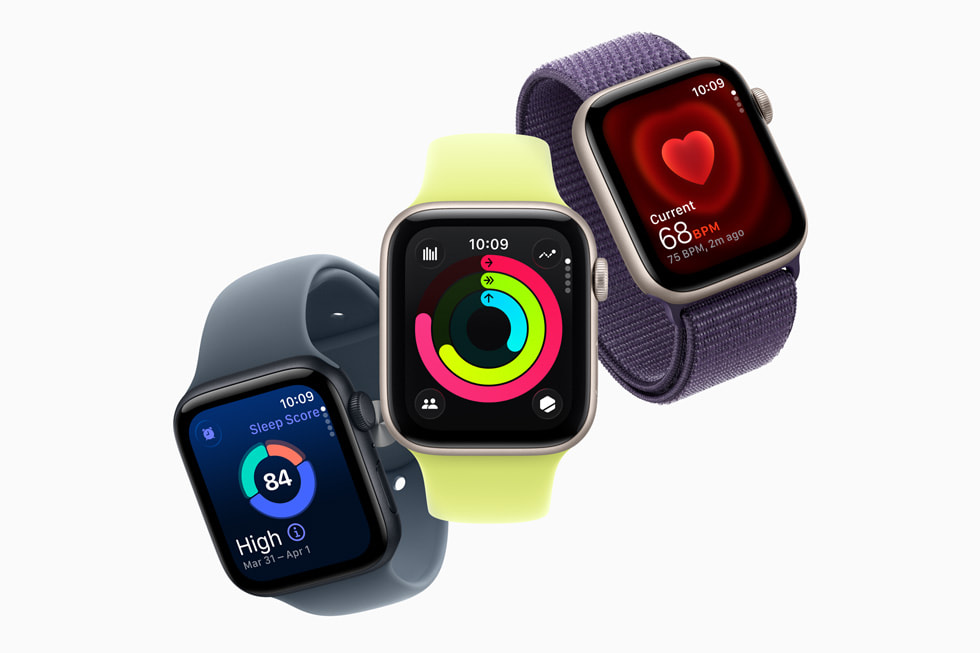
I get asked this constantly, so let me address it directly. The Apple Watch SE, when set up through Apple's Family Setup feature, can be configured with significant parental restrictions. You can disable the App Store, restrict Safari, limit which apps are available, and control who your child can communicate with.
However, the Apple Watch SE is not a no-internet watch. It has a web browser (Safari) that can be restricted but exists on the device. It has an App Store that can be disabled but is part of the operating system. The restrictions are software-based parental controls, not hardware-level limitations. A sufficiently motivated older child could potentially find workarounds.
For families who are already deep in the Apple ecosystem and want the most capable watch with strong parental controls, the Apple Watch SE is a solid choice -- we cover it in our best GPS smartwatches for kids guide. But if your primary requirement is "no internet access, full stop," the four watches on this list are more definitive solutions because they achieve internet-free operation through design rather than restriction.
Frequently Asked Questions
Can a watch with no internet still have GPS tracking?
Yes -- a watch can use its cellular connection to transmit GPS coordinates without having any web browser or the ability to load web pages. This is the most common misconception I encounter. GPS tracking and internet browsing are different functions that use the same cellular connection. A watch can use LTE or 4G data to transmit GPS coordinates to a parent app (a tiny amount of data, measured in kilobytes) without having a web browser or the ability to load web pages. The Garmin Bounce, Xplora X6Play, and Gabb Watch 3e all do exactly this. Think of it like a phone that can only make calls to five numbers -- it uses the cell network, but it cannot do anything beyond its programmed functions.
Are software-based internet restrictions enough, or do I need hardware-level lockout?
It depends on your child's age and technical aptitude. For children under 8, software restrictions on a well-designed kids watch are generally sufficient -- young kids are not trying to hack their devices. For older children (10+) who are more tech-savvy and motivated, hardware-level restrictions (like the Gabb Watch 3e or VTech KidiZoom DX3) provide stronger guarantees. The watches on this list use a combination of both approaches, which is why I recommend them over general-purpose smartwatches with parental controls bolted on.
Do no-internet watches still need monthly plans?
The connected ones do (Garmin Bounce, Xplora X6Play, Gabb Watch 3e). The cellular radio that enables GPS tracking and calling requires a data plan, typically $5 to $18 per month. The fully offline VTech KidiZoom DX3 requires no plan at all -- but it also has no GPS or calling. There is no way around this trade-off with current technology: if you want location tracking and communication, you need cellular connectivity, and cellular connectivity costs money. Our kids smartwatch buying guide covers monthly plan costs in detail.
My child's school bans smartwatches. What can I do?
Talk to the school about "school mode." Most no-internet kids watches have a school mode that disables all interactive features during configured hours, leaving only the time display and SOS button active. Many schools that ban smartwatches will make exceptions for GPS watches with school mode enabled, especially when parents explain the safety rationale. The Xplora X6Play has the strongest school mode implementation I have tested. If the school remains firm, consider a clip-on GPS tracker that can be hidden in a backpack and has no visible screen.
What if my child outgrows the no-internet watch?
Most kids will use a no-internet watch from roughly ages 5 to 10, then transition to a more capable device as they mature. This is a natural progression. The advantage of starting with a no-internet watch is that your child learns to use technology as a tool -- for communication and safety -- before being exposed to the internet's more complex and risky aspects. When they are ready for more capability, you will have already established healthy habits and expectations. Many families move from a Gabb Watch 3e or Garmin Bounce to an Apple Watch SE with restrictions, gradually loosening controls as their child demonstrates readiness. Read our smartwatch vs phone for kids guide for more on this transition.
Are these watches safe from a data privacy perspective?
The four brands on this list -- Garmin, Xplora, Gabb, and VTech -- are established companies with track records and reputations to protect. They use encrypted data transmission and secure servers for location data and communication. That said, any connected device transmits some data. The Garmin Bounce and Gabb Watch 3e transmit the least (GPS coordinates and voice calls). The Xplora X6Play transmits slightly more due to its messaging and photo features. The VTech KidiZoom DX3 transmits nothing at all because it has no connectivity. If data privacy is your absolute top concern, the VTech's fully offline approach is the most private option by definition. For more on security considerations, see our kids smartwatch safety features explained guide.
The Bottom Line
After months of focused testing on this specific question, here is what I have learned: you do not have to choose between keeping your child safe from the internet and keeping your child safe in the physical world. The right no-internet kids smartwatch gives you GPS tracking, calling, and SOS features without ever exposing your child to web browsing, social media, or online content.
For the best overall no-internet experience with GPS, the Garmin Bounce is my top recommendation. Garmin-grade GPS accuracy, solid communication features, fitness tracking that encourages activity, and a completely locked-down LTE connection.
For the strongest parental controls and communication options, the Xplora X6Play delivers the most features while maintaining zero internet access. The school mode alone is worth the price.
For the most intentionally internet-free GPS watch, the Gabb Watch 3e keeps it simple by design, though at $229.99 after Gabb's price increase it now costs more than the other two connected picks.
For complete offline peace of mind, the VTech KidiZoom DX3 guarantees zero internet exposure through hardware-level disconnection, at the lowest total cost of any watch on this list.
You are not crazy for wanting a kids watch without internet. You are paying attention. And these four watches prove that the industry has heard you. See the latest prices on all four picks on our deals page.
-- Ryan
Last updated: June 22, 2026. Prices and availability may vary. See our full kids smartwatch buying guide for additional recommendations.