Reviews|
TickTalk 5 Review (2026): Better Battery & Smarter GPS
After 10 weeks of real-world testing, here's our honest TickTalk 5 review. AI SmartPin GPS, 48-hour battery, HD video calling, and iHeartRadio — full breakdown inside.
The TickTalk 4 is now discontinued — here's our full 8-week review, plus why the TickTalk 5 replaced it as TickTalk's video-calling smartwatch for kids.
Affiliate Disclosure: This article contains affiliate links. If you purchase through our links, we may earn a small commission at no extra cost to you. This helps support our site and allows us to keep testing products for families like yours. All opinions are 100% our own -- we bought the TickTalk 4 with our own money and have no sponsorship relationship with TickTalk.
Update (June 2026): The TickTalk 4 is no longer reliably stocked on Amazon — TickTalk has moved on to its successor, the TickTalk 5, which became our top pick. (The TickTalk 5 has since been replaced by the TickTalk 6 and sold out at TickTalk, but it is back in stock on Amazon as of October 2026.) The TickTalk 5 keeps everything the TickTalk 4 did well (class-leading video calling, reliable GPS) while adding a bigger 48-hour battery and more accurate AI SmartPin GPS, for less money. The review below remains for reference and historical comparison.
Update (September 10, 2026; revised October 5, 2026): TickTalk 6 pre-orders are now open at $169.99. TickTalk originally said it would ship by the end of September 2026; it now expects to ship by October 5, 2026, and it is still on pre-order. It brings a 1.6" AMOLED display (320 x 360), a 5MP camera and IP68 water resistance — but its built-in eSIM requires a TickTalk Wireless plan at $9.99 or $19.99 a month, so you can no longer bring your own AT&T or T-Mobile SIM. TickTalk's own store has sold out of the TickTalk 5, which is still available on Amazon at $159.99. Our TickTalk 6 first look has the full published specs and the real monthly cost.
I'll save you some scrolling if you're in a hurry: the TickTalk 4 was, for its generation, the best kids smartwatch for video calling -- and it wasn't particularly close. It has since been discontinued and succeeded by the TickTalk 5 (itself now replaced by the TickTalk 6), but the review below stands as our full account of what made it so good. After eight weeks of daily use on our 9-year-old tester's wrist, I can say confidently that it does what it promises. Video calls actually work. GPS tracking is reliable. The build quality holds up to real kid life.
But "best at video calling" doesn't automatically mean "best kids smartwatch for your family." At $179.99 plus a required monthly cellular plan, the TickTalk 4 is one of the most expensive options in this category. The battery life is adequate but not exceptional. The parent app has some rough edges. And depending on the size of your kid's wrist, the watch itself might feel bulky.
I'm going to walk you through every single detail I've observed over the past two months so you can make a genuinely informed decision. Let's get into it.
Before we dive deep, here's a quick reference table covering the core hardware specifications.
| Spec | Details |
|---|---|
| Display | 1.4" IPS LCD touchscreen, 240 x 240 resolution |
| Processor | Qualcomm Snapdragon Wear 2500 |
| Connectivity | 4G LTE, Wi-Fi 802.11 b/g/n, Bluetooth 4.2 |
| Front Camera | 5MP wide-angle |
| Side Camera | 2MP |
| GPS | GPS + GLONASS + Wi-Fi + LBS quad-positioning |
| Battery | 750 mAh lithium-polymer |
| Water Resistance | IPX7 (splashproof, not swimproof) |
| Dimensions | 54 x 44 x 16 mm |
| Weight | 56g (with band) |
| Band Material | Medical-grade silicone |
| Colors | Black, Blue, Pink, White |
| Price | $179.99 |
| Monthly Plan | $9.95-$14.95/mo (carrier-dependent) |
Unboxing the TickTalk 4 is a step above what I've come to expect from kids smartwatches. The packaging is clean, relatively compact, and doesn't feel like it was designed as an afterthought. Inside you'll find:
There's no SIM card included, which means you'll need to source your own plan before the watch does anything useful beyond telling time. I'll cover plan options in detail below.
Setup took me about 20 minutes, which is middle-of-the-road for this product category. You download the TickTalk app, create an account, pop in the SIM card, power on the watch, and pair the two via QR code. The QR code pairing worked on my first attempt, which frankly surprised me -- I've had some truly frustrating pairing experiences with competitor watches. The app walks you through adding approved contacts, setting up geofences, and configuring notifications. It's not effortless, but it's not painful either.
One note: the included SIM tray tool is tiny and easy to lose. I'd recommend doing the SIM setup once and then tossing the tool in a junk drawer where you can actually find it again. The SIM tray is on the left side of the watch, behind a small flap that provides the water resistance seal.
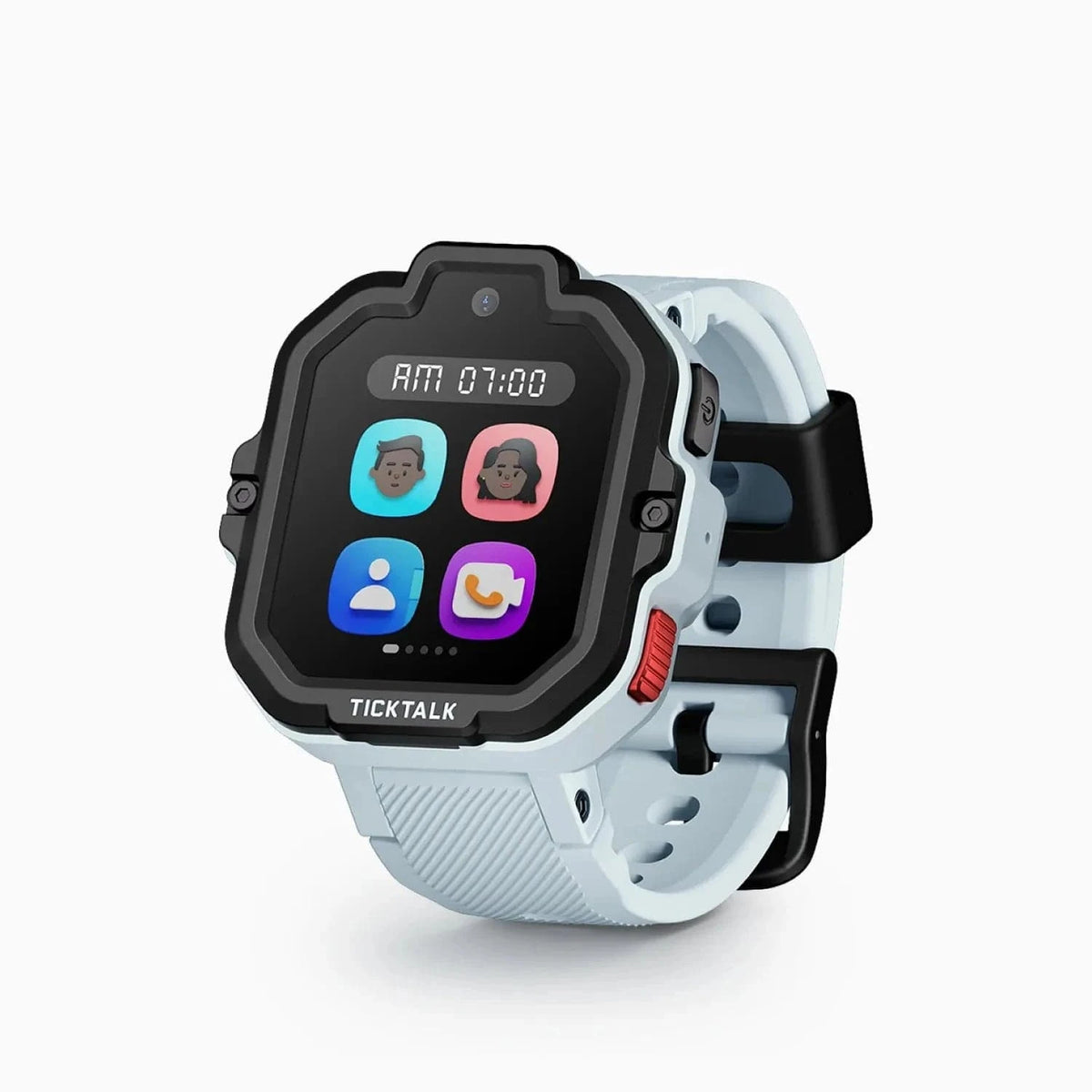
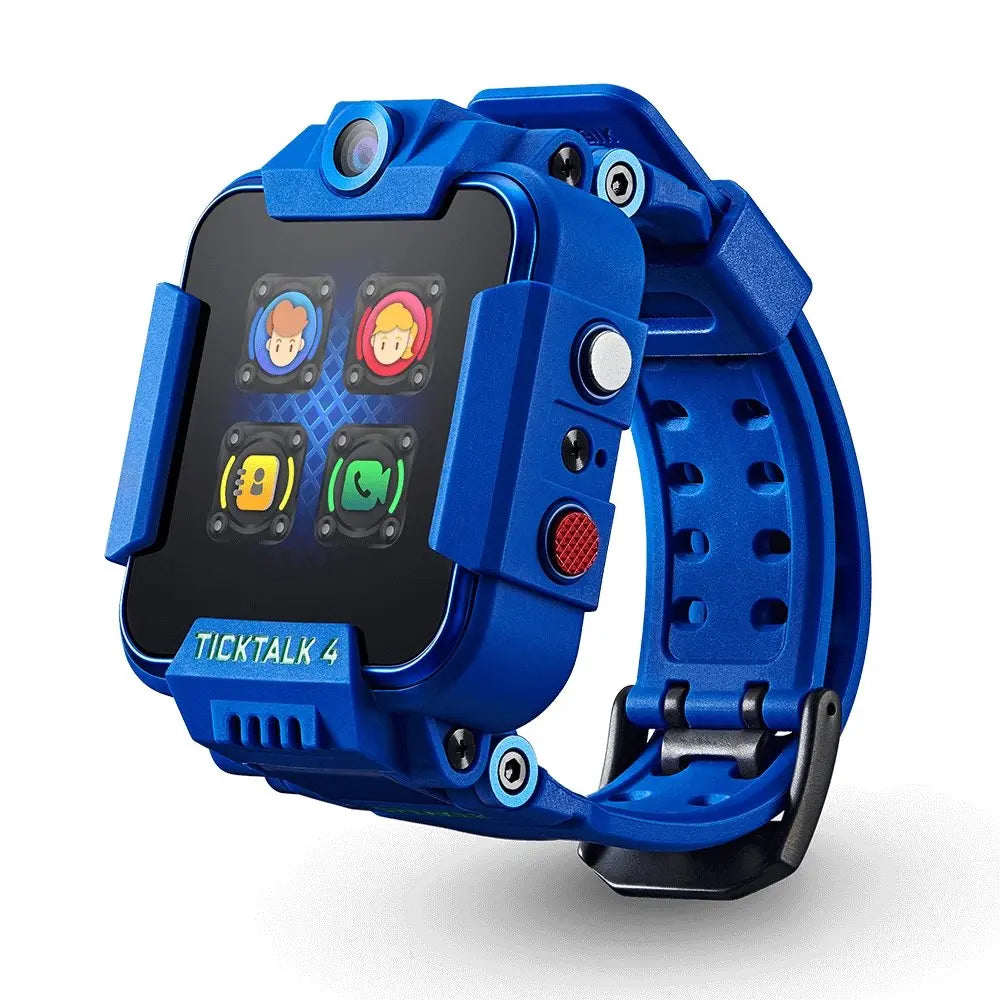
The TickTalk 4 is not a small watch. Let me be upfront about that. On our 9-year-old tester's wrist, it looks substantial -- not absurdly oversized, but you're not going to mistake it for a regular kids watch. At 56 grams with the band, it's heavier than something like the Garmin Bounce but lighter than you might expect given the feature set.
The body is a combination of polycarbonate and a brushed metal finish on the bezel. After eight weeks of daily wear -- including playground use, bike rides, and one memorable incident involving a mud puddle -- the watch looks surprisingly good. There are some minor scuffs on the bezel, but no cracks, no display scratches, and no structural issues. Whatever they're doing with the screen coating, it's working.
The display itself is bright and legible. The 1.4-inch IPS LCD won't be confused with an AMOLED panel, but it's sharp enough for everything the watch needs to do. Our tester has never complained about readability, including outdoors in direct sunlight. Viewing angles are decent. Touch responsiveness is reliable -- not iPhone-level buttery, but our test kid navigates menus without frustration, and that's the bar that matters.
The single physical button on the right side handles power and SOS functions. Everything else is touch-driven. The button has a satisfying click and is recessed enough that accidental presses aren't a problem.
The silicone band is the real comfort story here. TickTalk uses what they call medical-grade silicone, and whether or not that's marketing speak, the result is a band that our tester wore all day without complaints. It's soft, doesn't trap excessive moisture, and has enough adjustment holes to fit wrist sizes from roughly age 5 to about 12. The band uses a standard pin buckle closure that's secure without being difficult for kids to operate themselves. Our tester could take the watch on and off independently from day one.
Here's why people buy the TickTalk 4. Video calling on a kids smartwatch sounds like a gimmick until you actually use it, and then it becomes the feature you can't imagine going without.
The 5MP front-facing camera produces video call quality that I'd describe as "perfectly adequate." Is it FaceTime on an iPhone? No. But is it good enough to see your kid's face clearly, read their expression, and have a real conversation? Absolutely yes.
I tested video calls across a range of conditions over the eight weeks:
Our tester primarily used video calling in three scenarios: calling home when he arrived at a friend's house after school, quick check-ins during weekend activities, and the occasional "Dad, look at this cool bug" call that every parent secretly loves. In all of those typical, real-world use cases, the video calling worked reliably.
One limitation worth noting: Video calls are limited to contacts in the TickTalk app. Your kid can't video call a random phone number. The other person needs either the TickTalk app on their phone or their own TickTalk watch. For our testing setup, this meant I installed the app on my phone and another parent had it on theirs, and that covered 90% of the people our tester would need to call. Grandparents required a bit of coaching to get the app set up, but once running, it worked.
TickTalk uses a quad-positioning system -- GPS, GLONASS, Wi-Fi positioning, and cell tower triangulation (LBS) -- to determine the watch's location. In practice, this means the watch tries multiple methods and uses whichever provides the best accuracy in the current environment.
I ran informal accuracy tests in several environments over the first two weeks:
Location update frequency is configurable in the parent app. You can choose from intervals ranging from every 1 minute to every 10 minutes. More frequent updates drain battery faster, naturally. I settled on 5-minute intervals as a compromise between awareness and battery life, and found this provided a perfectly usable tracking experience.
Geofencing works well. I set up three zones: home, school, and the neighborhood park. Notifications when our tester entered or left these zones were consistent, typically firing within 1-2 minutes of the actual crossing. There were a few occasions where the exit notification was delayed by up to 5 minutes, but no instances where it failed to fire entirely.
Compared to competitors, the TickTalk 4's GPS performance is on par with the Xplora X6Play and slightly better than the Cosmo JrTrack 2 in my testing. The Garmin Bounce, with Garmin's deep GPS expertise, edges out the TickTalk 4 in pure outdoor accuracy, but the difference is marginal in real-world parenting scenarios.
Video calling gets the headlines, but the TickTalk 4 has a full suite of communication features that our tester used daily.
Voice Calls: Standard voice calls work exactly as you'd expect. Call quality is good -- the speaker is loud enough for outdoor use, and the microphone picks up the wearer's voice clearly. Calls connect to any phone number in the approved contacts list, not just TickTalk app users. This is a meaningful advantage over the video-only limitation.
Voice Messages: Think of these as walkie-talkie-style messages. Our tester can press and hold to record a voice clip, which gets sent to a contact through the TickTalk app. This became his preferred communication method for non-urgent messages, especially short updates like "I'm at a friend's house" or "Coming home soon." Messages send and receive reliably with only a few seconds of delay.
Text Messages: The watch can receive pre-set text messages and emoji. My son can respond using a set of pre-written quick replies or emoji reactions. He can't type out free-form text, which is a reasonable design choice given the screen size. I configured about a dozen quick replies ("On my way," "Yes," "No," "Call me," etc.) and that covered most situations.
SOS Button: Holding the side button for 3 seconds activates an SOS alert, which sends a notification with the watch's current location to all designated emergency contacts and then begins cycling through those contacts with a phone call until someone answers. I tested this feature once deliberately, and it worked exactly as described. The notification hit my phone within seconds. I sincerely hope we never need to use it in a real emergency, but I'm glad the implementation is solid. For a deeper look at how SOS, geofencing, and other protective features compare across watches, see our kids smartwatch safety features guide.
Approved Contacts: The TickTalk 4 only allows communication with contacts that parents have added through the app. Our tester cannot receive calls or messages from unknown numbers. He can't add contacts himself. This is exactly the level of control parents want at this age, and TickTalk implements it without making the restriction feel punitive from the kid's perspective.
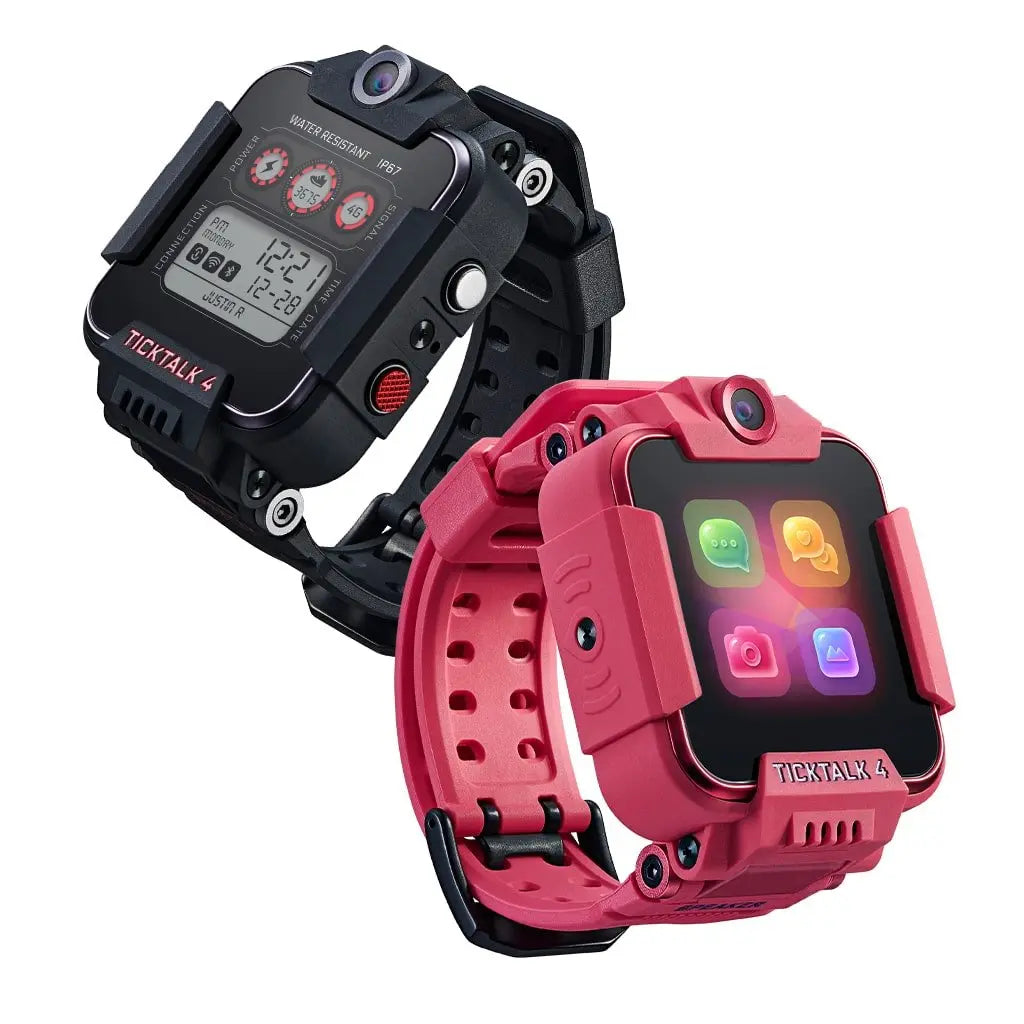
The TickTalk 4 has two cameras: a 5MP front-facing camera (the same one used for video calls) and a 2MP camera on the side of the watch body.
Let me set expectations: these cameras produce photos that are fine for a kids smartwatch and genuinely bad by any other standard. The 5MP front camera captures recognizable selfies with reasonable color accuracy in good lighting. Indoors or in low light, images get grainy quickly. The 2MP side camera is noticeably worse -- images are softer, less detailed, and really only usable in bright outdoor conditions.
Our tester took approximately 400 photos over the eight-week period (I checked). Most were selfies of himself making faces, pictures of his friends, and a surprising number of photos of our dog. Were any of them photos I'd print and frame? No. Were they photos that made him happy and gave him a creative outlet? Absolutely.
The cameras store photos on the watch's internal memory, and they sync to the parent app where you can view and download them. Storage is limited, so the watch will eventually start overwriting older photos. I'd recommend periodically saving any keepers through the app.
Bottom line on the camera: It's a real camera that takes real photos, but it's not a reason to buy this watch. Think of it as a fun bonus feature for your kid, not a meaningful imaging device.
TickTalk claims "up to 2 days" of battery life. In my testing, here's what I actually observed:
Typical daily use pattern (our tester's routine: a few voice calls, 1-2 video calls, GPS tracking at 5-minute intervals, some photo-taking, general watch use throughout the day): the watch consistently lasted about 1 to 1.5 days. By evening of the first full day, we were usually around 20-30% battery. By mid-morning of day two, the low battery warnings would start.
Heavy use days (weekends with more calling, lots of camera use, frequent GPS pings): the watch needed charging by bedtime on the same day. We had one Saturday where it died around 4 PM after our tester went on a video calling spree with his cousins.
Light use days (school days where the watch was mostly in "do not disturb" mode): the watch could stretch to nearly 2 full days, validating TickTalk's claim under ideal conditions.
Charging time from dead to full was approximately 1.5 to 2 hours via the magnetic USB cable. The magnetic connection is moderately secure -- it'll stay attached on a nightstand but can be bumped off if a kid (or a cat) brushes against it.
My recommended routine: Charge the watch every night, just like a phone. We made it part of the bedtime routine. Take off the watch, put it on the charger, done. With nightly charging, we never had a dead-watch situation during the day.
For comparison, the Garmin Bounce gets notably better battery life (it can stretch to multiple days), but it also doesn't support video calling -- so there's a clear tradeoff between features and endurance.
The TickTalk parent app (available for iOS and Android) is where you manage everything: contacts, geofences, settings, location history, call logs, and more. I used the iOS version throughout my testing.
Setup: As mentioned, initial setup was smooth. QR code pairing, account creation, and basic configuration took about 20 minutes. Adding contacts and geofences added another 10 minutes. Total time from opening the box to having a fully functional watch: about 30 minutes. That's reasonable.
Daily Use: The app's home screen shows the watch's current location on a map, the battery level, and recent activity. It's clean and functional. Tapping into the map gives you location history with a timeline view, which I found useful for reviewing our tester's afterschool movements without having to call and ask.
Notification Management: The app pushes notifications for geofence crossings, SOS alerts, low battery, and incoming messages. You can configure which notifications you want, and the settings are granular enough to avoid notification overload. I kept geofence and SOS alerts on, turned off individual call notifications, and that worked well.
Remote Controls: Through the app, you can remotely shut down the watch, find the watch (triggers an alarm sound), set class/quiet mode schedules, and manage the watch's alarm clock. The remote shutdown is a nice parental override for bedtime enforcement.
What I didn't love about the app: The UI occasionally feels sluggish, with a half-second lag when tapping between screens that newer apps don't have. I encountered two instances where the app failed to load the map and required a force-close and restart. The location history view sometimes took 10-15 seconds to populate. None of these are dealbreakers, but the app experience is clearly the weakest link in the TickTalk 4 ecosystem. Competitors like Xplora and Garmin offer more polished app experiences.
The TickTalk 4 requires a cellular data plan to function. Without a SIM card and active plan, you have an expensive offline watch. Here's what you need to know about the ongoing costs.
Compatible carriers: The TickTalk 4 works with T-Mobile, AT&T, and carriers that run on their networks (like Mint Mobile, Red Pocket, and others). It does not work with Verizon. This is a significant limitation if Verizon is your family's carrier. Check your local coverage maps before purchasing.
Plan costs vary:
Total cost of ownership:
| Timeframe | Watch Cost | Plan Cost (at $9.95/mo) | Total |
|---|---|---|---|
| Year 1 | $179.99 | $119.40 | $299.39 |
| Year 2 | -- | $119.40 | $418.79 |
Nearly $300 in the first year and over $400 across two years is a real investment. For context, a basic Garmin Bounce with its plan runs slightly less over the same period, and budget options from Cosmo can undercut the TickTalk 4 by $50-70 in the first year. You're paying a premium here, primarily for the video calling capability and the better camera hardware. To find the best current price, check our deals page where we track pricing across all the top kids smartwatches.
No review is worth reading if it doesn't cover the genuine downsides. Here's what bothered me about the TickTalk 4 after eight weeks.
The price is high. $180 for the hardware plus $10/month ongoing is a significant financial commitment for a device that your kid will outgrow. If video calling isn't a priority for your family, there are more affordable alternatives that handle GPS tracking and voice calls just as well.
Battery life is just okay. Nightly charging isn't the end of the world, but it adds another device to the charging routine, and on heavy-use days, there's a real risk of the watch dying before the day is over. For a device partly designed for safety (SOS, GPS tracking), running out of battery is more than just inconvenient.
The size may be too large for younger or smaller kids. Our 9-year-old tester handles it fine, but when a 6-year-old tried it on, it dominated her wrist in a way that felt uncomfortable. If your child is on the younger or smaller side, try to see one in person before committing.
The parent app needs polish. Occasional lag, slow map loading, and rare crashes shouldn't happen at this price point. The app works, and works well enough, but it doesn't inspire confidence the way a truly refined app would.
No Verizon compatibility. This is a hard blocker for many families and it's frustrating that TickTalk hasn't addressed it.
The charging cable is proprietary. Lose it and you'll need to order a replacement from TickTalk. I wish they used USB-C or at least a more universal magnetic standard.
The TickTalk 4 is the right choice if:
Consider alternatives if:
Here's how the TickTalk 4 stacks up against the other watches I've tested.
| Feature | TickTalk 4 | Xplora X6Play | Garmin Bounce | Cosmo JrTrack 2 |
|---|---|---|---|---|
| Price | $179.99 | ~$169.99 | ~$149.99 | ~$99.99 |
| Video Calling | Yes (best in class) | Yes | No | No |
| GPS Tracking | GPS/GLONASS/Wi-Fi/LBS | GPS/Wi-Fi/LBS | GPS/GLONASS | GPS/Wi-Fi/LBS |
| Camera | 5MP front + 2MP side | 5MP front | None | 2MP front |
| Battery Life | 1-1.5 days | 1-1.5 days | 2-3 days | 1-2 days |
| Water Resistance | IPX7 | IP68 | 5 ATM (swimproof) | IPX7 |
| Carrier Support | T-Mobile, AT&T | T-Mobile, AT&T | Garmin-managed LTE | T-Mobile, AT&T |
| Best For | Video calling families | Well-rounded features | Active/outdoorsy kids | Budget-conscious families |
The Xplora X6Play is the closest competitor in terms of features, and it ships with an Xplora Connect SIM that runs on the same AT&T/T-Mobile networks, but in my side-by-side testing, the TickTalk 4's video call quality was noticeably better -- smoother frame rates and more reliable connections. For the full breakdown of every difference, read our TickTalk 4 vs Xplora X6Play head-to-head comparison. The Garmin Bounce wins on durability and battery life but lacks any camera or video calling. The Cosmo JrTrack 2 is the budget pick that gets the basics right without the premium features.
Rating: 4.0 / 5
The TickTalk 4 earned its place as the best video-calling kids smartwatch of its generation -- a role its successor, the TickTalk 5, went on to fill. After eight weeks of genuine daily use, it's delivered on its core promise: parents and kids can have face-to-face conversations even when they're apart, and the GPS tracking gives me peace of mind without giving him a smartphone.
The watch isn't perfect. The price is steep. The battery requires nightly charging. The parent app needs work. But the total package -- video calling, reliable GPS, solid build quality, comprehensive parental controls, and a communication suite that covers every scenario -- adds up to a compelling product for families who want the most capable kids smartwatch available. See where the TickTalk 4 ranks in our best kids smartwatches for 2026 roundup, or check out our best GPS smartwatches for kids ranking.
If video calling matters to you and you're on a compatible carrier, the TickTalk 4 is worth the investment. If those conditions don't apply, one of the alternatives above will serve you just as well for less money. And if you are wondering whether the newer TickTalk 5 is worth the upgrade, our TickTalk 4 vs TickTalk 5 comparison breaks down every difference.
No, the TickTalk 4 requires an active SIM card and data plan (starting at $9.95/month) for all core features -- without one, it can only display the time, stopwatch, and calculator.
Without an active plan, all calling, GPS tracking, messaging, and video call features are disabled. All of its core features -- calling, GPS tracking, messaging, and video calls -- require cellular connectivity. The cheapest plan option is TickTalk's own service at $9.95/month.
No, the TickTalk 4 does not work with Verizon -- it is only compatible with T-Mobile, AT&T, and MVNOs on those networks (like Mint Mobile and Red Pocket).
The TickTalk 4 is not compatible with Verizon's network. It works with T-Mobile, AT&T, and mobile virtual network operators (MVNOs) that use those networks, such as Mint Mobile and Red Pocket. If Verizon is your only option, the Gizmo Watch 3 (or the newer Gizmo Watch 4) is the Verizon-exclusive kids watch to look at.
The TickTalk 4 is rated IPX7 (splashproof only) -- it handles rain and handwashing, but it is not safe for swimming, showering, or extended water exposure.
The IPX7 rating means it can handle splashes, rain, hand washing, and brief accidental submersion (up to 1 meter for 30 minutes per the standard). However, it is not designed for swimming, showering, or extended water exposure. If your child is a swimmer, the Garmin Bounce with its 5 ATM rating is a safer bet for pool and open-water use.
Yes, the TickTalk 4 has a Class Mode that disables all interactive features during scheduled hours while keeping GPS tracking active in the background -- many schools accept watches in quiet mode even when they ban smartphones.
TickTalk has a specific feature for this, accessible through the parent app. The display goes dark and notifications are silenced, so the watch won't be a distraction in the classroom. GPS tracking continues to operate in the background. Many schools that ban smartphones are more accepting of watches in quiet mode, but I'd recommend checking with your child's school policy first.
The TickTalk 4 supports up to 50 parent-approved contacts, each configurable with specific permissions for voice calls, video calls, or both -- and the child cannot add or modify contacts from the watch.
Up to 50 approved contacts can be added. For most families, this is more than enough. Each contact can be configured with specific permissions -- for example, you might allow grandparents to make voice calls but restrict video calling to just parents. The child cannot add, remove, or modify contacts from the watch; all contact management happens through the parent app.
No, the TickTalk 4 has no games, no web browser, no social media, and no app store -- it is purely a communication and safety tool, which is one of its strengths for school and distraction-free use.
The TickTalk 4 does not include games, a web browser, social media apps, or access to any app store. This is intentional and, in my opinion, one of the watch's strengths. It's a communication and safety tool, not a miniature entertainment device. If you're looking for a kids smartwatch specifically because you want to avoid the distractions of a smartphone, this design philosophy will appeal to you.
Most kids use the TickTalk 4 for 1.5-3 years before transitioning to a smartphone, with the adjustable band fitting wrist sizes from roughly ages 7-12.
Based on my experience and conversations with other parents, 1.5 to 3 years is the typical usage window before kids transition to a smartphone. Our kids smartwatch buying guide covers what to look for at each age. The sweet spot is roughly ages 7-12. Kids on the older end of that range may push for a phone sooner, while younger kids may get more years of use. The watch band adjusts to fit a wide range of wrist sizes, so physical outgrowing isn't usually the issue -- social pressure and increasing independence are the typical reasons for the transition.
Yes, two kids with TickTalk 4 watches can video call each other directly -- as long as both watches have active plans and the kids are in each other's approved contacts list.
If two TickTalk 4 watches are both set up with active plans and the owners are in each other's approved contacts list, they can make video calls directly between watches. Our tester and his friend both have TickTalk 4 watches, and they call each other regularly. The watch-to-watch call quality is the same as watch-to-app quality. This is a genuinely fun use case that kids love.
After 10 weeks of real-world testing, here's our honest TickTalk 5 review. AI SmartPin GPS, 48-hour battery, HD video calling, and iHeartRadio — full breakdown inside.
The Pinwheel Watch puts a parent-monitored AI chat (PinwheelGPT) on a kid's wrist, with award-winning battery and standalone calling. Here's whether it's worth $14.99/mo.
Our honest Gizmo Watch 3 review after real-world testing. GPS tracking, video calling, and 5MP camera -- but is the Verizon lock-in worth it? Full breakdown.

Our hands-on Gabb Watch 3e review covers GPS tracking, wireless charging, battery life, and whether this intentionally simple kids smartwatch is worth buying in 2026.

Our hands-on Bark Watch review: GPS accuracy, AI text monitoring, the distraction-free no-apps design, camera, battery life, and whether the $15/month plan is worth it in 2026.
New review alerts, deal drops, and seasonal buying guides — delivered weekly. No spam, unsubscribe anytime.
No spam. Unsubscribe anytime.