Reviews|
Pinwheel Watch Review: A Kids Smartwatch With AI Chat
The Pinwheel Watch puts a parent-monitored AI chat (PinwheelGPT) on a kid's wrist, with award-winning battery and standalone calling. Here's whether it's worth $14.99/mo.
After 8 weeks of daily testing, here's our honest Xplora X6Play review. GPS tracking, 4G calling, camera, and school mode — full breakdown inside.
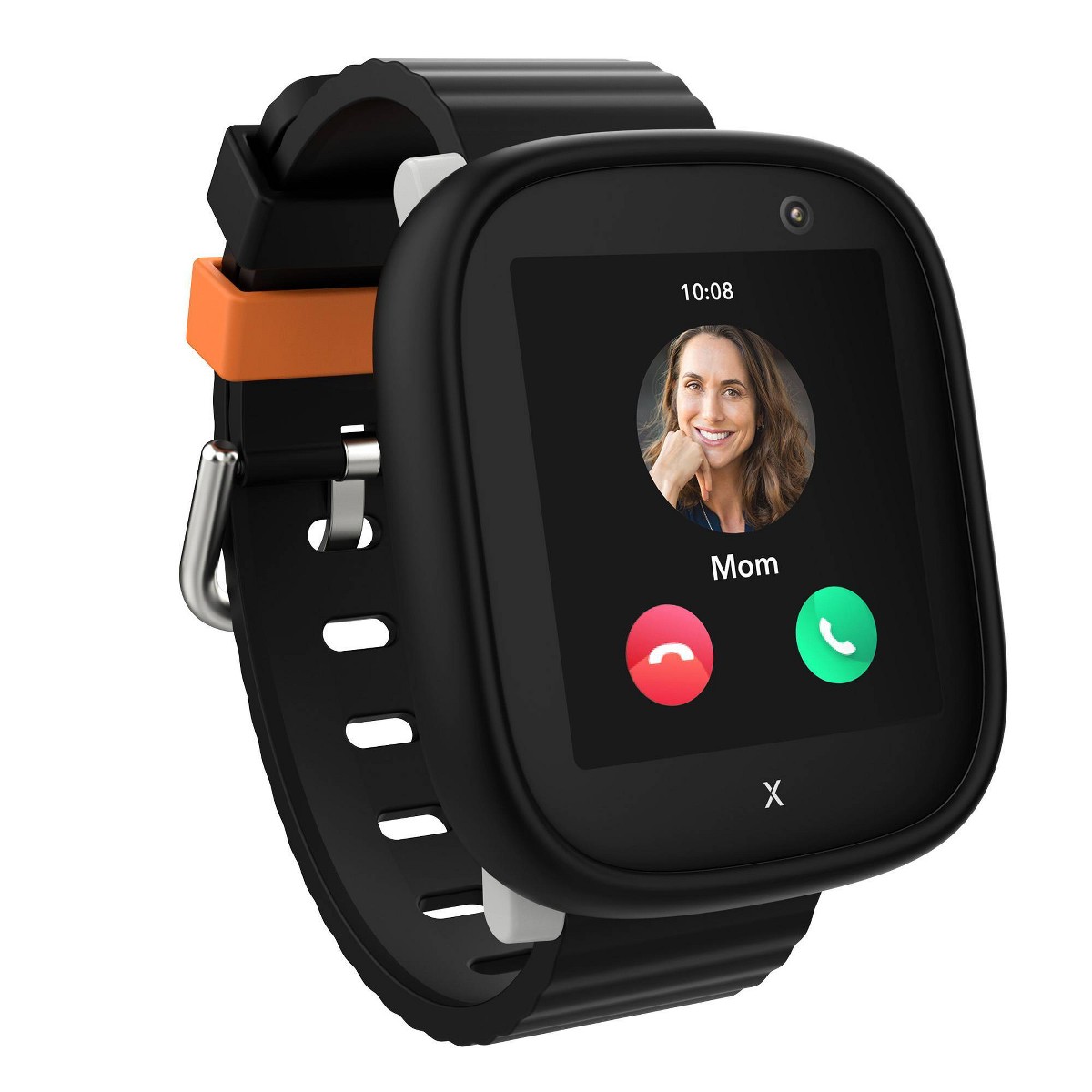
Xplora X6Play
$169.99· 3.8/5 rating
Affiliate Disclosure: This article contains affiliate links. If you purchase through our links, we may earn a small commission at no extra cost to you. This helps support our testing and keeps the site running for families like yours. All opinions are 100% our own -- we purchased the Xplora X6Play with our own money and have no sponsorship relationship with Xplora.
If you want the short version: the Xplora X6Play is the most complete kids smartwatch I have tested. After eight weeks of daily use on our 10-year-old tester's wrist, I can say that it strikes the best balance I have seen between what parents need (reliable GPS, calling, parental controls) and what kids actually want (a camera, a decent screen, and something they are not embarrassed to wear at school).
That does not mean it is perfect. Battery life requires nightly charging. The watch is on the heavier side. The monthly cellular plan adds ongoing cost. And the parent app, while functional, has a few areas where the UX feels like it was designed by engineers rather than parents who are running late for soccer practice.
But when I look at the full picture -- build quality, GPS accuracy, communication features, safety controls, camera, activity tracking, and how enthusiastically our tester actually wore the thing every single day -- the X6Play comes out ahead of every other watch I have tested this year. It is the watch I recommend most often when parents ask me what to buy, and after two months of daily data, I am confident in that recommendation.
If you are still deciding between this and the competition, check out our head-to-head comparison of the Garmin Bounce vs Xplora X6Play or our broader best GPS smartwatches for kids roundup. But if you want the deep dive on the X6Play specifically, keep reading. I have a lot of data to share.
Here is the full spec sheet so you have a quick reference point for everything that follows.
| Spec | Details |
|---|---|
| Display | 1.52" TFT touchscreen, 360 x 400 resolution |
| Processor | Qualcomm Snapdragon Wear 2500 |
| Connectivity | 4G LTE, Wi-Fi 802.11 b/g/n, Bluetooth 4.2 |
| Camera | 5MP front-facing |
| GPS | GPS + A-GPS + Wi-Fi positioning + LBS |
| Battery | 800 mAh lithium-polymer |
| Water Resistance | IP68 (rated for splashes and rain, not swimming) |
| Dimensions | 52 x 43 x 15 mm |
| Weight | 58g (with band) |
| Band Material | Food-grade silicone |
| Colors | Blue, Pink, Black, Green |
| SIM Type | Nano-SIM |
| Compatible Carriers | T-Mobile, AT&T (no Verizon) |
| Price | ~$169.99 |
| Monthly Plan | ~$9.95-$12.95/mo (carrier-dependent) |
The Xplora X6Play ships in a compact, cleanly designed box that feels a step above the generic packaging you see from lesser-known brands. Inside you get:
The watch ships with an Xplora Connect SIM already installed; you activate the plan through the app. (I swapped in a T-Mobile Connect line at $10/month for testing, which the watch also accepts.) I used a T-Mobile connect plan ($10/month for 1GB of data and unlimited talk/text), and it was activated within minutes. More on plan options later.
Setup took me about 25 minutes from unboxing to a fully functional watch. That breaks down roughly as: 5 minutes for the SIM install, 5 minutes downloading and creating an Xplora app account, 10 minutes pairing the watch and waiting for the initial firmware update, and 5 minutes configuring contacts, geofences, and school mode schedules.
Two things worth noting about setup. First, the SIM tray on the X6Play is secured with two tiny screws on the back of the watch rather than a simple pop-out tray. Xplora does this intentionally so kids cannot remove the SIM card, and I appreciate the thinking, but it does make the initial install slightly more involved. Keep the included screwdriver somewhere safe -- you will need it if you ever swap carriers or troubleshoot the SIM.
Second, the firmware update during first setup is not optional. The watch insisted on downloading and installing an update before I could finish pairing, which added about 5 minutes of waiting. Not a big deal, but manage your expectations if you are setting this up on Christmas morning with an impatient kid hovering over your shoulder.
The Xplora X6Play is not trying to be invisible. At 58 grams with the band, it is noticeably present on a kid's wrist.
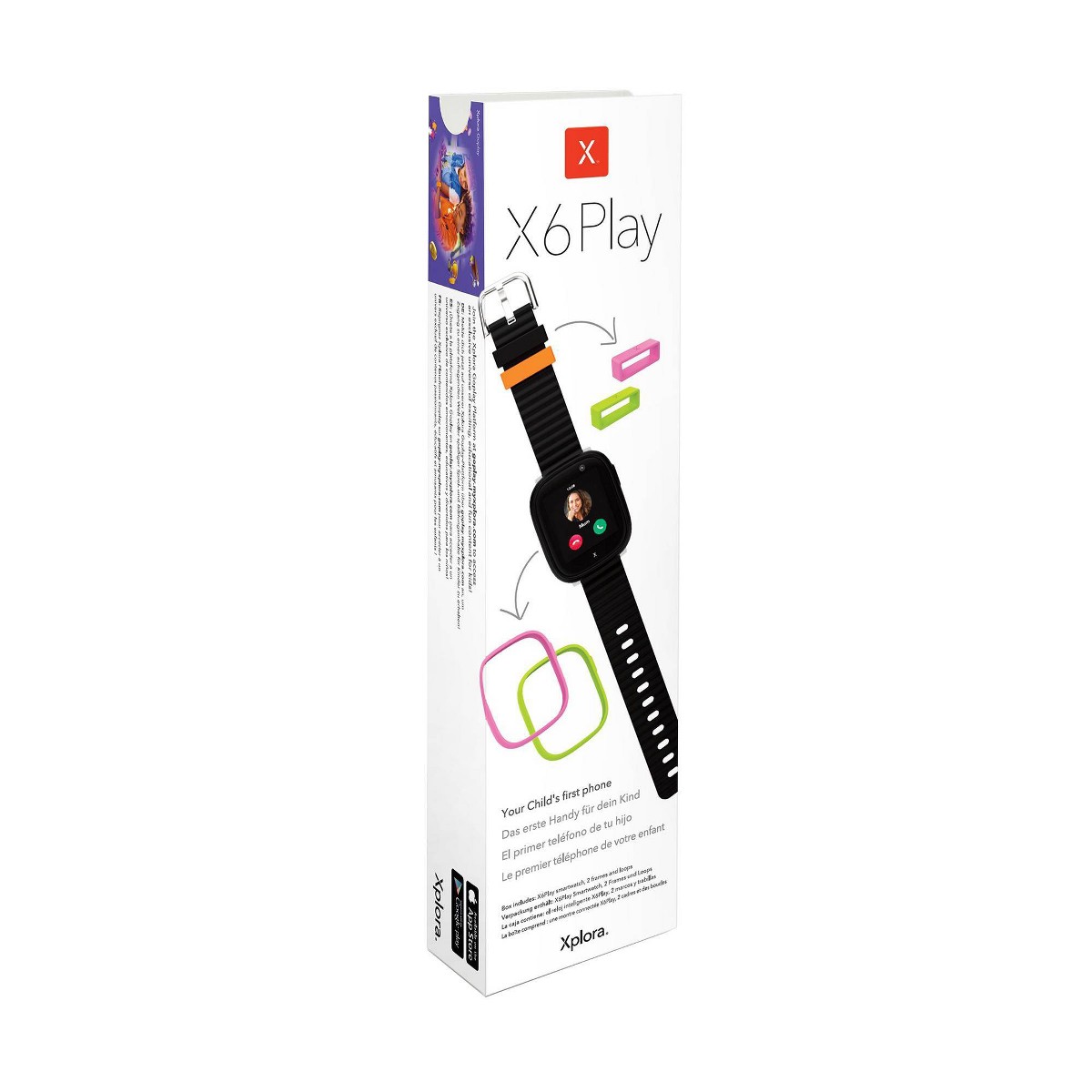
On our 10-year-old tester, it looked proportional and even a little stylish. I would not recommend it for children under about 6 or 7 just because of the physical size -- if your child is in that younger range, our best smartwatches for 5-year-olds guide has better-fitting options.
The watch body is polycarbonate with a slightly rounded profile that helps it sit comfortably rather than digging into the wrist. The 1.52-inch TFT touchscreen is the star here. At 360 x 400 resolution, it is noticeably sharper than competitors like the TickTalk 4 (240 x 240) and the Garmin Bounce. Colors are vibrant, text is crisp, and outdoor visibility is genuinely good. Our tester could read the screen in direct afternoon sunlight without cupping her hand over it.
Touch responsiveness is solid. Not quite smartphone-level, but our tester navigated between screens, scrolled through contacts, and interacted with the camera without any frustration. The UI is designed with big touch targets, which matters when your user base has small, sometimes sticky, fingers.
Durability has been excellent over eight weeks. Our tester wore this watch through soccer practice, rainy walks to school, arts and crafts sessions, and the normal chaos of being a fourth-grader. The screen has no scratches. The bezel has a few light scuffs that you can only see if you look closely. The silicone band still looks essentially new.
The band itself is soft, flexible, and comfortable enough that our tester never asked to take it off during the day. It has a generous range of adjustment holes, fitting wrists from roughly age 6 through 12. The standard buckle closure is secure but easy enough for kids to operate independently -- our tester had it figured out within an hour of first use.
Xplora offers the X6Play in four colors: blue, pink, black, and green. Our tester chose black, which she described as "not babyish," and I think that aesthetic flexibility is part of why the X6Play works across a wider age range than some competitors.
This is the section most parents actually care about, so let me be as specific as possible.
The Xplora X6Play uses a quad-positioning system: GPS satellites, A-GPS (assisted GPS for faster lock), Wi-Fi positioning, and LBS (cell tower triangulation). In practice, it blends these sources to give you a location estimate, and the accuracy varies meaningfully depending on where your kid is.
Outdoors in open areas: Accuracy was consistently within 5 to 15 meters. I tested this at a local park, walking around the neighborhood, and at an outdoor soccer field. I compared the X6Play's reported position to my phone's GPS in real-time, and the watch was reliably close. This is good enough to know which part of the park your kid is in, which street they are on, or whether they made it to a friend's house.
Suburban environments with buildings and trees: Accuracy dropped to about 15 to 30 meters, which is still usable for practical parenting purposes. You can tell which block your kid is on.
Indoors (malls, grocery stores, schools): This is where every GPS watch struggles, and the X6Play is no exception. Indoors, the watch falls back to Wi-Fi and cell tower positioning, and accuracy drops to roughly 30 to 100 meters. You will know your kid is at the school, but you will not be able to tell which classroom they are in. This is a limitation of the technology, not the watch specifically -- I see the same behavior from every kids GPS watch I have tested, including the Garmin Bounce.
Geofencing works reliably. I set up safe zones for home, school, and a relative's house. The watch correctly triggered arrival and departure notifications about 90% of the time. The other 10% were slight delays (a notification arriving 2-3 minutes after she actually crossed the boundary) rather than missed notifications entirely. For a more detailed look at how GPS and geofencing safety features work across different watches, our kids smartwatch safety features guide goes deeper on the technology.
Location update frequency is configurable in the Xplora app. You can set it to update every 1, 5, 10, or 60 minutes. More frequent updates drain the battery faster (more on that below). I settled on 5-minute intervals as the best balance -- frequent enough to be useful, not so aggressive that the battery dies before dinner.
The X6Play operates as a real phone on your kid's wrist, and this is one of its biggest selling points over GPS-only trackers.
4G voice calling works well. Call quality over T-Mobile's network was clear on both ends. Our tester made and received calls at home, at the park, and in the car without issues. There was occasional minor latency -- maybe a half-second delay on some calls -- but nothing that disrupted conversation. Background noise handling is acceptable, not great. In a loud environment like a gym or cafeteria, the caller on the other end will hear some of that noise.
The contact list is parent-controlled. Only numbers you approve in the Xplora app can call the watch, and the watch can only call approved contacts. There is no way for a stranger to call your kid's watch, and there is no way for your kid to dial random numbers. This is a non-negotiable feature for any kids smartwatch, and Xplora implements it correctly. You can add up to 50 approved contacts.
Voice messages are the feature our tester actually used the most. She would send 10-second voice clips throughout the day -- "Dad, I got an A on my spelling test" or "Can I go to a friend's house after school?" -- and I could respond from the Xplora app. It is more convenient than calling for quick updates, and kids seem to love the walkie-talkie aspect of it.
The SOS button is activated by pressing and holding the power button for 3 seconds. When triggered, it automatically calls up to three pre-set emergency contacts in sequence until someone answers, and it sends an alert with the watch's current GPS location to the parent app. I tested this feature three times during our review period. It worked correctly each time, calling the parent's phone within about 5 seconds and displaying the location notification immediately. This is one of those features you hope never to use in a real emergency, but knowing it works reliably provides genuine peace of mind.
If you are weighing whether a smartwatch like this is a better fit than giving your kid an actual phone, our smartwatch vs phone for kids breakdown covers that decision in depth.
The X6Play has a 5MP front-facing camera, and I will be honest: the photo quality is about what you would expect from a camera crammed into a device the size of a postage stamp. Images are usable, not impressive. Colors are a bit washed out, details get soft in anything less than ideal lighting, and low-light performance is poor.
But here is the thing -- none of that matters to a 10-year-old. Our tester took an absurd number of photos with this camera. Selfies with friends. Close-ups of bugs she found at recess. A blurry shot of the family cat that she insisted was "actually really good, Dad." The camera turned the watch from a safety device I wanted her to wear into a gadget she actively wanted on her wrist, and that distinction matters enormously for daily compliance.
The watch stores photos in internal memory (about 4GB available), and you can view and download them through the Xplora parent app. There is no social media integration, no way to share photos publicly, and no access to the internet. Photos stay between your kid and you, which is exactly the right approach.
Video calling is supported through the Xplora app, and the quality is functional. The frame rate is a bit choppy and the image is small on the watch screen, but it works for the "hey Mom, look where I am" type of calls that kids actually make. It is not FaceTime. But for a wrist-worn device aimed at elementary schoolers, it gets the job done.
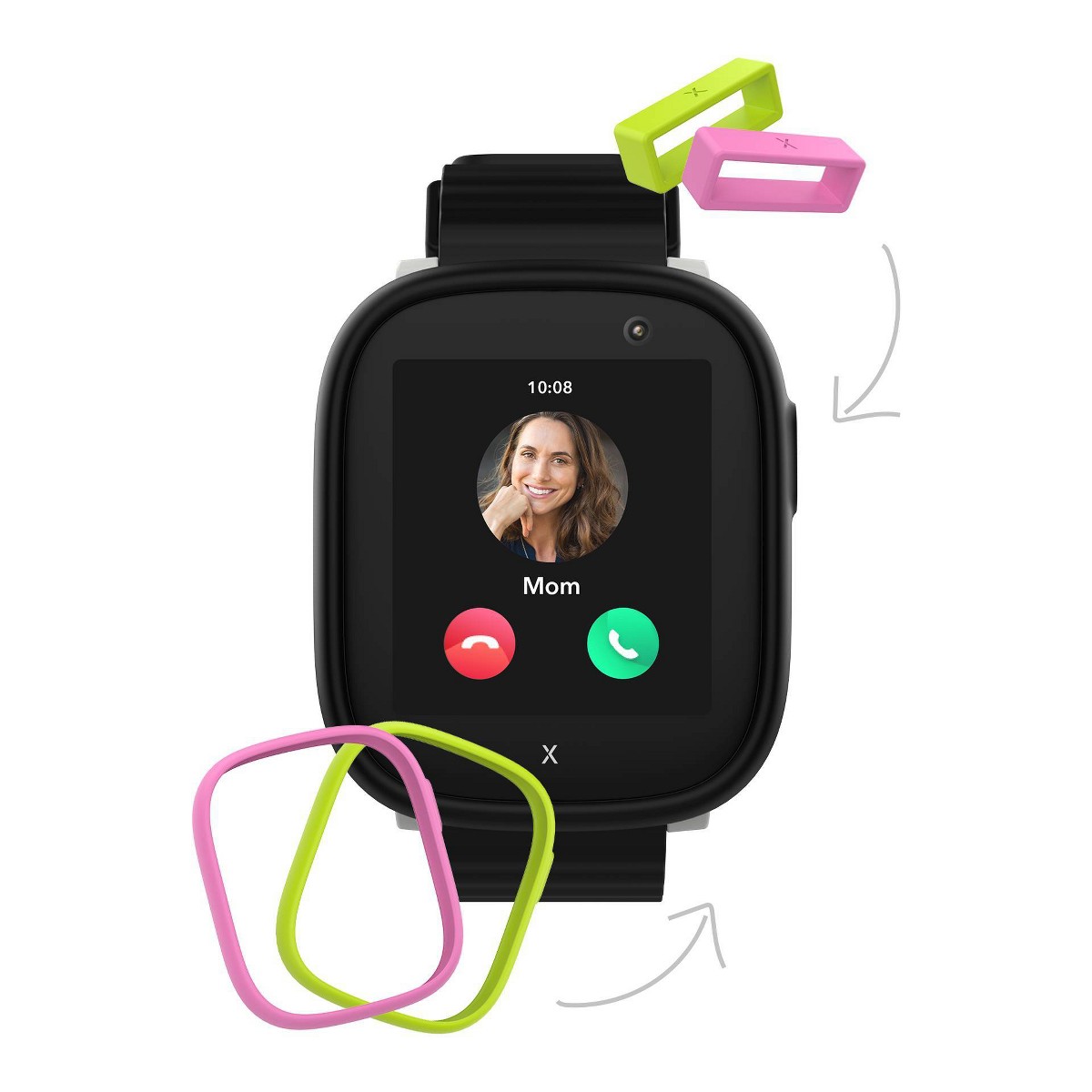
School mode is one of those features that sounds simple but is critically important for whether a school will actually allow your kid to wear the watch.
When school mode is active, the X6Play's screen goes dark and all features except the clock face, step counter, and SOS button are disabled. No calls come through. No messages. No camera. The watch essentially becomes a very expensive wristwatch, which is exactly what teachers want.
You configure school mode schedules in the Xplora app, and you can set different schedules for each day of the week. I set up Monday through Friday, 8:15 AM to 3:30 PM. The watch switches in and out of school mode automatically. There is no way for the child to override or disable school mode from the watch itself.
This feature was the reason our tester's school approved the watch. Her teacher was initially skeptical -- understandably so -- but once I demonstrated that school mode completely locked down the watch's interactive features, she was fine with it. If your kid's school has a no-phones/no-smartwatch policy, I would recommend setting up school mode first and then showing the teacher before sending your kid in with it on their wrist.
One small gripe: the SOS button still works during school mode, which is the correct safety decision, but it means there is technically a button a kid can press that will trigger a call. Our tester never had an issue with accidental SOS activations during school hours, but I could see it happening with younger or more fidgety kids. Something to be aware of.
The X6Play tracks daily steps using a built-in accelerometer, and Xplora has built a surprisingly clever incentive system around it called Xplora Goplay.
The basic idea: kids earn "activity coins" by hitting step goals. Those coins can be spent in the Xplora Goplay platform on mini-games, custom watch faces, and digital rewards. It is essentially gamified fitness tracking, and it works. Our tester became genuinely motivated to hit her daily step goal (which I set at 8,000 steps), and there were days where she voluntarily went outside to walk around the yard because she was "only 400 coins away."
Step accuracy is reasonable but not perfect. I had our tester wear the X6Play alongside a Garmin Venu for a 1-mile walk and compared the counts. The X6Play reported 2,180 steps; the Garmin reported 2,095. That is about a 4% variance, which is within the range I would expect for a wrist-worn pedometer on a 10-year-old with a shorter stride length. For a kids activity tracker, this level of accuracy is perfectly fine. It is not medical-grade data -- it is motivation, and it works for that purpose.
If your primary interest is fitness tracking rather than GPS and communication, you might also want to look at our best fitness trackers for tweens roundup, which covers some lighter-weight options focused specifically on activity.
The Goplay platform is available as a separate app (Xplora Goplay) and does not cost anything extra. I appreciate that Xplora did not put the rewards system behind a paywall.
Battery life is the X6Play's most significant practical limitation. Let me give you the real numbers from eight weeks of tracking.
Light usage (step tracking, school mode most of the day, 2-3 short calls, 10-minute GPS interval): About 36 to 40 hours. Roughly a day and a half.
Moderate usage (5-minute GPS interval, 4-5 calls, voice messages, some camera use): About 24 to 28 hours. Barely makes it through a full day with comfortable margin.
Heavy usage (1-minute GPS interval, frequent calls, lots of camera use, video calling): About 14 to 18 hours. You are charging before bed, no question.
For our daily use, I settled into a routine of putting the watch on the magnetic charger every night, just like you charge a phone. Charging time from dead to full is about 90 minutes, and from 20% to full is about an hour. The magnetic charger snaps on cleanly and holds securely -- it never fell off overnight.
The 800 mAh battery is actually one of the larger capacities in this category (the TickTalk 4 has 750 mAh, the Garmin Bounce has 380 mAh but lasts longer due to less power-hungry features). The X6Play's battery drain comes from its larger, higher-resolution screen and the 4G cellular radio. There is a tradeoff between feature richness and battery life, and the X6Play lands on the feature-rich side. Whether that tradeoff works for you depends on whether nightly charging feels acceptable. For our test family, it became a non-issue within the first week -- it just became part of the bedtime routine.
The Xplora parent app (available for iOS and Android) is the control center for everything the watch does. You will use it daily, so the quality of this app matters.
The good: Core functionality works reliably. Viewing your kid's location on the map is fast and accurate. Setting up geofences is straightforward -- you drop a pin, set a radius, name the zone, and you are done. Managing approved contacts is simple. Configuring school mode schedules is intuitive. Viewing your kid's step data and activity coins is clean and easy to read.
The not-as-good: The app's overall UI feels a generation behind what parents expect in 2026. Some menu structures are buried deeper than they need to be. The notification settings could be more granular -- for example, I wanted to get geofence alerts but not step goal celebrations, and the controls for that are clunky. The app occasionally took 5-10 seconds to refresh the location when I opened it, which felt slow compared to something like the Find My app on iPhone.
I also experienced two app crashes during the eight-week period, both on iOS. Neither resulted in lost data or missed alerts -- the app just force-closed and worked fine when I reopened it. Minor annoyance, not a dealbreaker.
Location history is a feature I used more than I expected. The app stores 90 days of location history, and you can play back your kid's movements for any given day on a map. This came in handy a few times when our tester said she walked home from school with a friend "the regular way" and I wanted to verify the route. It sounds helicopter-parent-ish when I type it out, but having the option felt valuable.
Overall, the Xplora app is functional and reliable. It is not beautiful, and it does not feel polished the way Garmin's app does. But it does what it needs to do, and the features that matter most -- location tracking, communication management, and safety alerts -- all work well.
The X6Play requires an active cellular plan to function. Without it, you get a watch that tells time and counts steps. With it, you get GPS tracking, calling, messaging, and all the connected features.
Here is the cost breakdown:
Watch purchase price: ~$169.99
Monthly cellular plan options:
Important: The X6Play does not work on Verizon's network. If you are a Verizon family, you will need a separate T-Mobile or AT&T line for the watch.
Total first-year cost of ownership: Approximately $290 to $330 (watch + 12 months of service). That works out to about $24 to $28 per month, which is significantly less than adding a line for a smartphone on most family plans.
There are no additional software fees. The Xplora app is free. Xplora Goplay is free. Firmware updates are free. What you pay for the watch and the SIM plan is the total cost. I appreciate the transparency.
I have been positive about the X6Play throughout this review because I genuinely think it is the best all-around option in the category. But no product is perfect, and you deserve to know the downsides before spending $170 plus a monthly plan.
Battery life demands nightly charging. I covered this above, but it bears repeating. If your kid forgets to put the watch on the charger, it will be dead by mid-afternoon the next day under moderate use. For comparison, the Garmin Bounce can go 2 to 3 days between charges. If battery life is your top priority, the X6Play is not the right choice.
The watch is not swim-proof. IP68 means it handles splashes, rain, and handwashing without issue. But you cannot let your kid wear it in the pool. The Garmin Bounce, with 5 ATM water resistance, is genuinely swim-proof. If your kid is a swimmer, check our best waterproof smartwatches for kids guide.
No Verizon support. If your family is on Verizon and you do not want a separate T-Mobile or AT&T line, the X6Play is not an option. This is a meaningful limitation in the US market.
The parent app needs polish. It works, but the user experience has rough edges. Location refreshes could be faster. The UI could be more intuitive. Notification controls could be more granular.
The screen can be a distraction. Even with school mode, the watch's color screen and interactive features mean there is always a temptation for kids to fiddle with it. Our tester was disciplined about this, but I can see younger or less self-regulated kids having trouble leaving the watch alone during homework time.
Photo quality is mediocre. The 5MP camera gets the job done for fun, but do not expect to print any of these photos. If camera quality is a priority, honestly, none of the kids smartwatches I have tested produce photos you would call good by modern standards.
Here is how the X6Play stacks up against the three watches parents most commonly compare it to.
| Feature | Xplora X6Play | Garmin Bounce | TickTalk 4 | Cosmo JrTrack 2 |
|---|---|---|---|---|
| Price | ~$169.99 | ~$149.99 | ~$179.99 | ~$119.99 |
| Display | 1.52" TFT (360x400) | 1.3" LCD | 1.4" IPS LCD (240x240) | 1.4" TFT (240x240) |
| Camera | 5MP front | No | 5MP front + 2MP side | 2MP front |
| Video Calling | Yes | No | Yes | No |
| Voice Calling | Yes (4G) | No (text/voice msg only) | Yes (4G) | Yes (4G) |
| GPS Accuracy | Good | Excellent | Good | Fair |
| Battery Life | 1-1.5 days | 2-3 days | 1-1.5 days | 1-2 days |
| Water Resistance | IP68 (splash) | 5 ATM (swim) | IPX7 (splash) | IP67 (splash) |
| Weight | 58g | 37g | 56g | 50g |
| School Mode | Yes | Yes | Yes | Yes |
| Step Tracking | Yes + Goplay rewards | Yes + Garmin Jr | Yes | Yes |
| SOS Button | Yes | Yes | Yes | Yes |
| Monthly Plan | ~$10/mo | ~$10/mo | ~$10-15/mo | ~$10/mo |
The TickTalk 4 appears here as a historical comparison — it has been discontinued and is no longer sold on Amazon. Its successor is the TickTalk 5.
Xplora X6Play vs Garmin Bounce: The Bounce wins on GPS accuracy, battery life, water resistance, weight, and price. The X6Play wins on screen quality, communication features (actual phone calls vs. text messages), camera, and feature depth. If your kid is under 8 and you prioritize safety over features, the Bounce is excellent. If your kid is 8+ and wants more of a communication device, the X6Play is the better choice. We go much deeper on this in our Garmin Bounce vs Xplora X6Play comparison.
Xplora X6Play vs TickTalk 4: These two are the closest competitors in this roundup. The TickTalk 4 has a dual-camera setup and arguably better video calling, but the X6Play has a sharper display, a better activity rewards system, and slightly longer battery life in my testing. Price is similar. If video calling is your top priority, read our TickTalk 5 review for the full breakdown, or see our detailed TickTalk 4 vs Xplora X6Play comparison for a side-by-side of every feature. For most families, I give the slight edge to the X6Play for its better screen and Goplay ecosystem.
Xplora X6Play vs Cosmo JrTrack 2: The JrTrack 2 is the budget option here at $120, and it is a respectable watch for the price. But the X6Play is meaningfully better in screen quality, GPS accuracy, camera quality, and overall build. If budget is the primary concern, our best budget smartwatches under $100 guide has even more affordable options worth considering. If you can stretch to the X6Play's price point, I think it is worth the difference. For a head-to-head against Cosmo's current model, see our COSMO JrTrack 5 vs Xplora X6Play comparison.
The Xplora X6Play is a kids smartwatch I recommend for most families. It is not the cheapest, not the toughest, and not the longest-lasting on a single charge. But it is a well-rounded package for families who want a watch that does everything reasonably well: GPS tracking, real phone calls, a camera kids love, school mode that teachers accept, activity tracking that motivates, and parental controls that provide peace of mind without being invasive.
After eight weeks of daily testing, it earned our tester's enthusiastic endorsement (she asked if she could keep it -- review or no review) and my confidence as a reviewer who has now tested more kids smartwatches than I can count.
Our Rating: 3.8 / 5
Who should buy it: Families with kids aged 7 to 12 who want a full-featured smartwatch with GPS, calling, camera, and activity tracking. Parents who are willing to pay a modest monthly plan and charge the watch nightly.
Who should skip it: Families on a tight budget (look at the JrTrack 2 or our budget roundup). Parents of very young children (5-6) who need something lighter. Families who need swim-proof water resistance. Verizon-only households.
See where the Xplora X6Play ranks in our best kids smartwatches for 2026 roundup.
Check the current price on Amazon
For the latest discounts and price comparisons across all the watches we recommend, visit our deals page.
The X6Play's bring-your-own-SIM flexibility and best-in-class school mode put it up against most of the category. Here's each matchup:
Technically yes, but without a SIM card and active plan ($10/month), the X6Play can only tell time and count steps -- no GPS tracking, no calling, no messaging, and no SOS functionality.
Without a plan, you lose every feature that makes this watch worth buying. No GPS tracking, no calling, no messaging, no geofencing, no SOS functionality. The cellular plan is essential for every feature that makes this watch worth buying. Budget approximately $10 per month for service.
The Xplora X6Play is best for kids ages 7-12 -- old enough to navigate the touchscreen and use communication features, but young enough that a full smartphone is not appropriate.
Based on my testing, the sweet spot is 7 to 12 years old. Kids younger than 7 may find the watch physically too large and heavy for comfortable all-day wear. Kids older than 12 generally want a phone rather than a smartwatch, though some middle schoolers who are not ready for a phone use the X6Play happily. If your child is 5 or 6, consider lighter options in our best smartwatches for 5-year-olds guide.
The X6Play supports voice messages and emoji responses but does not have a keyboard for traditional texting -- kids send voice clips or choose from preset emoji, which works better than typing on a 1.52-inch screen.
The X6Play does not support traditional SMS texting with a keyboard. This is a deliberate design decision -- typing on a 1.52-inch screen would be a miserable experience. Kids send voice messages or choose from preset emoji responses, and parents respond from the Xplora app on their phone. In practice, voice messages work better than texting would on a screen this size.
The Xplora X6Play is rated IP68 (splashproof), which handles rain, handwashing, and brief accidental submersion -- but it is not swim-proof and should not be worn in the pool.
The IP68 rating protects against splashes, rain, handwashing, and brief accidental submersion, but it is not rated for swimming. Do not let your kid wear it in the pool, the ocean, or the bathtub. If water resistance is critical, the Garmin Bounce (5 ATM) is the better choice and is genuinely swim-proof.
No, the X6Play only accepts calls and messages from parent-approved contacts -- there is no open phone number, no internet browser, no social media, and no way for third parties to reach your child.
The X6Play only accepts calls and messages from contacts that you have approved in the parent app. There is no open phone number that anyone can dial. There is no internet browser, no social media, no app store, and no way for third parties to reach your child. This is one of the strongest safety advantages of a kids smartwatch over a smartphone.
The X6Play's GPS is accurate within 5-15 meters outdoors and 15-30 meters in suburban areas -- good enough to know which park, street, or building your child is at.
In my eight weeks of testing, outdoor GPS accuracy was consistently within 5 to 15 meters, which is excellent for a kids watch. In suburban areas with buildings, accuracy was 15 to 30 meters. Indoors, accuracy drops to 30 to 100 meters as the watch relies on Wi-Fi and cell tower positioning. These numbers are in line with or slightly better than competing watches in this price range.
No, the Xplora X6Play only works with T-Mobile and AT&T networks in the United States -- if you are on Verizon, you would need a separate T-Mobile or AT&T line at about $10/month.
The X6Play does not support Verizon's network bands. If you are a Verizon customer, you would need to add a separate T-Mobile or AT&T line for the watch, which costs about $10 per month.
The Xplora X6Play lasts 18-40 hours depending on usage -- about 24-28 hours with moderate use, requiring nightly charging for most families.
Real-world battery life in my testing ranged from about 18 hours under heavy use (frequent GPS updates, lots of calls and camera use) to about 40 hours under light use (school mode during the day, minimal calling, 10-minute GPS intervals). Most families will need to charge the watch nightly. Charging from dead to full takes about 90 minutes using the included magnetic charger.
The Pinwheel Watch puts a parent-monitored AI chat (PinwheelGPT) on a kid's wrist, with award-winning battery and standalone calling. Here's whether it's worth $14.99/mo.
Our honest Gizmo Watch 3 review after real-world testing. GPS tracking, video calling, and 5MP camera -- but is the Verizon lock-in worth it? Full breakdown.
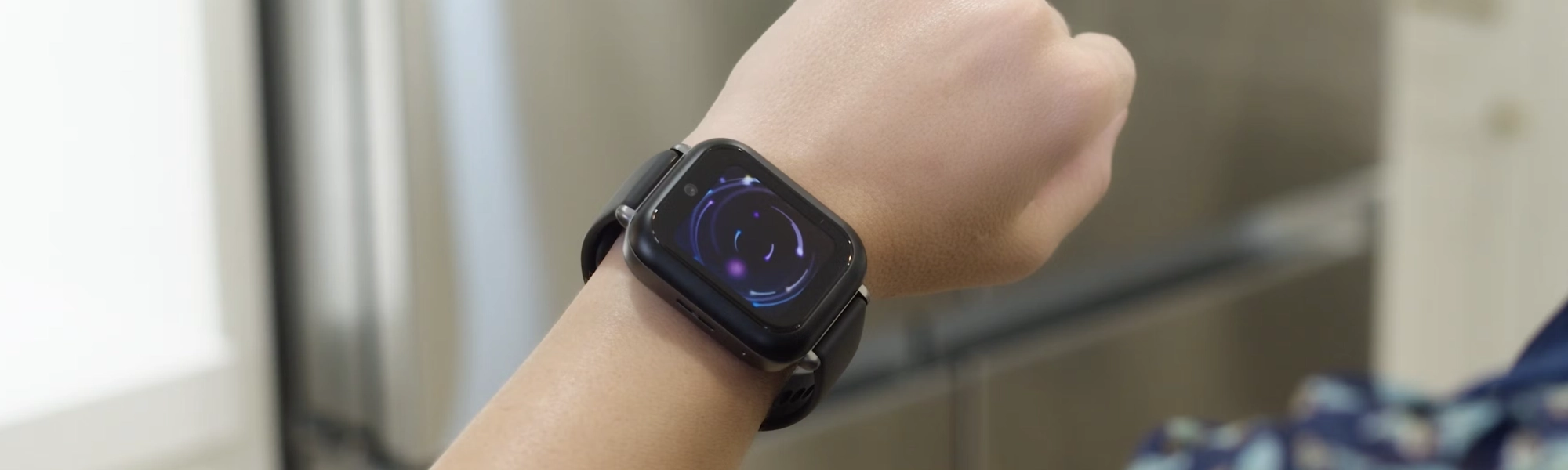
Our hands-on Bark Watch review: GPS accuracy, AI text monitoring, the distraction-free no-apps design, camera, battery life, and whether the $15/month plan is worth it in 2026.
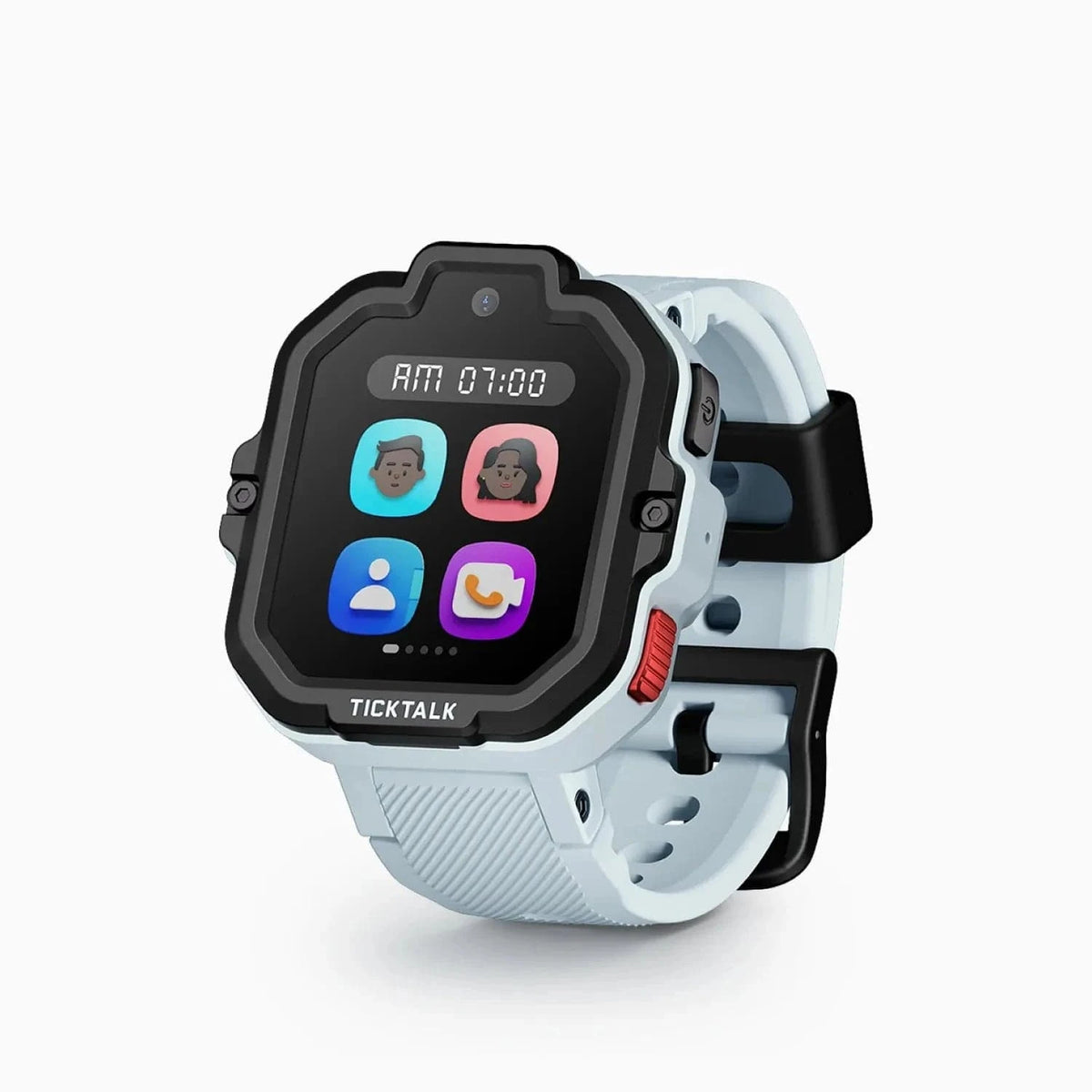
After 10 weeks of real-world testing, here's our honest TickTalk 5 review. AI SmartPin GPS, 48-hour battery, HD video calling, and iHeartRadio — full breakdown inside.

Our hands-on Gabb Watch 3e review covers GPS tracking, wireless charging, battery life, and whether this intentionally simple kids smartwatch is worth buying in 2026.
New review alerts, deal drops, and seasonal buying guides — delivered weekly. No spam, unsubscribe anytime.
No spam. Unsubscribe anytime.