Comparisons|
Apple Watch SE vs Xplora X6Play for Kids (2026): Which Wins?
Apple Watch SE 3 vs Xplora X6Play as a kids watch: we compare phone requirements, camera, video calling, battery, safety, and price to help you choose.
We tested both GPS watches for 8 weeks side by side. Here's the detailed comparison on accuracy, battery life, features, and value to help you decide.
Garmin Bounce
$149.99· 4.5/5 rating
Affiliate Disclosure: This article contains affiliate links. If you purchase through our links, we may earn a small commission at no extra cost to you. We only recommend products we have personally tested and believe in. Our opinions are our own and are not influenced by any affiliate partnerships.
If you have landed on this page, I already know what happened. You narrowed your search for a kids GPS watch down to two finalists, and now you are stuck. The Garmin Bounce and the Xplora X6Play are, without a doubt, the two most common watches parents ask me about. My inbox is full of variations of the same question: "Ryan, which one should I get?"
I get it. On paper, these two watches look remarkably similar. Both offer GPS tracking, two-way communication, parental controls, and enough durability to survive a second-grader's recess. But after strapping both watches on our test kids for eight weeks of real-world testing, I can tell you the differences are significant, and which watch is right for your family depends on what you actually need.
Our 7-year-old tester wore the Garmin Bounce on his left wrist. Our 10-year-old tester wore the Xplora X6Play. We tested them at school drop-off, soccer practice, the mall, two different parks, a birthday party at a trampoline park, and one slightly nerve-wracking afternoon at a crowded state fair. Here is everything I found.
Choose the Garmin Bounce if:
Choose the Xplora X6Play if:
| Feature | Garmin Bounce | Xplora X6Play |
|---|---|---|
| Price | ~$149.99 | ~$169.99 |
| Display | 1.3" color LCD | 1.52" TFT touchscreen |
| GPS Type | Multi-GNSS (GPS + GLONASS + Galileo) | GPS + A-GPS + Wi-Fi positioning |
| Connectivity | 4G LTE | 4G LTE |
| Calling | Preset text messages, voice messages | Full phone calls + video calling |
| Camera | No | Yes (5MP front-facing) |
| Water Resistance | 5 ATM (swim-proof) | IP68 (splash-proof) |
| Battery Life (real-world) | 2-3 days | 1-1.5 days |
| Step Counter | Yes | Yes |
| SOS Button | Yes | Yes |
| Geofencing | Yes | Yes |
| School Mode | Yes | Yes |
| SIM Required | No SIM (Garmin-managed LTE) | Yes (nano-SIM) |
| Monthly Plan | ~$9.99/month (Garmin plan) | ~$10/month (carrier-dependent) |
| Weight | 37g | 58g |
| Band Material | Silicone | Silicone |
| Parent App | Garmin Jr. | Xplora App |
| Compatible Carriers | Garmin-managed LTE (no BYO carrier) | T-Mobile, AT&T |
This is where first impressions matter, and the two watches take noticeably different design approaches.
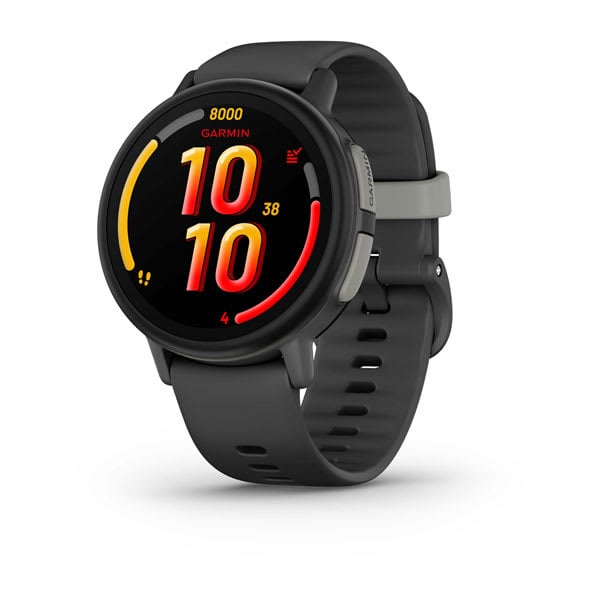
The Garmin Bounce looks and feels like a miniaturized Garmin fitness tracker. It is compact, lightweight at 37 grams, and sits close to the wrist. The silicone band is soft and pliable, and I noticed our 7-year-old tester forgot he was wearing it within the first day. The watch face is simple, almost utilitarian, with a 1.3-inch color LCD that gets the job done but will not wow anyone.
The Bounce comes in a few color options, and the overall aesthetic leans sporty. It does not try to look like a tiny smartphone, which is actually a selling point for parents who do not want their kid to have a screen-centric device on their wrist. The physical button on the side is easy for small hands to find, and the combination of touch and button navigation felt intuitive even for our younger tester.
The watch felt more comfortable on our 7-year-old tester's wrist because of its lower profile. The case does not protrude much, so it slid under jacket sleeves without catching, and he never complained about it digging into his wrist during writing at school.
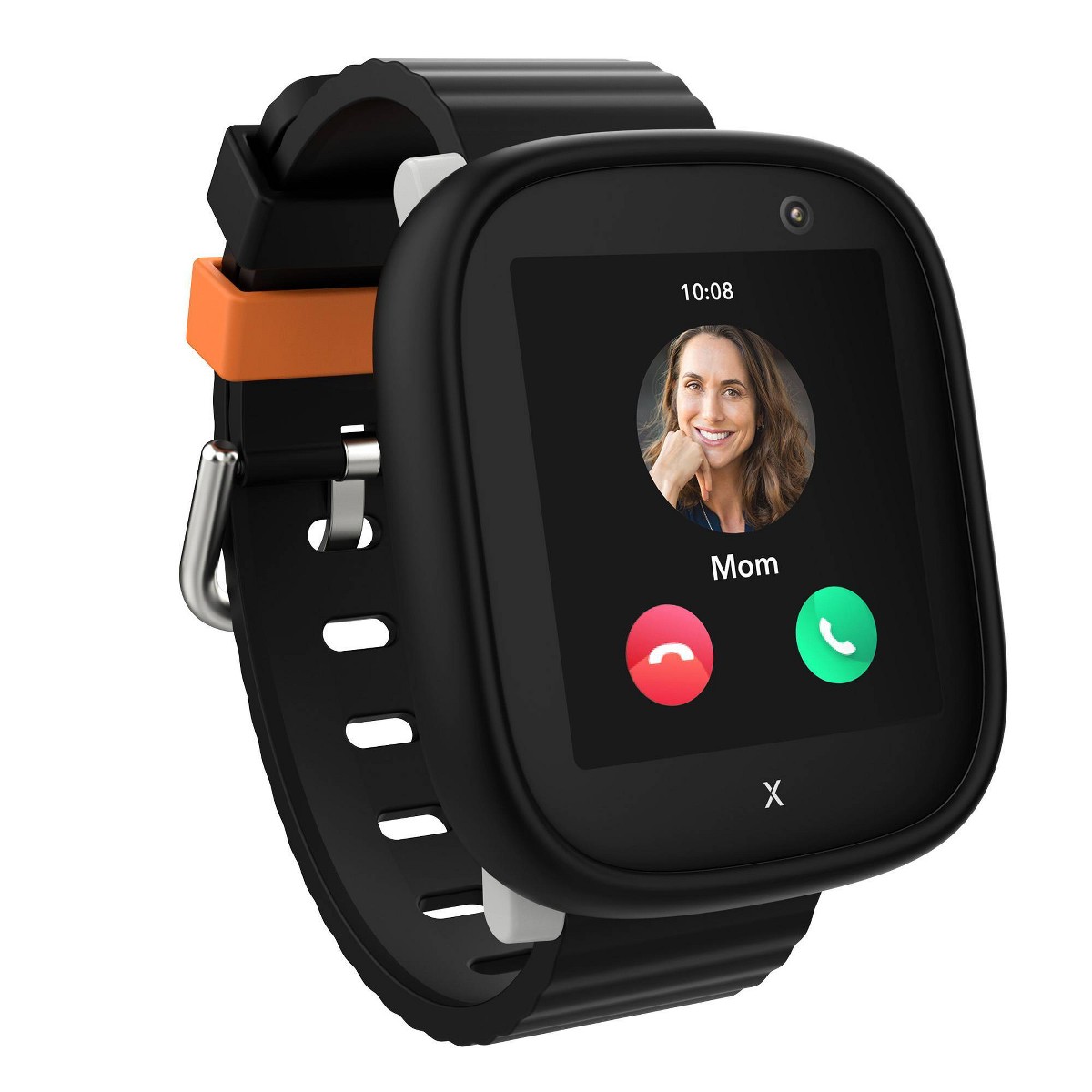
The Xplora X6Play is the bigger, bolder sibling. At 58 grams, it is noticeably heavier, and the 1.52-inch display makes it look closer to an adult smartwatch. The screen is brighter and more responsive to touch input, which our 10-year-old tester appreciated immediately. She described it as looking "more like a real watch" compared to the Bounce, and for a kid approaching middle school, that matters.
The build quality is solid, though the larger footprint means it may look oversized on skinnier wrists. For kids under 7, I would have concerns about comfort during long wear. The silicone band is comfortable but slightly stiffer than the Garmin's. It softened up after a week of daily use.
Bottom line on design: The Garmin Bounce wins for younger kids (5-8) on sheer comfort and wearability. The Xplora X6Play wins for older kids (8-12) who want something that looks more grown-up and offers a bigger, better screen.
This is the section most parents care about, and rightfully so. You are buying a GPS watch primarily to know where your child is. Everything else is secondary.
I tested location accuracy in four different environments over the eight-week period.
Outdoor park (open sky): Both watches performed well in wide-open spaces. The Garmin Bounce consistently pinpointed our younger tester's location within 3-5 meters. The Xplora X6Play was slightly less precise, typically landing within 8-12 meters. For a park setting, both were more than adequate. I could see which section of the playground they were in.
School building: Indoor accuracy is where things get interesting. The Garmin Bounce uses multi-GNSS satellite support (GPS, GLONASS, and Galileo), which gave it a clear edge. It reliably placed the younger tester inside the school building with about 15-20 meter accuracy. The Xplora X6Play struggled more indoors, sometimes showing the older tester across the street from the school or in the parking lot when she was inside the building. The X6Play's Wi-Fi positioning helped when connected, but it was inconsistent.
Shopping mall: At a busy Saturday mall trip, the Garmin Bounce kept the younger tester's location accurate to one section of the mall. The Xplora X6Play had a harder time, losing precise positioning on the second floor and occasionally showing a location that was a full minute behind where the older tester actually was. Neither watch was perfect indoors, but the Garmin was noticeably better.
State fair (crowded outdoor event): Both watches held solid GPS locks outdoors despite the crowd. Location updates on the Garmin came through every 1-2 minutes. The Xplora updated on a similar schedule. In this environment, the difference in accuracy was negligible, and both gave me the confidence to let the kids walk slightly ahead with their cousins.
Both watches support geofencing, letting you draw a virtual boundary on the map and get alerts when your child leaves the zone.
The Garmin Bounce geofencing triggered reliably within about 30 seconds of the younger tester crossing the boundary I set around the yard. The Xplora X6Play took closer to a minute to send the alert, and there were two occasions where the notification came through almost three minutes late. Not a dealbreaker, but if rapid geofence alerts are critical for your situation, the Garmin has the edge.
Both watches have a dedicated SOS button, which is one of the most critical safety features on any kids smartwatch. On the Garmin Bounce, holding the side button for three seconds sends an SOS alert with the child's location to designated contacts. On the Xplora X6Play, the process is similar, with the added benefit of being able to initiate a phone call immediately after the SOS is triggered.
We practiced the SOS function several times with both kids so they understood how it works. Both systems worked as advertised, with alerts arriving on my phone within 10-15 seconds in every test.
This is where the two watches diverge the most, and it is probably the factor that will tip your decision one way or the other.
The Garmin Bounce handles communication through preset text messages, voice messages, and emojis. Your child cannot type free-form texts or make traditional phone calls. Instead, you set up a list of quick-reply messages in the Garmin Jr. app ("On my way," "Pick me up," "I'm OK," etc.), and your child taps to send them.
Voice messages work well. The 7-year-old could hold the button, record a short message, and send it to a parent. Audio quality was decent, though not crystal clear. It felt more like a walkie-talkie experience than a phone call.
For a 7-year-old, this was perfectly fine. He did not need to make phone calls, and the preset messages actually reduced the "I'm bored, can I call you?" factor during school hours. But I can see how a 10 or 11-year-old would find this limiting.
The Xplora X6Play is essentially a wrist phone. It supports full 4G voice calls to approved contacts, video calling through the front-facing 5MP camera, and text messaging. Our 10-year-old tester loved being able to call a parent directly from her wrist when soccer practice ended early. The call quality was surprisingly good outdoors and passable indoors.
Video calling is a standout feature. The image quality is not going to rival a smartphone, but for a quick "show me where you are" or "let me see your face," it works. She used it mostly to show us the dog doing something funny, which I consider a perfectly valid use case.
The 5MP camera also lets kids take photos, which they can share with approved contacts. Quality is basic, but kids love it. She took approximately 400 photos in the first week, most of which were of her shoes or the ceiling.
Bottom line on communication: If you want your child to make and receive actual phone calls, the Xplora X6Play is the clear winner. If you prefer minimal communication that keeps things simple and distraction-free, the Garmin Bounce's approach is intentionally restrained, and that is a feature, not a limitation.
Battery life is a practical concern that does not get enough attention in most reviews. A dead watch is not tracking anyone.
The Garmin Bounce consistently delivered 2 to 3 days of battery life with GPS tracking active, messaging in use, and step counting running. On lighter usage days (weekends where the tester was mostly at home), I squeezed close to 3.5 days out of it. Charging takes about an hour with the proprietary Garmin cable.
I got into a routine of charging it every other night while the kid brushed his teeth, and we never had it die during the day. Not once in eight weeks.
The Xplora X6Play is hungrier. With the larger screen, camera use, and phone calls, I consistently got 1 to 1.5 days of battery life. On days where the 10-year-old made several calls and took a bunch of photos, it barely made it through a full day. Charging takes about 1.5 hours.
We had two instances where the watch died during the school day because we forgot to charge it the night before. That is not ideal for a safety device. I ended up making nightly charging a non-negotiable part of the older tester's bedtime routine.
| Battery Metric | Garmin Bounce | Xplora X6Play |
|---|---|---|
| Light usage | ~3.5 days | ~1.5 days |
| Moderate usage | ~2.5 days | ~1 day |
| Heavy usage | ~2 days | ~16-18 hours |
| Charge time | ~1 hour | ~1.5 hours |
| Charger type | Proprietary cable | Magnetic USB cable |
Bottom line on battery: The Garmin Bounce wins decisively here. Nearly double the battery life means less anxiety about the watch dying when your child is away from home.
The parent-facing app is something you will interact with daily, so it needs to be good.
The Garmin Jr. app is clean, fast, and well-organized. The map view loads quickly and shows your child's location with a clear pin and timestamp. Setting up geofences is intuitive: you tap the map, draw a circle, name it, and you are done.
The app also integrates step-count data, active minutes, and a chore/task system where you can assign activities and reward them with in-app badges. Our 7-year-old tester got weirdly competitive about his step count, which I count as a parenting win.
Setup took about 20 minutes, including plan activation and pairing. The app walked me through each step clearly. If you have ever used a Garmin product, the interface will feel familiar. If you have not, there is a slight learning curve, but nothing that requires a YouTube tutorial.
The Xplora app is functional but less polished. The initial setup took closer to 30 minutes, partly because the SIM card configuration process was less intuitive. The app occasionally showed stale location data until I force-refreshed, which happened maybe once or twice a week.
The contact management interface is straightforward: you add approved phone numbers, and your child can only communicate with those contacts. Managing school mode schedules (blocking all features except SOS during class hours) is easy and worked reliably.
The Xplora app also includes a step counter, and there is an activity-based reward system where steps earn "Xplora Coins" that can be donated to UNICEF or used for in-app content. It is a nice touch that teaches kids about charitable giving, though the implementation felt slightly gimmicky.
| App Feature | Garmin Jr. | Xplora App |
|---|---|---|
| Setup time | ~20 minutes | ~30 minutes |
| Map interface | Fast, clean | Functional, occasional lag |
| Geofencing setup | Very intuitive | Slightly clunky |
| Location refresh | Reliable | Occasional stale data |
| Contact management | Simple | Simple |
| School mode | Yes | Yes |
| Activity tracking | Steps, active minutes, chores | Steps, Xplora Coins |
| Overall polish | High | Medium |
Bottom line on apps: The Garmin Jr. app is the better experience. It feels like a mature product with years of iteration behind it (because it is). The Xplora app gets the job done, but you will notice the rougher edges.
Both watches require an active cellular plan to function. Neither watch comes with service included, so factor this into your total cost of ownership.
The Xplora X6Play ships with an Xplora Connect SIM pre-installed (about $12/month, running on the AT&T and T-Mobile networks in the US). A third-party GSM SIM will work, but Xplora doesn't support it. The Garmin Bounce works differently: there is no SIM card to buy or install because Garmin manages the LTE connectivity directly, and you activate its plan (about $9.99/month) through the Garmin Jr. app.
Here is a rough breakdown of first-year costs:
| Cost | Garmin Bounce | Xplora X6Play |
|---|---|---|
| Watch price | ~$149.99 | ~$169.99 |
| Monthly plan | ~$10/month (Garmin plan) | ~$12/month (Xplora Connect) |
| Annual service cost | ~$120 | ~$144 |
| First-year total | ~$269.99 | ~$313.99 |
The Garmin Bounce saves you about $20 upfront and runs about $24 a year cheaper on service, so it comes out roughly $44 ahead in year one. If budget is your primary concern, you might also want to look at our best budget smartwatches under $100. Over two years, the gap grows to roughly $68 (about $389.99 vs. about $457.99). The tradeoff is flexibility: the Garmin runs only on Garmin's own managed LTE plan with no carrier choice, while the Xplora ships with an Xplora Connect SIM and will also accept a third-party GSM SIM (Xplora doesn't support that setup).
Kids are not gentle with wrist-worn electronics. I did not set out to torture-test these watches, but normal kid life provided plenty of durability data.
The Garmin Bounce is rated at 5 ATM water resistance, which means it is genuinely swim-proof. Our 7-year-old tester wore it in the pool twice and in the bath repeatedly. No issues whatsoever. The watch also survived being smacked against a metal playground pole, dropped on concrete getting out of the car, and worn during a mud-heavy backyard football game.
After eight weeks, the watch had a few superficial scratches on the bezel but zero functional issues. The screen was unscathed. Garmin builds tough hardware, and the Bounce upholds that reputation.
The Xplora X6Play carries an IP68 rating, which means it handles splashes, rain, and brief submersion, but it is not designed for swimming. I did not push this boundary because the manufacturer is clear about the limitation. Our 10-year-old tester wore it in the rain several times without any problems, and it survived a brief accidental dunk when she was washing her hands and the faucet sprayed directly onto the watch face.
Durability-wise, the larger screen made me more nervous about cracks, but it held up fine. The X6Play took a direct hit on a doorframe and survived with only a tiny scuff on the case edge. However, the screen does seem more prone to smudges and minor scratches compared to the Garmin.
Bottom line on durability: If your child is a swimmer or generally rough on their belongings, the Garmin Bounce's 5 ATM rating gives it a meaningful advantage. We go deeper on this topic in our guide to the best waterproof smartwatches for kids. The Xplora X6Play is adequately durable for everyday kid life but is not a pool watch.
After eight weeks of testing, here is how I break it down.
If I could only buy one watch for a kid under 8, it would be the Garmin Bounce without hesitation. The GPS accuracy, battery life, and durability are best-in-class, and for younger kids, the communication features are more than sufficient.
For a kid 9 or older who is starting to want more independence and communication capability, the Xplora X6Play is the stronger choice. Our 10-year-old tester genuinely loved hers, wore it every day voluntarily, and used the calling feature in ways that made the test family's logistics smoother.
Both are excellent watches. You are not making a bad choice either way.
Yes, both need an active cellular plan. The Xplora X6Play uses a bring-your-own nano-SIM (most families pick a T-Mobile Connect or AT&T prepaid plan around $10/month). The Garmin Bounce has no SIM card — Garmin manages the LTE and you activate its own plan (about $9.99/month) through the Garmin Jr. app. Without an active plan, the watches function only as basic step counters and clocks.
Not traditional phone calls. The Garmin Bounce supports preset text messages, voice messages, and emojis sent through the Garmin Jr. app. If your child needs to make actual voice or video calls from their wrist, the Xplora X6Play is the better choice.
No -- the Xplora X6Play is not recommended for swimming or prolonged underwater exposure. It has an IP68 water resistance rating, which protects against rain, splashes, and brief accidental submersion. If your child is a regular swimmer and you want them to keep the watch on, the Garmin Bounce with its 5 ATM swim-proof rating is the safer option.
In my testing across multiple environments, the Garmin Bounce was more accurate. Its multi-GNSS system (GPS, GLONASS, and Galileo) provided tighter location accuracy, especially indoors and in mixed environments like malls and schools. The Xplora X6Play was adequate for outdoor tracking but showed more variance in challenging indoor settings.
No, both watches operate on an approved-contacts-only model. Parents manage the contact list through the companion app, and only numbers you have explicitly approved can communicate with your child. Both watches also prevent outgoing communication to unapproved numbers.
The Garmin Bounce took me about 20 minutes from unboxing to fully functional, including SIM activation and app pairing. The Xplora X6Play took closer to 30 minutes, largely because the SIM configuration process was a few extra steps. Neither setup was difficult, but the Garmin process was smoother.
No -- neither watch works on Verizon. The Xplora X6Play takes a bring-your-own GSM SIM and runs on AT&T/T-Mobile, and the Garmin Bounce runs on Garmin's own service -- neither has a Verizon path. If your family is on Verizon, the Gizmo Watch 3 (or the newer Gizmo Watch 4) is the Verizon-exclusive kids watch to look at instead. Our carrier compatibility guide breaks down which watch works on which network.
In my experience, a GPS watch is the right call for kids roughly between ages 5 and 12. This is the question I get most often. Below that range, kids are rarely out of direct supervision. Above that range, many kids are ready for a basic smartphone. A GPS watch like the Garmin Bounce or Xplora X6Play gives you real-time location tracking and two-way communication without exposing your child to social media, web browsing, or app stores. It is the sweet spot between no device at all and a full smartphone. We explore this topic in depth in our smartwatch vs phone for kids guide.
Check the latest prices on both watches at our deals page.
Still deciding? Check out our full individual reviews of the Garmin Bounce and Xplora X6Play for even more detail on each watch. Or if you want to see how these compare to every top option, read our full 7 best GPS smartwatches for kids roundup.
Apple Watch SE 3 vs Xplora X6Play as a kids watch: we compare phone requirements, camera, video calling, battery, safety, and price to help you choose.
Fitbit Ace LTE vs Xplora X6Play: we compare phone compatibility, video calling, fitness features, camera, battery, and swim-proofing to help you pick the right kids watch.
Samsung Galaxy Watch 7 vs Xplora X6Play as a kids watch: we compare phone requirements, geofencing, camera, video calling, and price to help you choose.
TickTalk 5 vs Xplora X6Play: we compare video calling, GPS accuracy, battery, school mode, and price to help you pick between two of the most popular kids watches.
Xplora X6Play vs Bark Watch: feature-rich fun vs. content-monitoring safety. We compare video calling, monitoring, GPS, cost, and availability to help you choose.
New review alerts, deal drops, and seasonal buying guides — delivered weekly. No spam, unsubscribe anytime.
No spam. Unsubscribe anytime.