Affiliate Disclosure: This article contains affiliate links. If you purchase through our links, we may earn a small commission at no extra cost to you. We only recommend products we've personally tested with real kids. See our full affiliate disclosure for details.
The Question Every Parent Faces
It started at a pizza place. The oldest test kid was seven, and his friend pulled out an iPhone to show him a YouTube video. On the car ride home came the question every parent dreads:
"Dad, when do I get a phone?"
If you're reading this, you've probably had your own version of that moment. Maybe it was at pickup, when your kid noticed every other third-grader texting their parents. Maybe it was the first time you let them walk to a friend's house alone and realized you had zero way to reach them. Or maybe your kid just hit you with the classic: "But everyone else has one."
I get it. The parents on our team spent months going back and forth on this. We wanted our test kids to be reachable and safe. We wanted GPS tracking for peace of mind. But we also knew what handing a nine-year-old an internet-connected supercomputer could mean: TikTok rabbit holes, group chat drama, content they're not ready for.
Here's what we learned after testing over a dozen kids' smartwatches and comparing them against budget phones with parental controls: for most kids under 12, a smartwatch is the smarter first step. Not always. Not for every family. But often enough that it's worth a serious look before you default to a phone.
Let me walk you through the full comparison so you can make the right call for your family.
Quick Decision Matrix
Before we dig into the details, here's a high-level cheat sheet. Find the factor that matters most to you and see which direction it points.
If your child is under 10 and your primary goal is safety and reachability, the smartwatch column probably resonated. If your child is a mature tween who needs more communication tools, the phone column might make more sense. Either way, keep reading for the full picture.
The Case for Smartwatches
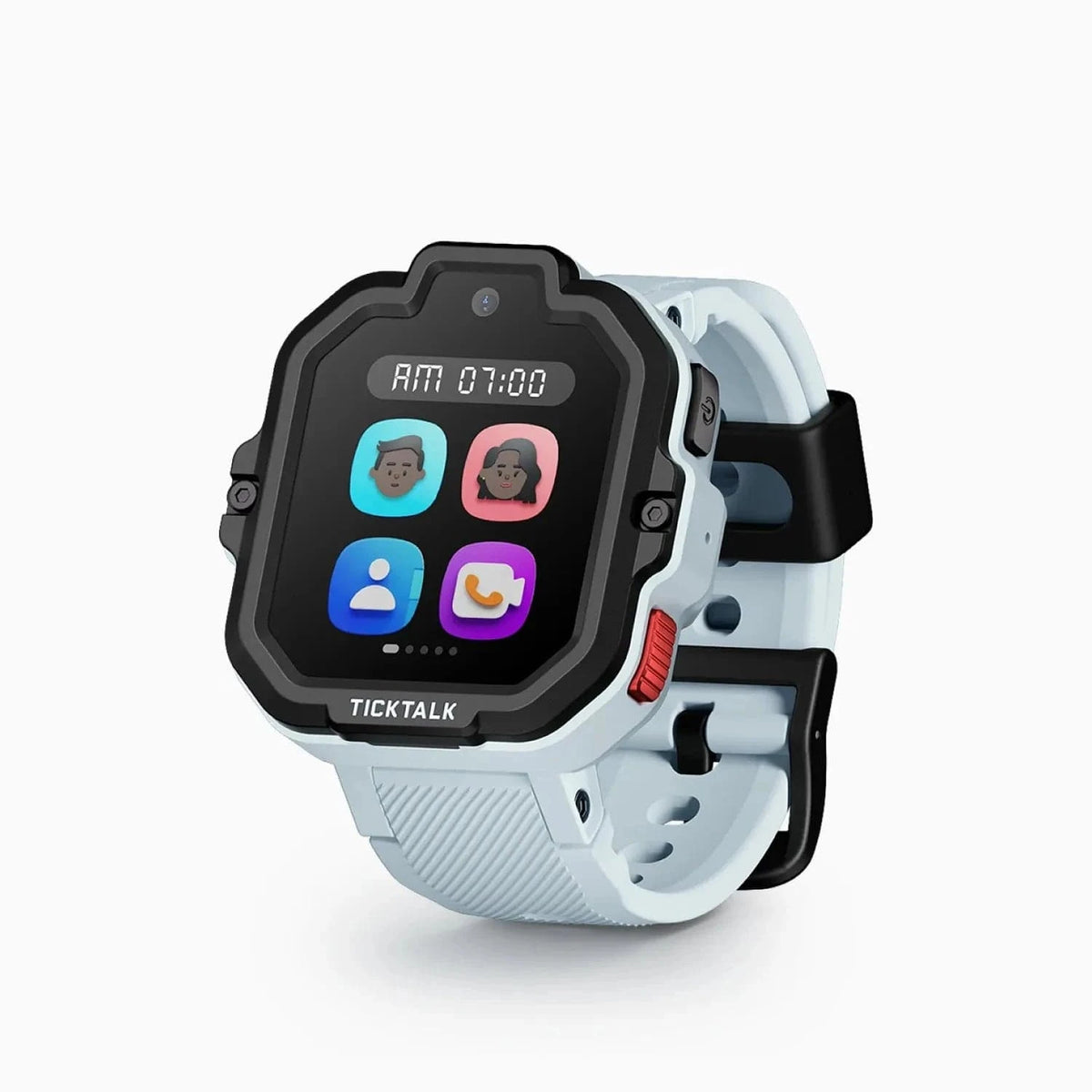
This is the big one. A kids' smartwatch physically cannot run TikTok, YouTube, Instagram, Snapchat, or any other app that keeps adults doom-scrolling, let alone kids. There's no browser. No app store. No way for your child to stumble onto content that keeps you up at night.
I tested this with our test kids. When one of them had a smartwatch, he'd use it to call us, check the time, and occasionally send a voice message to grandma. Total daily screen interaction: maybe five minutes. When we temporarily gave him access to a tablet with YouTube Kids, daily screen time shot to over an hour within a week. The watch simply removes the temptation by design.
According to a 2025 study by Common Sense Media, kids aged 8-12 who have smartphones spend an average of 4.5 hours per day on screens. Kids with smartwatches? Under 15 minutes. That's not a marginal difference. That's a fundamentally different relationship with technology.
Always-On GPS Tracking
Here's something I didn't appreciate until I lived it: phones and kids have a separation problem. One parent we know gave her 10-year-old a phone for safety. Within the first month, the phone spent most of its time in a locker, a backpack, or on a charger in another room. When she actually needed to locate her kid at a crowded soccer tournament, the phone was in the car.
A smartwatch is strapped to your child's wrist. It goes where they go. Period. Every modern kids' smartwatch I've tested offers real-time GPS tracking, and some — like the Xplora X6Play and Gabb Watch 3e — update location every few minutes. You open the parent app, and you see exactly where your kid is.
That's not just convenient. When you're standing at a theme park and your kid wanders off, it's everything.
A Shield Against Cyberbullying
I don't want to be alarmist here, but the data is hard to ignore. Cyberbullying peaks between ages 9 and 14, and it happens primarily through social media, messaging apps, and group chats — none of which exist on a kids' smartwatch. Kids can call and text pre-approved contacts. That's it.
Does this mean a smartwatch makes your child's social world perfectly safe? Of course not. But it removes the primary digital vectors for harassment, and that matters.
Harder to Lose, Cheaper to Replace
Kids lose things. It's basically their job. The difference between losing a $200 smartwatch that's strapped to their wrist and losing a $400+ phone that's in a jacket pocket is significant — both in likelihood and in the hit to your wallet.
In two years of testing, our test kids have lost zero watches. They've left two phones at friends' houses and dropped one in a toilet. Your results may vary, but physics is physics: something attached to your body is harder to misplace.
School-Friendly
This one keeps coming up in parent forums, and for good reason. As of 2026, the majority of U.S. school districts have some form of phone restriction, with many requiring phones to be locked in pouches or left in lockers during the school day. Several states have passed or are considering outright phone bans in classrooms.
Smartwatches? Most schools allow them, especially GPS-only models without cameras or internet access. Some watches even have a "school mode" that disables everything except the clock during set hours. This means your child can still wear their safety device all day without running afoul of school policy.
SOS Features Built for Kids
Every quality kids' smartwatch has a dedicated SOS button. Press and hold it, and the watch immediately calls your phone — no unlocking, no navigating menus, no finding the right app. Some models, like the Xplora X6Play, also send your child's GPS coordinates along with the SOS alert.
Phones can do this too, but it requires setup, and in a genuine emergency, a panicked seven-year-old is more likely to successfully hold down a single button on their wrist than navigate a phone's emergency features.
The Case for Phones
I promised a balanced take, and I meant it. Smartwatches aren't the right answer for every kid, and phones have genuine advantages — especially as kids get older.
More Communication Flexibility
Smartwatch messaging is limited by design. That's a feature for young kids, but by age 11 or 12, your child may genuinely need to send photos of homework assignments, join a group chat for their sports team, or video call a friend for a school project. Watches can't do that. Phones can.
Better for Older Kids Who Need Independence
There's a developmental window where kids need to start managing more of their own logistics: looking up bus schedules, navigating with maps, coordinating plans with friends. A smartwatch doesn't support that kind of independence. A phone — with appropriate parental controls — does.
No Separate Data Plan (if Using WiFi)
Most kids' smartwatches with calling and GPS require their own cellular plan, typically $5-15 per month. If your child is mostly at home and school (both with WiFi), a phone can handle calls and messages over WiFi without a separate line. This isn't always cheaper in total (phones cost more upfront), but it's a consideration.
Better Camera
Let's be honest: kids love taking photos. Smartwatch cameras, when they exist at all, are terrible. If your child is into photography, journaling, or documenting their adventures, a phone is objectively better.
Parental Controls Have Improved
Google Family Link, Apple Screen Time, and third-party apps like Bark and Qustodio have gotten significantly better. You can lock down a phone to the point where it's barely more capable than a smartwatch — restricting apps, setting time limits, filtering content, and monitoring messages. It's not foolproof, and kids are creative, but the tools are more robust than they were even two years ago.
Age-by-Age Recommendations
Every kid is different, so take these as guidelines, not rules. You know your child better than any article on the internet.
Ages 4-6: GPS Tracker or Basic Smartwatch
At this age, the device is really for you, not them. You want to know where they are. They want something cool on their wrist. A basic GPS watch with an SOS button and the ability to call Mom and Dad is the sweet spot. No phone. Not even close. (We tested this age group extensively in our guide to the best smartwatches for 5-year-olds.)
Best fit: A simple GPS smartwatch with pre-loaded contacts and an SOS button. Avoid models with cameras or games at this age — they're distractions.
Ages 7-9: The GPS Smartwatch Sweet Spot
This is where kids' smartwatches truly shine. Your child is starting to walk to friends' houses, play in the neighborhood, attend camps and activities where you're not always right there. They need to reach you, and you need to know where they are.
A smartwatch gives them that independence with guardrails. They feel grown-up because they have a "device." You feel secure because you can track them and they can call with one tap. And you don't have to worry about what they're watching at 11 p.m. under the covers, because the watch doesn't do that.
Best fit: A full-featured kids' smartwatch with GPS, calling, messaging, SOS, and school mode.
Ages 10-12: Depends on Maturity
This is the gray zone, and I won't pretend there's a universal answer. Some ten-year-olds are responsible, socially aware, and ready for managed phone access. Others aren't there yet (and that's completely fine). If your tween is active and interested in health tracking, a fitness-focused smartwatch can be a great middle ground.
Questions to ask yourself:
- Does my child follow rules about existing screen time limits?
- Can they handle social dynamics without an adult moderating?
- Do they genuinely need phone features (group chats, apps for school, maps)?
- Am I prepared to actively monitor their phone use?
If you answered "not really" to more than one of those, stick with the smartwatch for another year. There's no prize for giving your kid a phone early.
Best fit: A smartwatch for less mature kids; a locked-down basic phone (like a Gabb Phone or iPhone SE with heavy restrictions) for more mature kids.
Ages 13+: Phone Likely Appropriate
By middle school, the social cost of not having a phone becomes real. Group chats are how plans get made. School assignments may require internet access. Your teenager needs to start learning to manage technology responsibly — and they can't learn that if they never have access to it. For a detailed look at the best options for this age group, see our best smartwatches for teens ages 13-17 guide.
That doesn't mean unlimited, unmonitored access. Parental controls, regular check-ins, and clear expectations about screen time are still essential. But at this age, a phone is usually the right tool.
Best fit: A smartphone with robust parental controls and a family media agreement.
Cost Comparison
Let's talk money. Here's what you're actually looking at over two years, factoring in the device, monthly service, a protective case, and one replacement (because kids).
That's a meaningful difference, especially if you have multiple kids. If budget is a concern, we have a full roundup of the best smartwatches under $100. We spent roughly $400 over two years on one test kid's smartwatch setup (device, plan, and one replacement band). A friend's family spent over $1,200 on a mid-range phone setup in the same period — and that was before the phone got a cracked screen.
Safety Feature Comparison
This is where the rubber meets the road for most parents. Here's how watches and phones stack up on the features that actually keep your kid safe.
The pattern is clear: smartwatches win on passive safety (things that work without the child doing anything), while phones offer more configurable active safety (things that require setup and maintenance). For a deeper dive into how these features actually perform in real-world testing, see our kids smartwatch safety features guide. For younger kids, passive safety is almost always better because it doesn't depend on the child's behavior or your ability to keep up with every new app and workaround.
The "Bridge" Strategy: How We Did It
Here's what actually worked for one of our testing families, and what I recommend to most parents who ask.
Phase 1: The Smartwatch Years (Ages 6-10)
One of our test kids got a GPS smartwatch at six. It had calling, texting to pre-approved contacts, GPS tracking, an SOS button, and a step counter. For four years, this was his "device." He could reach us whenever he needed to. We could find him at the park, at camp, at his friend's house. He never once asked for a phone during this period because the watch met his actual needs.
Phase 2: The Transition (Age 10-11)
Around fifth grade, the phone requests started coming back. Instead of caving immediately, we had a conversation about responsibility. We created a "tech contract" with clear expectations: screen time limits, no social media until middle school, phone stays in the kitchen at bedtime, and we retain the right to check it anytime.
He kept the smartwatch for another six months while we introduced a locked-down basic phone at home only. This let him practice managing a phone under close supervision.
Phase 3: The Phone (Age 11+)
Once he demonstrated he could follow the rules consistently, we transitioned him to a phone with parental controls for daily use. The smartwatch became his backup for sports and outdoor activities (you can't exactly bring a phone to soccer practice).
The bridge strategy worked because it was gradual. He earned each level of independence. And frankly, those smartwatch years gave us four years of peace of mind that we wouldn't trade for anything.
My advice: Don't think of it as smartwatch or phone. Think of it as smartwatch then phone. The watch is the training wheels. The phone is the bike. You wouldn't skip the training wheels just because all the other kids are riding already.
Our Top Smartwatch Recommendations
If you've decided a smartwatch is the right move for your family, here are the models I'd actually put on a kid's wrist. I've tested all of these personally. For a more comprehensive ranking, check out our 7 best GPS smartwatches for kids.
Best Overall: Xplora X6Play
The X6Play is our top pick for most families. The GPS tracking is accurate and reliable, the SOS button is intuitive, and the parent app is one of the best I've used. It supports calling, messaging, and has a school mode that lets you disable features during class hours. Build quality is solid — the youngest test kid wore his through an entire summer of camp, pool days included.
Check the Xplora X6Play on Amazon
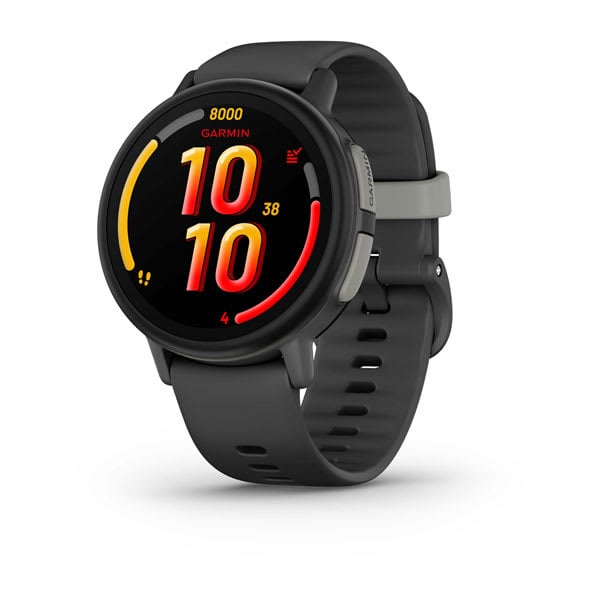
Best for Active Kids: Garmin Bounce
If your kid is into sports, hiking, or just never stops moving, the Garmin Bounce is built for them. It's rugged, the battery life is excellent, and it includes Garmin's fitness tracking features alongside GPS and messaging. The geofencing alerts are particularly well-implemented.
Check the Garmin Bounce on Amazon
Best for Simplicity: Gabb Watch 3e
The Gabb Watch 3e takes the "less is more" approach. No games, no camera, no distractions — just GPS, calling, texting, and an SOS button. If you want the safest, most distraction-free option, this is it. The companion app is straightforward, and Gabb's customer service has been responsive in our experience.
Check the Gabb Watch 3e on Amazon
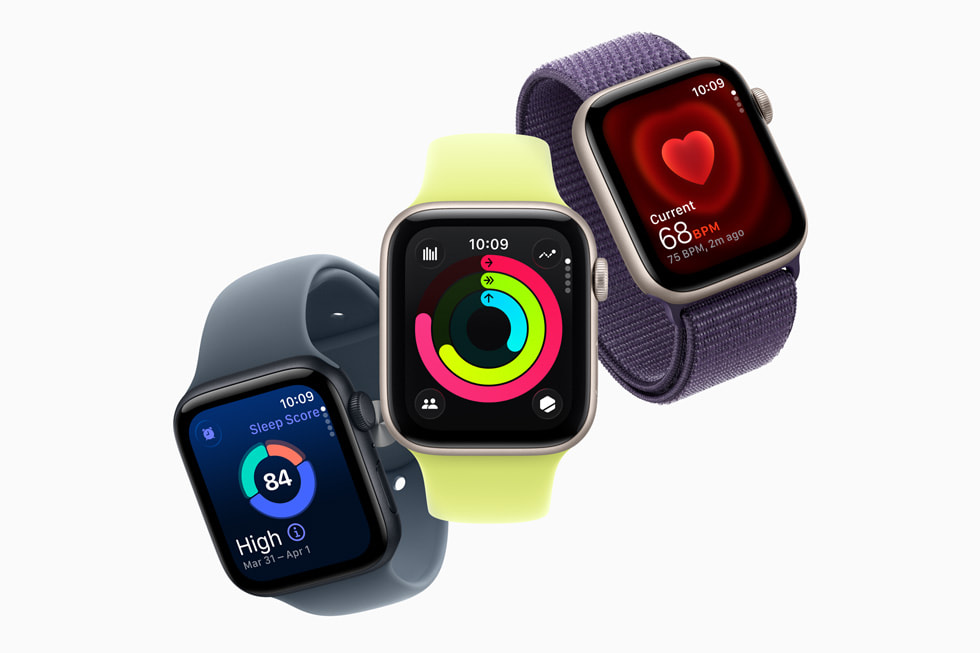
Best for Apple Families: Apple Watch SE
If your family is already deep in the Apple ecosystem, the Apple Watch SE with Family Setup is worth considering — especially for kids aged 10-12 who might be closer to phone readiness. It's more capable than the other watches on this list (and more expensive), but Apple's parental controls are tight, and the integration with your existing devices is seamless. It does require a family member to have an iPhone. If your family uses a Samsung Galaxy phone instead, the Samsung Galaxy Watch offers a similar experience for kids without requiring an iPhone — though its kids mode requires a Samsung Galaxy phone, not just any Android device.
Check the Apple Watch SE on Amazon
Frequently Asked Questions
At what age should a child get their first smartwatch?
Most kids can benefit from a basic GPS smartwatch starting around age 5-6, especially if they're beginning to spend time away from parents at activities, playdates, or with caregivers. At this age, the watch is primarily a safety tool for parents rather than a communication device for the child. For full-featured smartwatches with calling and messaging, ages 7-9 is the sweet spot.
Can kids' smartwatches make phone calls?
Yes -- most kids' smartwatches with a cellular connection can make and receive calls to a pre-approved contact list that you manage through a parent app. This means your child can call you, your partner, grandparents, or other trusted adults — but strangers and unknown numbers can't reach them. Some models also support voice messages and basic text messaging.
Do kids' smartwatches require a monthly plan?
Most GPS smartwatches with calling features require a separate cellular plan, typically ranging from $5 to $15 per month depending on the carrier and watch model. Some watches work with any compatible SIM card, while others (like Gabb and Xplora) have their own plans. A few basic GPS-only trackers work without a monthly fee by using Bluetooth paired to a parent's phone, but the range is very limited.
Are kids' smartwatches allowed in schools?
Policies vary by school and district, but the majority of schools allow smartwatches, especially models without cameras or internet browsers. Many kids' watches include a "school mode" feature that disables all functions except the clock during school hours, making them more acceptable to teachers and administrators. I always recommend checking with your child's school directly before sending them in with a new device.
How accurate is GPS tracking on kids' smartwatches?
In outdoor open areas, GPS accuracy on kids' smartwatches is typically within 15-30 feet. Modern kids' smartwatches use a combination of GPS, Wi-Fi positioning, and cell tower triangulation to determine location. In urban environments or indoors, accuracy may decrease to within 50-150 feet due to signal interference. In real-world testing, I've found the tracking accurate enough to locate a child at a park, a mall, or a friend's neighborhood — which is what you actually need it for.
What happens if my child's smartwatch runs out of battery?
When the battery gets low, most watches will send you a notification through the parent app so you know to have your child charge it. This is a valid concern. Most kids' smartwatches last 1-3 days on a single charge depending on usage and GPS polling frequency. Some models will send a final GPS location ping before shutting down. I recommend making nightly charging part of the bedtime routine — just like brushing teeth.
Can a smartwatch be used to cyberbully other kids?
The risk is extremely low. Kids' smartwatches limit communication to pre-approved contacts, typically managed by a parent. There are no social media apps, no group chats with strangers, and no way to send messages anonymously. Could a child technically send a mean text to a contact on their watch? Sure. But the scale and anonymity that make cyberbullying so damaging on phones and social media simply don't exist on a kids' smartwatch.
Should I get my child a smartwatch AND a phone?
Some families do, and it works well. The watch serves as the always-on safety device (GPS tracking, SOS button) while the phone stays at home for homework, video calls, and supervised screen time. This is particularly effective during the transition period — roughly ages 10-12 — when a child is getting ready for phone responsibility but isn't quite there yet. Once they've demonstrated they can manage a phone independently, many families retire the watch or keep it as a backup for sports and outdoor activities.
The Bottom Line
There's no single right answer to the smartwatch vs. phone question. But there is a right framework for thinking about it: match the device to your child's actual needs, not their wants or their friends' devices.
For most kids under 10, a smartwatch delivers everything they genuinely need — safety, reachability, and a sense of independence — without the risks that come with putting the entire internet in their pocket. For older tweens and teens, a phone makes more sense, ideally with parental controls and clear expectations.
And for the parents in the middle, wrestling with a kid who's "definitely mature enough" for a phone? Take a breath. The bridge strategy works. Start with the watch, build trust and responsibility, and graduate to the phone when the time is right.
Your kid might grumble about it today. But one day, when they're handing a smartwatch to their own seven-year-old instead of an iPhone, they'll get it.
To compare current prices on all the watches mentioned in this article, visit our deals page.
Have questions about picking the right smartwatch for your kid? Drop us a comment below or check out our full smartwatch reviews for detailed breakdowns of every model we've tested.