Reviews|
Gizmo Watch 4 Review (2026): What's New vs the Watch 3?
Verizon's Gizmo Watch 4 (July 2026) adds true swim-proofing and Watch Removal Detection over the Watch 3 -- a first look at what's new, the Verizon catch, and who should buy it.
Everything parents need to know about using the Apple Watch SE 3 as a kids smartwatch. Family Setup walkthrough, costs, limitations, and whether it's worth $249 for your child.
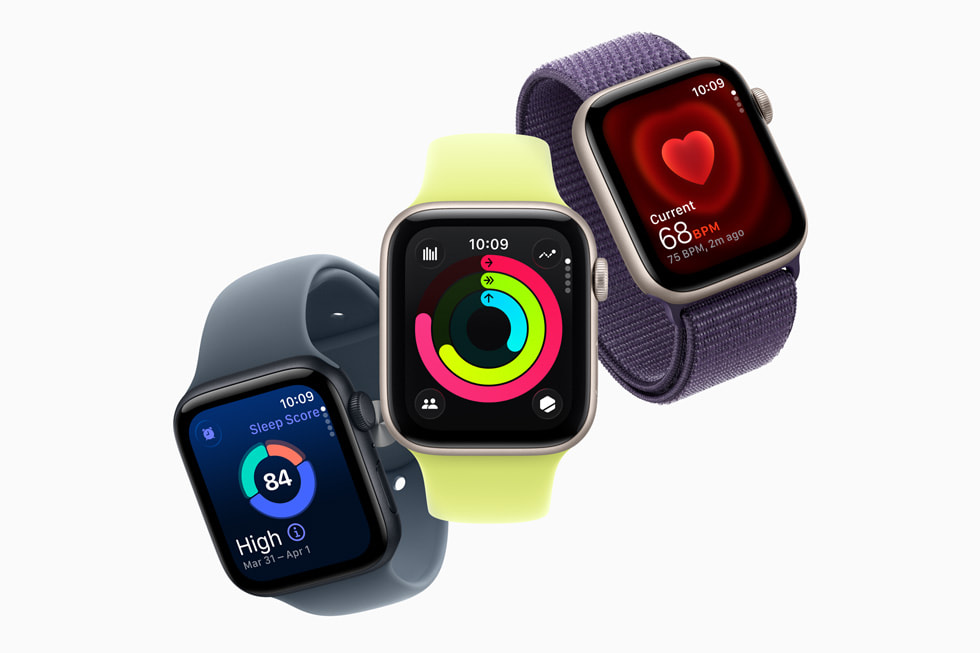
Apple Watch SE 3
$249.00· 3.8/5 rating
Affiliate Disclosure: This article contains affiliate links. If you purchase through our links, we may earn a small commission at no extra cost to you. This helps support our site and allows us to keep testing products for families like yours. All opinions are 100% our own -- we have no sponsorship relationship with Apple.
I want to be upfront: the Apple Watch SE 3 is not a kids smartwatch. It is a full-featured adult smartwatch that Apple has made usable for kids through a feature called Family Setup. That distinction matters.
Purpose-built kids watches like the Garmin Bounce or the TickTalk 4 are locked down by default and give parents features a la carte. The Apple Watch SE 3 is wide open by default and requires parents to actively restrict it. Neither approach is inherently better -- they are better for different kids at different ages.
This article walks you through how Family Setup works, what it costs, what your kid can and cannot do, and whether it makes sense for your family.
Not an Apple family? The Apple Watch SE 3 requires a parent to own an iPhone -- there is no Android support -- and at $249 plus a monthly plan, it is among the most expensive options in the category. If you are not all-in on Apple, you will get better value from a purpose-built kids watch: the TickTalk 5 (our former top pick, replaced by the TickTalk 6 but back in stock on Amazon; works on AT&T and T-Mobile) or, for Android and Samsung households, the Samsung Galaxy Watch for Kids (see our Samsung Galaxy Watch vs Apple Watch SE head-to-head). See the full field in our best GPS watches for kids guide.
| Spec | Details |
|---|---|
| Display | Always-On Retina OLED; 40mm (324x394) or 44mm (368x448); 1000 nits |
| Glass | Ion-X (4x crack resistant) |
| Chip | S10 (64-bit dual-core, 4-core Neural Engine) |
| Cellular | 5G (GPS + Cellular model only) |
| GPS | GPS / GNSS built-in |
| Battery | Up to 18 hours; up to 32 hours in Low Power Mode |
| Fast Charging | 15 minutes = ~8 hours of use |
| Water Resistance | 5 ATM / 50 meters (swim-proof) |
| Camera | None |
| Safety | Emergency SOS, Crash Detection, Fall Detection |
| New for SE 3 | Always-On display, 5G, wrist temperature sensing |
| Price (GPS only) | $249 |
| Price (GPS + Cellular) | $299 (required for Family Setup) |
| Monthly Plan | $10-15/month on parent's carrier plan |
Two things to flag immediately. First, Family Setup requires the GPS + Cellular model at $299. The $249 GPS-only version needs a paired iPhone to function -- which defeats the purpose. Second, the 18-hour battery life is notably shorter than what purpose-built kids watches deliver.
Family Setup is Apple's solution for giving a child an Apple Watch without giving them an iPhone. Your kid gets their own phone number and their own watch, but you manage everything from your iPhone. The child does not need their own iPhone at all.
Setting up Family Setup takes about 30 to 45 minutes -- longer than any purpose-built kids watch I have tested (the Garmin Bounce takes 15 minutes, the TickTalk 4 about 20). Here is the walkthrough:
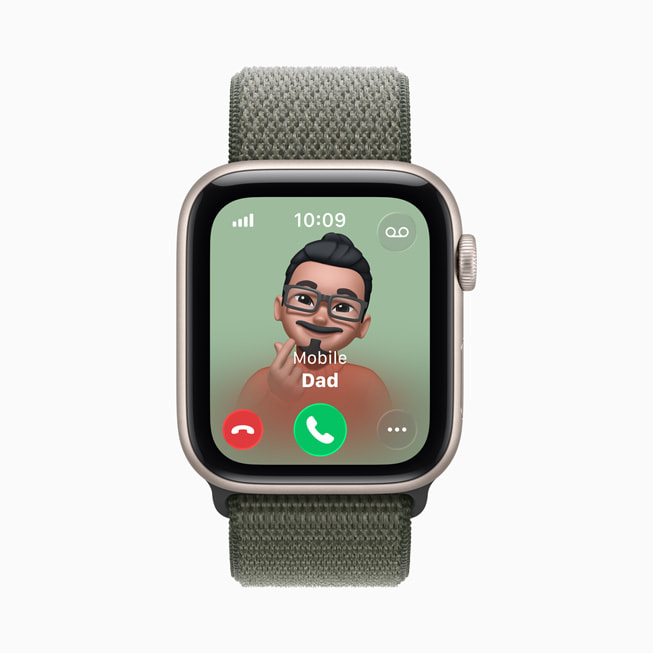
Communication: FaceTime Audio calls, phone calls, and Messages with approved contacts. Your child gets their own phone number. Grandma does not need to download an app -- she just calls the number. This is a significant advantage over purpose-built kids watches that limit communication to proprietary apps.
Location Tracking: Find My integration shows your kid's location in real time from your iPhone, iPad, or Mac. The Find My network means even if the watch loses cellular signal, nearby Apple devices can help relay its location -- a genuinely powerful tracking system.
Maps and Siri: Turn-by-turn navigation and voice assistant on the wrist. Useful for older kids navigating independently.
Activity and Fitness: Activity rings, workout tracking, and the new wrist temperature sensing. Best-in-class fitness tracking for a device on a kid's wrist.
Emergency Features: Emergency SOS (press and hold side button), Crash Detection, and Fall Detection. These use the same sensors and algorithms as the adult Apple Watch -- genuine safety value, not gimmicks.
Entertainment: Memoji, Apple Music (with subscription), podcasts, and the App Store. Yes, the App Store -- which is where things get complicated.
Family Setup's restrictions are less aggressive than purpose-built kids watches.
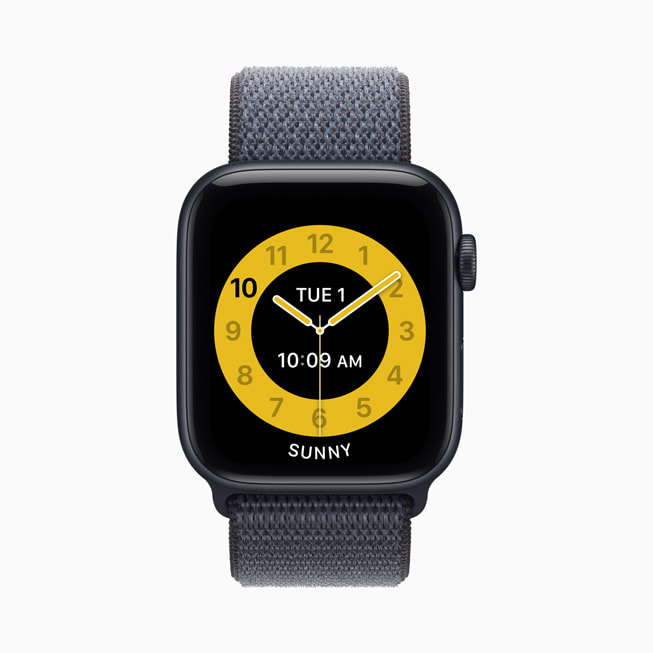
Schooltime Mode silences notifications and shows a simplified watch face during scheduled hours. But a determined kid can dismiss it with a couple of taps -- it is not the hard lock that the Garmin Bounce or TickTalk 4 enforce.
Screen Time controls let you restrict contacts, block apps, require approval for App Store downloads, and filter content. On a TickTalk 4, there are no apps to manage because there is no app store. On the Apple Watch, you are actively managing a whitelist.
No camera means no FaceTime video calls and no photos from the watch. Only FaceTime Audio (voice-only) is available. If video calling matters, the TickTalk 5 is the better choice.
With Family Setup active and cellular connected:
The fast charging is the saving grace -- 15 minutes on the charger gives about 8 hours of use. Build this into your kid's morning routine.
Nightly charging is mandatory. Unlike the Garmin Bounce (1.5-2 days between charges), the Apple Watch will die if your kid forgets. For a device you are buying partly for Emergency SOS, that is a real concern.
| Expense | Cost |
|---|---|
| Apple Watch SE 3 (GPS + Cellular) | $249 on Amazon ($299 MSRP) |
| Cellular plan | $10-15/month |
| AppleCare+ (recommended for kids) | $49/2 years or $2.49/month |
First-year total: approximately $400-480 including AppleCare+.
| Watch | Year 1 Total |
|---|---|
| Apple Watch SE 3 | ~$400-480 |
| Garmin Bounce 2 | ~$400 |
| Fitbit Ace LTE | ~$350 |
| TickTalk 4 | ~$300 |
The Apple Watch SE 3 is among the most expensive options here, rivaled only by the Garmin Bounce 2. One silver lining: it holds resale value far better than purpose-built kids watches. A two-year-old Apple Watch SE still fetches $100 to $150 on the used market.
Age 10 to 14. This is not a watch for a 7-year-old. The interface is complex, the features are numerous, and the watch face is information-dense. If your kid is 10-12 and pushing for a phone, the Apple Watch with Family Setup is a compelling middle ground. Our smartwatch vs phone guide breaks down that decision.
Apple households. Family Setup requires your iPhone. Find My, iMessage, and FaceTime Audio integrate seamlessly if your family already lives in the Apple ecosystem.
Responsible kids. The App Store, Siri, and the sheer feature count mean your kid needs maturity to handle this without it becoming a distraction.
Active kids. Activity rings, workout modes, and health tracking are best-in-class. Our best fitness trackers for tweens guide covers more options.
Kids under 10. Purpose-built watches are simpler and locked down by default. Check our best GPS smartwatches for kids guide for better options.
Android families. Family Setup requires an iPhone. Full stop. If your household runs Android, the Samsung Galaxy Watch for kids offers a similar premium smartwatch experience with Google's Family Link parental controls.
Budget-conscious families. At ~$400-480 for the first year, you are paying up to 60% more than the alternatives here.
Families wanting a locked-down device. The App Store and Siri give kids more avenues for distraction than any dedicated kids watch.
Carriers that do not support Family Setup. Major carriers (AT&T, Verizon, T-Mobile) work, but some MVNOs do not. Verify before purchasing.
| Feature | Apple Watch SE 3 | Garmin Bounce 2 | Fitbit Ace LTE | TickTalk 4 |
|---|---|---|---|---|
| Price | $249 | ~$300 | ~$160 | $179.99 |
| Monthly Plan | $10-15/mo | ~$10/mo | ~$10/mo | $9.95-14.95/mo |
| Target Age | 10-14 | 6-12 | 7-12 | 7-12 |
| Display | Always-On Retina OLED | Color LCD | Color AMOLED | 1.4" IPS LCD |
| Voice Calls | Yes (FaceTime Audio + phone) | Messaging only | Yes | Yes (4G) |
| Video Calls | No | No | No | Yes |
| Camera | No | No | No | 5MP + 2MP |
| Battery | ~18 hours | 2-3 days | 14-17 hours | 1-1.5 days |
| Water Resistance | 5 ATM | 5 ATM | 5 ATM | IPX7 |
| App Store | Yes | No | No | No |
| Requires iPhone | Yes | No | No | No |
| Best For | Older kids in Apple families | Active/outdoor kids | Younger kids | Video calling families |
The TickTalk 4 appears here as a historical comparison. It has been discontinued and is no longer sold on Amazon — its successor, the TickTalk 5, has itself been replaced by the TickTalk 6, though Amazon has the TickTalk 5 back in stock.
If you are specifically deciding between the Apple Watch SE and a TickTalk, our Apple Watch SE vs TickTalk 5 comparison breaks down the differences in detail.
Configure Screen Time before handing over the watch. Set up restrictions on your iPhone first. It is easier to start strict and loosen over time.
Enable Schooltime Mode immediately. If your kid dismisses it, you get a notification on your iPhone.
Turn on location sharing permanently. This feeds into Find My for real-time tracking.
Teach Emergency SOS. Make sure your child knows how to press and hold the side button, and that the emergency contact list includes people who will answer an unknown number.
Start with the 40mm size. The 44mm looks genuinely large on a 10-year-old's wrist.
Buy a protective case. Ion-X glass is tough, but a $10-20 bumper case is worthwhile insurance for kids.
Build the nightly charging habit from day one. Put the charger on the nightstand and make it part of the bedtime routine.
The $249 GPS-only Apple Watch SE 3 does not work with Family Setup. It requires a paired iPhone to function, which means it is only useful if your child already has their own iPhone -- at which point you are not in kids smartwatch territory anymore.
If your budget caps at $249, check Amazon first: as of October 2026 it sells the GPS + Cellular model -- the one Family Setup needs -- for $249. Otherwise, a Fitbit Ace LTE will serve your child better than the GPS-only model, or you can stretch to the $299.99 Garmin Bounce 2. Our best smartwatches for 10-year-old boys guide covers this price range thoroughly.
Rating: 3.8 / 5
The Apple Watch SE 3 with Family Setup is the most capable device you can put on a kid's wrist. The Always-On Retina display is gorgeous. 5G cellular is fast. Emergency SOS, Crash Detection, and Fall Detection are legitimate safety features. The Apple ecosystem integration -- Find My, FaceTime Audio, iMessage -- is seamless for Apple families. And the new Always-On display and wrist temperature sensing make this the most compelling Apple Watch for kids yet.
But "most capable" does not mean "best for kids." The $249 price plus monthly cellular is steep. The 18-hour battery is the shortest in the kids watch space. Family Setup's restrictions are good but not foolproof. The complexity that makes the Apple Watch great for adults can make it distracting for younger children.
For older kids (10-14) in Apple households who are approaching smartphone age, the Apple Watch SE 3 with Family Setup is an excellent bridge device. For teens 13 and up who may need even more independence, our best smartwatches for teens guide covers the top options. For kids under 10, or families who want a simpler experience, purpose-built kids watches remain the better choice. The Garmin Bounce is my top pick for younger active kids. The TickTalk 5 was our former pick for video calling; TickTalk has replaced it with the TickTalk 6, though it is back in stock on Amazon. And our best GPS smartwatches for kids guide covers the full landscape.
The Apple Watch SE 3 is a great watch. It is just not a great watch for every kid.
Check the current price on Amazon
Compare the Apple Watch SE 3 price against every kids smartwatch on our deals page.
The SE is the premium route, and it comes with a hard requirement: an iPhone in the family for Family Setup. Each comparison weighs that against a purpose-built kids watch:
No, Apple Watch Family Setup requires the parent to own an iPhone XS or later running iOS 18+ -- there is no Android option whatsoever.
Family Setup has a hard requirement for an iPhone. There is no way to set up or manage an Apple Watch for a child from an Android phone or any non-Apple device. If your household does not have an iPhone, consider the Garmin Bounce or TickTalk 5, which work with both iPhone and Android parent phones.
No, the Apple Watch SE 3 has no camera, so FaceTime video calls are not possible -- your child can only make FaceTime Audio (voice-only) calls and standard phone calls.
The lack of a camera means video calling is not available. Your child can make FaceTime Audio calls (voice-only) and standard cellular phone calls to approved contacts. If video calling from the watch is important, the TickTalk 5 had the best video calling we tested; TickTalk has replaced it with the TickTalk 6, but it is back in stock on Amazon.
Typically $10-$15/month added to the parent's existing carrier plan (AT&T, Verizon, or T-Mobile), with some MVNOs offering plans as low as $6.50/month.
The cost is added as an additional line to the parent's existing carrier plan. Major carriers (AT&T, Verizon, T-Mobile) all support Family Setup. Some MVNOs offer plans as low as $6.50/month, though Family Setup support varies. Confirm both pricing and compatibility with your carrier before purchasing.
Yes, the Apple Watch SE 3 is generally too complex for kids under 10 -- it runs full watchOS with the App Store, Siri, and dozens of adult-oriented features that can overwhelm younger children.
In my assessment, kids under 10 do better with simpler devices like the Garmin Bounce (best for ages 6-9). For younger kids, see our best GPS smartwatches for kids guide.
The Apple Watch SE 3's 18-hour battery is the shortest among kids watches -- requiring nightly charging, compared to 1.5-2 days for the Garmin Bounce and 1-1.5 days for the TickTalk 4.
The 18-hour battery means mandatory nightly charging. The Garmin Bounce lasts 1.5-2 days, the TickTalk 4 lasts 1-1.5 days. The Apple Watch needs nightly charging without exception. Fast charging helps (15 minutes gives ~8 hours), but a forgotten overnight charge means a dead watch by afternoon. If battery life is a priority, purpose-built kids watches have a clear advantage.
Yes, Apple's Find My network provides real-time location tracking that is as good as or better than any purpose-built kids watch -- and it can locate the watch even with poor cellular coverage using nearby Apple devices.
With Family Setup and location sharing enabled, your child appears in Find My on your iPhone, iPad, or Mac. You get real-time location, arrival/departure notifications for specific places, and the Find My network -- which uses hundreds of millions of Apple devices -- can locate the watch even with poor cellular coverage. The tracking is as good as or better than purpose-built kids watches.
Verizon's Gizmo Watch 4 (July 2026) adds true swim-proofing and Watch Removal Detection over the Watch 3 -- a first look at what's new, the Verizon catch, and who should buy it.
Samsung Galaxy Watch 7 vs Apple Watch SE 3 as a kids smartwatch: we compare the phone requirement, GPS tracking, safety features, battery, and cost to help you pick.
The Pinwheel Watch puts a parent-monitored AI chat (PinwheelGPT) on a kid's wrist, with award-winning battery and standalone calling. Here's whether it's worth $14.99/mo.
Our honest Gizmo Watch 3 review after real-world testing. GPS tracking, video calling, and 5MP camera -- but is the Verizon lock-in worth it? Full breakdown.
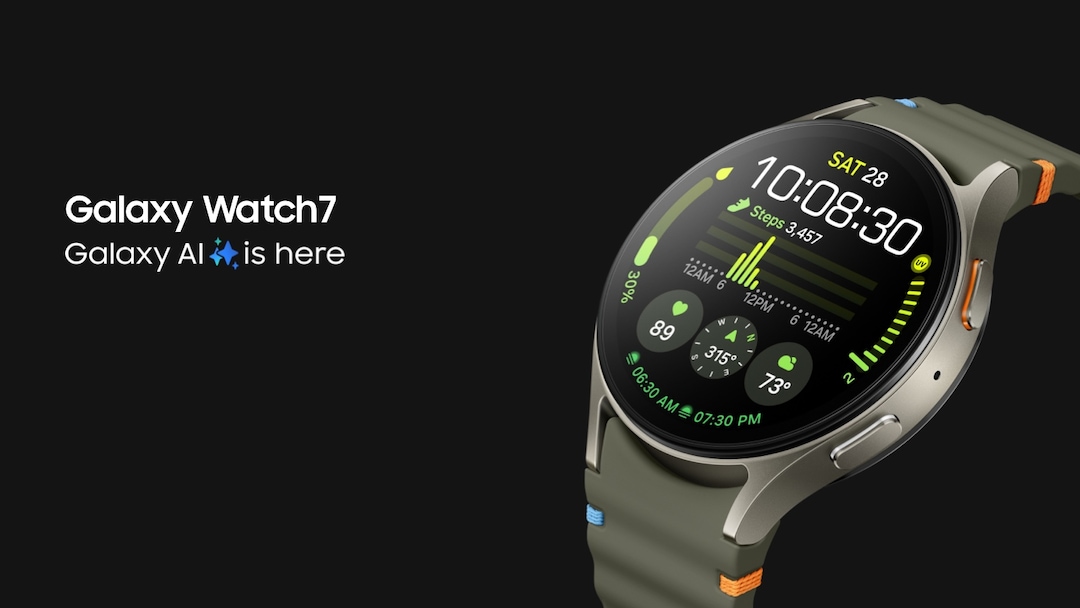
Can the Samsung Galaxy Watch 7 work as a kids smartwatch? We break down Family Setup, GPS tracking, costs, and how it compares to purpose-built kids watches.
New review alerts, deal drops, and seasonal buying guides — delivered weekly. No spam, unsubscribe anytime.
No spam. Unsubscribe anytime.