Comparisons|
Apple Watch SE vs Xplora X6Play for Kids (2026): Which Wins?
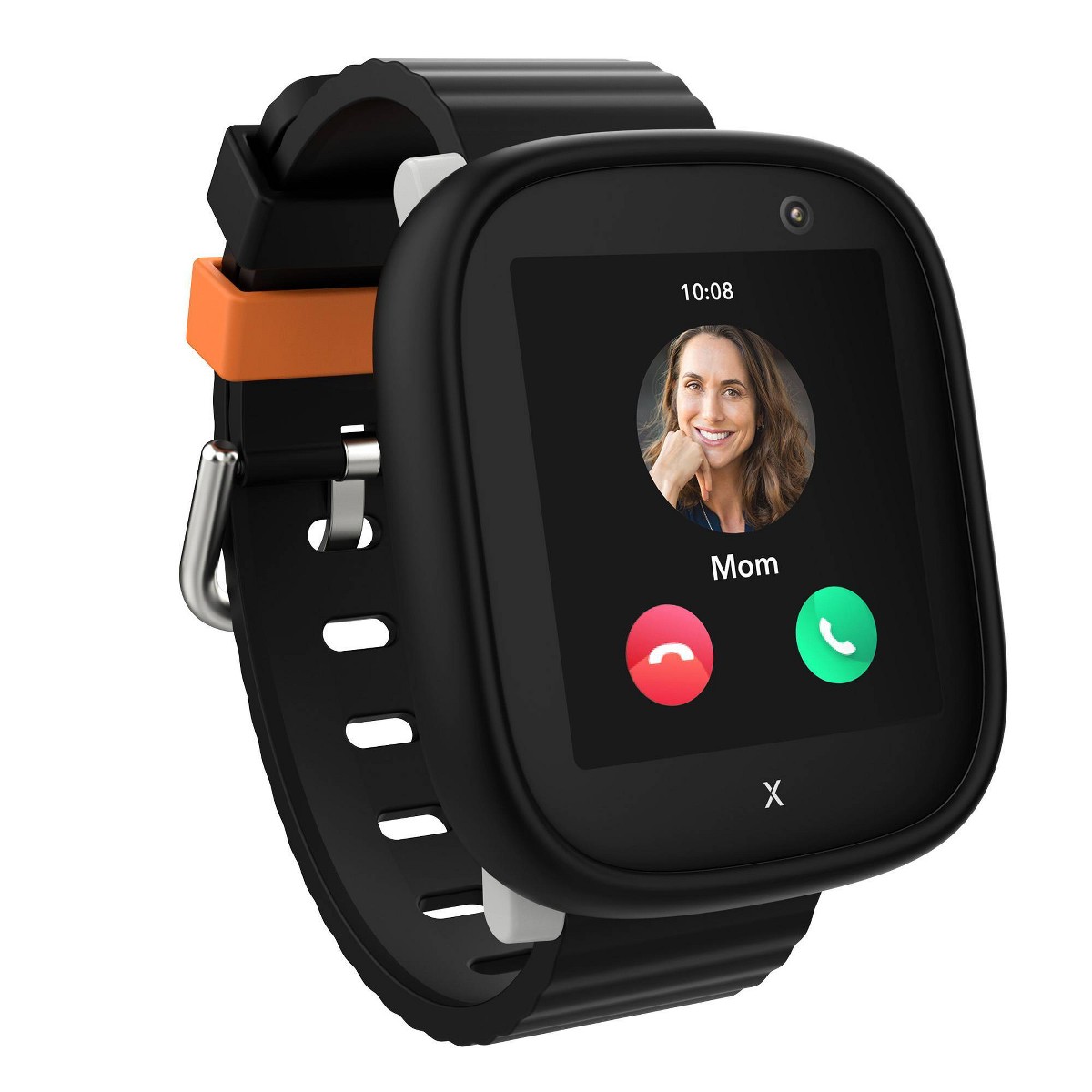
Apple Watch SE 3 vs Xplora X6Play as a kids watch: we compare phone requirements, camera, video calling, battery, safety, and price to help you choose.
Samsung Galaxy Watch 7 vs Apple Watch SE 3 as a kids smartwatch: we compare the phone requirement, GPS tracking, safety features, battery, and cost to help you pick.
Apple Watch SE 3
$249.00· 3.8/5 rating
Affiliate Disclosure: This article contains affiliate links. If you purchase through our Amazon links, we may earn a small commission at no extra cost to you. We only recommend products we have personally tested and believe in. Our opinions are our own and are not influenced by any affiliate partnerships.
Both the Apple Watch SE 3 and the Samsung Galaxy Watch 7 can work as a kids smartwatch for a tween -- but neither is actually a kids watch. Each is a full-featured adult flagship smartwatch with a "kids mode" layered on top (Apple's Family Setup, Samsung's Galaxy Watch for Kids). That makes them the two most premium, grown-up-feeling options for a 10-to-14-year-old who would be embarrassed to wear a chunky plastic GPS watch.
And here is the fact that decides this comparison for most families before you compare a single feature: the Apple Watch SE requires a parent who owns an iPhone, and Samsung's kids mode requires a parent who owns a Samsung Galaxy phone. These are hard requirements with no workarounds. So for a lot of parents, the "which is better" question is really "which phone do I already own?"
Here is the bottom line up front. If you are an iPhone household, buy the Apple Watch SE 3 -- Samsung's kids mode will not work for you. If you have a Samsung Galaxy phone, the Galaxy Watch 7 LTE is your match. And if you are on a Pixel or any other non-Samsung Android phone, the honest answer is that neither of these fits you well -- you are better off with a purpose-built kids watch (more on that below). When a family genuinely has the choice, the Apple Watch SE 3 is the stronger overall device: a better safety suite and more reliable location tracking, though the Galaxy Watch 7 is currently about $29 cheaper on Amazon.
Let's break down every meaningful difference.
| Spec | Apple Watch SE 3 | Samsung Galaxy Watch 7 LTE |
|---|---|---|
| Price (Amazon) | $249.00 (sold by Amazon) | $219.99 (third-party seller) |
| Kids Mode | Family Setup | Galaxy Watch for Kids (via Google Family Link) |
| Parent Phone Required | iPhone (any recent model) | Samsung Galaxy phone (One UI 5.1+) -- NOT other Android |
| Ages | 10-14 | 10+ |
| Display | Always-On Retina OLED, 1000 nits | AMOLED (Wear OS) |
| Standalone GPS | Yes | Yes (accurate 3-5m outdoors) |
| Geofencing Alerts | Limited | None |
| Cellular Calling | Yes (5G, eSIM) | Yes (LTE, eSIM) |
| Safety | SOS + Crash Detection + Fall Detection | SOS only |
| Battery (real-world) | ~18 hours | ~20-24 hours |
| Water Resistance | 5 ATM / 50m (swim-proof) | 5 ATM / IP68 (swim-proof) |
| Monthly Plan | $10-15/mo (parent's carrier) | ~$10/mo (Verizon, T-Mobile, AT&T) |
| Setup Time | 30-45 min | 30-45 min |
| Best For | iPhone families | Samsung Galaxy phone families |
Let's start where the decision actually gets made, instead of burying it at the end.
The Apple Watch SE 3 requires the parent to own an iPhone. Family Setup -- the feature that lets your kid have their own watch, number, and controls without their own iPhone -- is configured and managed entirely from a parent's iPhone. There is no Android support of any kind. No iPhone, no Apple Watch for your kid. Full stop.
Samsung's Galaxy Watch for Kids requires the parent to own a Samsung Galaxy phone running One UI 5.1 or later. This is the part that trips people up: it is not enough to be an "Android household." A Google Pixel, a OnePlus, a Motorola -- none of them work. It must be a Samsung Galaxy phone. Kids mode is built on Google Family Link, but the setup and management flow is gated to Samsung's own phones.
That leaves three clean scenarios:
Winner: whichever matches the phone in your pocket. For everyone else, keep reading -- the rest decides it when you genuinely have a choice.
You are buying this watch primarily to know where your kid is, so tracking quality matters more than anything else. Both have accurate GPS hardware, but the tracking experience is not equal.
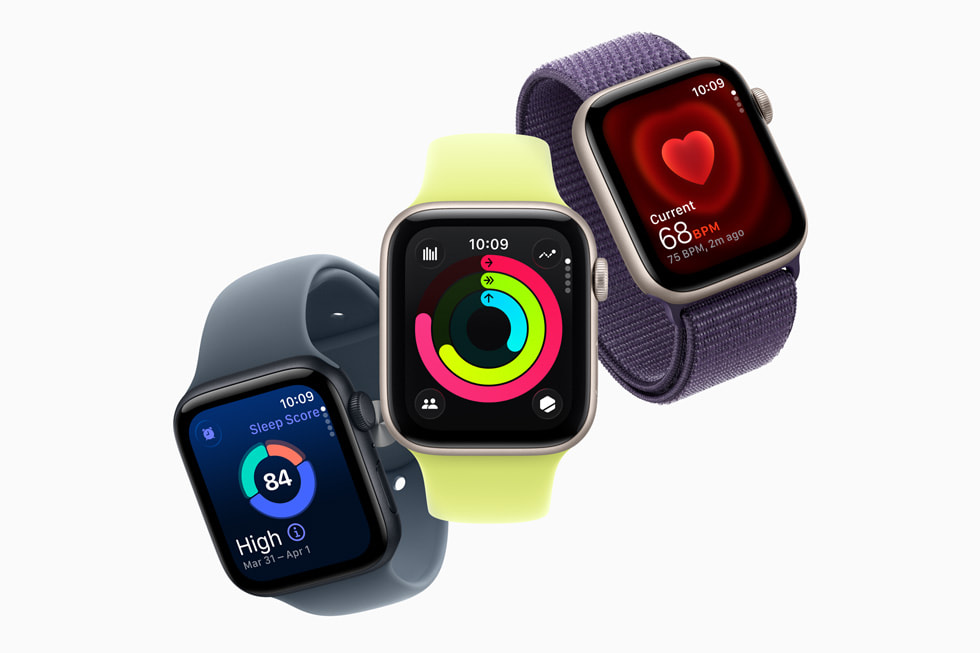
The Apple Watch SE 3 benefits from Apple's Find My network. Beyond its own GPS and cellular connection, it can relay its approximate location through nearby Apple devices even when its own signal drops -- a genuine advantage in dead zones, dense buildings, or crowded events. Location shows up in the Find My app you already use.
The Samsung Galaxy Watch 7 has accurate GPS hardware -- typically within 3 to 5 meters outdoors -- but the tracking experience through Google Family Link is more basic. The biggest gap: there is no geofencing. You cannot get an automatic alert when your child arrives at or leaves school, home, or practice, which is one of the features parents most want from a tracking watch. Samsung's location sharing is also more dependent on the watch maintaining its own connection, with no relay network to fall back on.
Winner: Apple Watch SE 3. Similar raw accuracy, but Find My's relay network and the ability to set location-based expectations give it the more dependable safety experience. (Neither, notably, matches the geofencing and location history of a purpose-built tracker like the Garmin Bounce.)
Both watches include the fundamentals: standalone cellular so your kid can call and be called, and an Emergency SOS button. But Apple's safety suite is deeper.
The Apple Watch SE 3 adds Crash Detection and Fall Detection on top of Emergency SOS. If the watch detects a hard fall or a car crash and the wearer is unresponsive, it can automatically place an emergency call and share location. For a tween who bikes, skateboards, or is starting to travel more independently, that automatic escalation is a meaningful layer of protection.
The Samsung Galaxy Watch 7 has Emergency SOS that works independently once kids mode is set up, but it does not offer the same automatic crash and fall escalation for the kids-mode use case.
Winner: Apple Watch SE 3. Emergency SOS plus Crash Detection and Fall Detection is the most complete safety package in this matchup.
This is the category where both watches shine, and it is close to a tie. Both use premium screens that make dedicated kids watches look like toys by comparison.
The Apple Watch SE 3 has an Always-On Retina OLED display at up to 1000 nits, so it stays readable in bright sun and glanceable without a wrist-raise. watchOS is fast and fluid.
The Samsung Galaxy Watch 7 has a bright AMOLED display and a fast processor running Wear OS. In our testing, its build quality and touchscreen responsiveness outclass every purpose-built kids watch, and it genuinely looks and feels like a real adult watch on the wrist.
Winner: Tie. Both are excellent, premium displays. This should not be your deciding factor.
Neither of these is a battery champion -- and that is the single biggest drawback both share versus a purpose-built kids watch that lasts days.
The Samsung Galaxy Watch 7 is advertised at up to 40 hours, but in real-world kids use with LTE active and location sharing on, expect 20 to 24 hours. The Apple Watch SE 3 delivers about 18 hours under similar conditions (up to 32 in Low Power Mode).
So Samsung edges it, but the practical takeaway is the same for both: nightly charging is mandatory. For a safety device on a child's wrist, that is a real limitation -- a watch that dies at 4 p.m. is not tracking anyone. Build charging into the bedtime routine no matter which you pick. (For comparison, a Garmin Bounce lasts 2 to 4 days.)
Winner: Samsung Galaxy Watch 7, narrowly. A few extra hours, but both need charging every night.
A true tie. Both watches carry a 5 ATM rating (water resistant to 50 meters), and the Galaxy Watch 7 adds IP68 on top. Both are genuinely swim-proof -- fine for pools, showers, and rain -- though Samsung recommends avoiding high-pressure activities like water skiing. This is actually a category where both premium watches beat most purpose-built kids watches, many of which are only splash-resistant.
Winner: Tie. Both are swim-proof.
Here is the shared weakness worth being honest about: both watches have less granular parental controls than a purpose-built kids watch. Because each is an adult watch with a kids mode bolted on, neither locks down as tightly as a Garmin Bounce or TickTalk 5.
Apple's Family Setup lets you manage approved contacts, Schooltime mode, communication limits, and location sharing from your iPhone. Samsung's Galaxy Watch for Kids does the same through Google Family Link -- approved contacts, School Time, app approvals, and location sharing. Both are good; neither offers the fine-grained geofencing, hourly usage restrictions, and detailed usage reports parents get from dedicated kids watches.
Winner: Tie. Comparable control depth, and comparably looser than purpose-built alternatives. If airtight controls are your top priority, neither of these is the right category.
Both are premium-priced, and right now the Galaxy Watch 7 is the cheaper of the two at the register.
The Galaxy Watch 7 is cheaper up front at current Amazon prices -- about $29 less than the Apple Watch SE 3 -- while monthly costs are comparable. Both are among the most expensive ways to put a connected watch on a kid; a purpose-built option runs roughly half the device cost.
Winner: Samsung Galaxy Watch 7. Cheaper hardware today, similar monthly cost.
The Apple Watch SE 3 is the right pick if:
Read our full Apple Watch SE 3 for kids setup guide for the complete Family Setup walkthrough and cost breakdown.
The Samsung Galaxy Watch 7 LTE is the right pick if:
Read our full Samsung Galaxy Watch for Kids review for the complete Family Link setup and carrier details.
The Apple Watch SE 3 and Samsung Galaxy Watch 7 are the two most premium, grown-up-feeling options for a tween -- both swim-proof, both with real GPS and cellular calling, both with a mature "kids mode." They are closer on hardware than their reputations suggest, and neither is a true kids watch: both have mediocre battery and looser parental controls than purpose-built alternatives.
But the decision almost always comes down to the phone in your pocket. iPhone household? Buy the Apple Watch SE 3. Samsung Galaxy phone household? Buy the Galaxy Watch 7 LTE. And if you are on a Pixel or other non-Samsung Android -- or your child is under 10, or you want long battery and airtight controls -- skip both and get a purpose-built kids watch instead.
When a family truly has the choice, the Apple Watch SE 3 is the one we recommend: it has the deeper safety suite and tracks more reliably. Samsung's edges are a lower price right now (about $29 less at current Amazon prices) and a few extra hours of battery.
Our recommendation: view the Apple Watch SE 3 on Amazon if you are on iPhone, or check the Samsung Galaxy Watch 7 on Amazon if you are on a Galaxy phone.
No -- the Apple Watch SE 3 requires the parent to own an iPhone, and Family Setup does not work with any Android phone. If you are on Android, your options are the Samsung Galaxy Watch 7 (only if you have a Samsung Galaxy phone specifically) or a purpose-built kids watch like the TickTalk 5 that has no phone-brand requirement.
No -- Samsung's Galaxy Watch for Kids mode requires a Samsung Galaxy phone running One UI 5.1 or later, despite running on Google Family Link. A Pixel, OnePlus, Motorola, or any other non-Samsung Android phone will not work. This is a common and frustrating surprise for Android families who do not own a Samsung phone.
The Apple Watch SE 3, in practice. Both have accurate GPS hardware (within a few meters outdoors), but the Apple Watch benefits from the Find My network, which relays location through nearby Apple devices even when signal is weak. The Samsung Galaxy Watch 7 also lacks geofencing alerts, so you cannot be notified automatically when your child arrives at or leaves a location.
The Samsung Galaxy Watch 7, narrowly. It lasts about 20 to 24 hours in real-world kids use versus roughly 18 hours for the Apple Watch SE 3. However, both require nightly charging, which is a real drawback for a safety device. Purpose-built kids watches like the Garmin Bounce last 2 to 4 days by comparison.
Yes -- both the Apple Watch SE 3 (5 ATM / 50 meters) and the Samsung Galaxy Watch 7 (5 ATM / IP68) are genuinely swim-proof and handle pools, showers, and rain. This is one area where both premium watches beat most purpose-built kids watches, which are often only splash-resistant.
The Samsung Galaxy Watch 7 LTE is currently the cheaper of the two on Amazon, at about $219.99 from a third-party seller, versus $249 for the Apple Watch SE 3 (GPS + Cellular, sold by Amazon). Monthly cellular costs are comparable at around $10 to $15. Both are among the most expensive options in the kids smartwatch category.
Generally no -- both are full adult smartwatches with a kids mode layered on, and both are best suited to tweens roughly 10 and older who can handle the interface responsibly. For younger children, a purpose-built kids watch with simpler controls, longer battery, and tighter parental restrictions is the better fit -- see our best smartwatches for younger kids guide.
Check the latest prices on both watches at our deals page.
Still deciding? Read our full individual guides to the Apple Watch SE 3 for kids and the Samsung Galaxy Watch for Kids, or see how they compare to every top option in our best GPS smartwatches for kids roundup.
Apple Watch SE 3 vs Xplora X6Play as a kids watch: we compare phone requirements, camera, video calling, battery, safety, and price to help you choose.
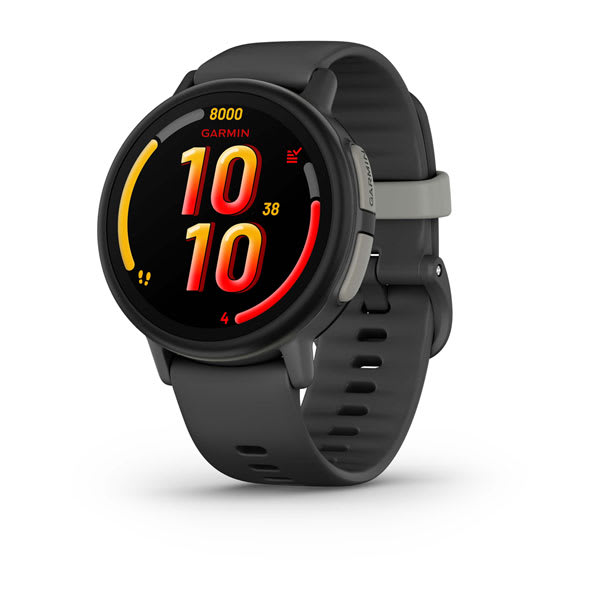
Apple Watch SE 3 vs Garmin Bounce 2 as a kids watch: we compare phone requirements, GPS, geofencing, battery, safety features, and price to help you choose.
Samsung Galaxy Watch 7 vs Garmin Bounce 2 as a kids watch: we compare GPS, geofencing, battery, phone requirements, and price to help you pick the right one.
Samsung Galaxy Watch 7 vs Xplora X6Play as a kids watch: we compare phone requirements, geofencing, camera, video calling, and price to help you choose.
COSMO JrTrack 5 vs Gabb Watch 3e: we compare GPS accuracy, distraction-free design, camera, music, battery, and cost to help you pick the right kids smartwatch.
New review alerts, deal drops, and seasonal buying guides — delivered weekly. No spam, unsubscribe anytime.
No spam. Unsubscribe anytime.