Buying Guides|
Bark Watch vs TickTalk 5 (2026): Monitoring or Calling?
Bark Watch vs TickTalk 5: AI text monitoring for older kids versus HD video calling and value for younger ones. We break down GPS, camera, battery, and cost to name your winner.
TickTalk 4 vs TickTalk 5 side-by-side comparison. We break down every difference in price, camera, battery, GPS, and features to help you decide if the upgrade is worth it.
Affiliate Disclosure: This article contains affiliate links. If you purchase through our links, we may earn a small commission at no extra cost to you. This helps support our testing and keeps the site running for families like yours. All opinions are 100% our own -- we purchased both watches with our own money and have no sponsorship relationship with TickTalk.
Update (September 10, 2026; revised October 5, 2026): TickTalk 6 pre-orders are now open at $169.99. TickTalk originally said it would ship by the end of September 2026. Update (October 5, 2026): that estimate has since slipped to October 5, 2026, and the watch is still on pre-order. It brings a 1.6" AMOLED display (320 x 360), a 5MP camera and IP68 water resistance — but its built-in eSIM requires a TickTalk Wireless plan at $9.99 or $19.99 a month, so you can no longer bring your own AT&T or T-Mobile SIM. TickTalk's own store has sold out of the TickTalk 5, which is still available on Amazon at $159.99. Our TickTalk 6 first look has the full published specs and the real monthly cost.
Update (June 2026): The TickTalk 4 has been discontinued and is no longer reliably available on Amazon, where listings now point to the TickTalk 5. If you are shopping today, the answer is simple — get the TickTalk 5. The comparison below explains exactly what it improves over the TickTalk 4 (notably longer battery life and more accurate GPS) so you know what you are getting.
This is the question I get from TickTalk families more than any other: "Ryan, I have the TickTalk 4 and it still works. Is the TickTalk 5 worth upgrading to? Or should I just keep what I have?"
The short answer is that the TickTalk 5 is a genuine upgrade over the TickTalk 4 in the areas that matter most -- battery life, GPS accuracy, and music streaming -- and it costs less than the TickTalk 4 did at launch. But whether it is worth upgrading right now depends on how happy you are with what you already have.
I have spent extensive time testing both watches side by side with the same test kids, on the same routes, during the same activities. This article is the complete breakdown of every meaningful difference between the TickTalk 4 and TickTalk 5. If you want the deep dive on each watch individually, read our standalone TickTalk 4 review and TickTalk 5 review. This article is specifically about how they compare and whether the upgrade makes sense.
Upgrade to the TickTalk 5 if:
Stick with the TickTalk 4 if:
The TickTalk 5 is the better watch. But "better" and "worth upgrading to right now" are not the same question.
Here is every meaningful specification side by side. I pulled these numbers from TickTalk's official documentation and confirmed what I could through hands-on testing.
| Feature | TickTalk 4 | TickTalk 5 |
|---|---|---|
| Price | $109.99 | $159.99 |
| Display | 1.4" round IPS LCD, 240x240 | 1.52" TFT, 240x283 |
| Front Camera | 5MP wide-angle | 5MP |
| Side Camera | 2MP | None |
| GPS Technology | GPS + GLONASS + Wi-Fi + LBS | GPS + AI SmartPin |
| Battery | 750 mAh (1-1.5 days) | 800 mAh (48 hrs / 137 hrs standby) |
| Water Resistance | IPX7 | IP67 |
| Music | None | iHeartRadio built-in |
| Connectivity | 4G LTE, Wi-Fi, Bluetooth 4.2 | 4G LTE, Wi-Fi, Bluetooth |
| Storage | 8GB | 8GB / 1GB RAM |
| Video Calling | Yes | Yes |
| Voice Calling | Yes | Yes |
| Text Messaging | Yes (group messaging) | Yes (group messaging) |
| SOS Button | Yes | Yes (calls 911 + emergency contacts) |
| School Mode | Yes | Yes |
| Parental Controls | Comprehensive | 40+ controls |
| Monthly Plan | $9.95/mo | $9.99/mo |
| Compatible Carriers | T-Mobile, AT&T | T-Mobile, AT&T |
| Parent App | My TickTalk | My TickTalk |
| SIM | Physical SIM card | Physical nano-SIM |
A few things jump out immediately from the spec sheet. The TickTalk 5 has a larger screen, better battery, music streaming, and AI-assisted GPS. The TickTalk 4 has a side camera that the TickTalk 5 dropped. The monthly plan costs are nearly identical. Let me break down each category in detail.
This is the most surprising comparison for many parents. The TickTalk 5 launched at $159.99, which is actually $20 less than the TickTalk 4's original launch price of $179.99. The TickTalk 4 was later discounted to around $109.99 before being discontinued, so any remaining units are cheaper only where old stock lingers -- the TickTalk 5 at $159.99 is the newer of the two.
So the question is whether the $50 difference between today's TickTalk 4 price and the TickTalk 5's price is worth what you get. Over the course of a year, both watches cost roughly the same in monthly service -- about $10 per month. The $50 upfront difference comes down to whether the battery, GPS, and music upgrades justify the extra cost.
For new buyers, I think the answer is clearly yes. For existing TickTalk 4 owners weighing an upgrade, the calculus is different -- you are spending $160 to replace a working device. That only makes sense if the improvements address specific pain points you are experiencing.
Category winner: TickTalk 4 on current price. But the TickTalk 5 is the better value for new buyers.
If I had to pick the single most impactful improvement in the TickTalk 5, it is battery life. This is not a marginal bump. It is a fundamental change in the daily experience of owning the watch.
The TickTalk 4 has a 750 mAh battery that, in my real-world testing, lasted roughly 1 to 1.5 days with typical use -- a couple of calls, some messaging, GPS pinging every few minutes, and occasional camera use. That meant nightly charging was mandatory. Forget to plug it in one night and your child goes to school the next day with a dying or dead watch. Every TickTalk 4 parent I have spoken to has at least one story about the watch dying before pickup.
The TickTalk 5 bumps to 800 mAh, but the real improvement comes from software and hardware optimization. TickTalk rates it at 48 hours of typical use and 137 hours of standby. In my testing, those numbers are honest. I consistently got two full days of real-world use -- GPS pinging, calls, messages, camera usage, and iHeartRadio streaming -- before needing a charge. That means charging every other night instead of every single night.
The practical difference is enormous. Forgetting to charge the TickTalk 5 one night does not mean a dead watch at school. You have a buffer. For families with busy mornings and imperfect routines (which is all of us), that buffer turns a daily stress point into a non-issue.
Category winner: TickTalk 5, by a wide margin. This is the upgrade most TickTalk 4 owners will feel immediately.
The TickTalk 4 uses a quad-positioning system: GPS satellites, GLONASS satellites, Wi-Fi positioning, and cell tower triangulation (LBS). This was solid technology when it launched, and it still works. In my testing, outdoor accuracy was typically within about 15 to 30 feet -- good enough to know which part of the park your kid is in, but occasionally drifting enough to show them across the street from where they actually are.
The TickTalk 5 uses what TickTalk calls AI SmartPin GPS, which adds an AI-assisted location correction layer on top of standard GPS and Wi-Fi positioning. In practice, outdoor accuracy improved to roughly 10 to 15 feet consistently. More importantly, the indoor accuracy improved -- at school, the TickTalk 5 reliably placed our tester inside the correct building, while the TickTalk 4 would occasionally drift to adjacent buildings or the parking lot.
Is AI SmartPin as precise as the COSMO JrTrack 5's HaloGPS (which claims 5-foot accuracy) or the Garmin Bounce 2's multi-GNSS system? No. But it is a meaningful upgrade over the TickTalk 4's standard positioning, especially in the scenarios parents care about most -- school buildings, after-school activities, and indoor locations.
If GPS accuracy is your absolute top priority, you might want to look at our best GPS smartwatches for kids guide, which covers the most precise options available. But within the TickTalk family, the TickTalk 5's SmartPin is a clear step forward.
Category winner: TickTalk 5. AI SmartPin delivers noticeably better accuracy, especially indoors.
This is the one category where the TickTalk 4 has a genuine advantage over its successor, and it is worth understanding why.
The TickTalk 4 has two cameras: a 5MP front-facing camera for selfies and video calling, plus a 2MP side-facing camera for outward-facing photos. That side camera lets kids photograph what they are looking at -- a dog at the park, their friend's art project, a cool bug they found -- without awkwardly angling their wrist to use the front camera. In practice, kids used the side camera more than I expected. It is a natural, intuitive way to take photos of the world around them.
The TickTalk 5 dropped the side camera entirely. It has only the 5MP front-facing camera. Video calling quality is excellent -- arguably slightly better than the TickTalk 4 thanks to improved processing -- and selfies are solid. But if your child wants to photograph something in front of them, they have to angle their wrist inward, which is awkward and produces worse photos.
TickTalk presumably dropped the side camera to save space, cost, or battery life (or all three). The result is a simpler, cleaner camera experience that is better for video calls but worse for general photography.
For most families, the front camera is the one that matters most -- it is what enables video calling, which is the TickTalk line's signature feature. But if your child is an avid photographer who uses the side camera daily, this is a genuine downgrade.
Category winner: TickTalk 4. Dual cameras offer more flexibility than a single front camera.
The TickTalk 4 has no music capability whatsoever. The TickTalk 5 has iHeartRadio built in, providing free streaming of kid-friendly radio stations directly from the wrist.
This is not a minor addition. For kids who enjoy music -- which is most of them -- having iHeartRadio available on the watch adds a daily-use feature that the TickTalk 4 simply cannot match. Our test kids listened to music during car rides, while waiting for pickup, and during downtime at home. It is not a full music library like Spotify, but the curated kid-friendly stations provide a constant stream of age-appropriate music without requiring a separate device.
If music streaming matters to your family, the TickTalk 5 is the only TickTalk with free built-in iHeartRadio; the newer TickTalk 6 replaces it with TickTalk Radio on the $19.99/mo Premium plan. For a broader look at kids watches with music capabilities, our best kids smartwatches in 2026 roundup covers all the options.
Category winner: TickTalk 5. The TickTalk 4 has no music at all.
The TickTalk 4 carries an IPX7 rating. The TickTalk 5 carries an IP67 rating. In practice, these are nearly identical: both watches handle rain, hand washing, splashes, and brief accidental submersion. Neither is safe for swimming.
The technical difference is that IP67 adds a dust resistance component (the "6" in IP67) that IPX7 does not explicitly certify. But for daily kid use, you will not notice any practical difference. Both watches need to come off before the pool, the bath, and water sports.
If swim-proof construction is important to your family, neither TickTalk model addresses that need. The Garmin Bounce 2 and Fitbit Ace LTE are the watches to consider for genuine water activities. Our best waterproof smartwatches for kids guide covers this in detail.
Category winner: Draw. Both are splash-proof. Neither is swim-proof.
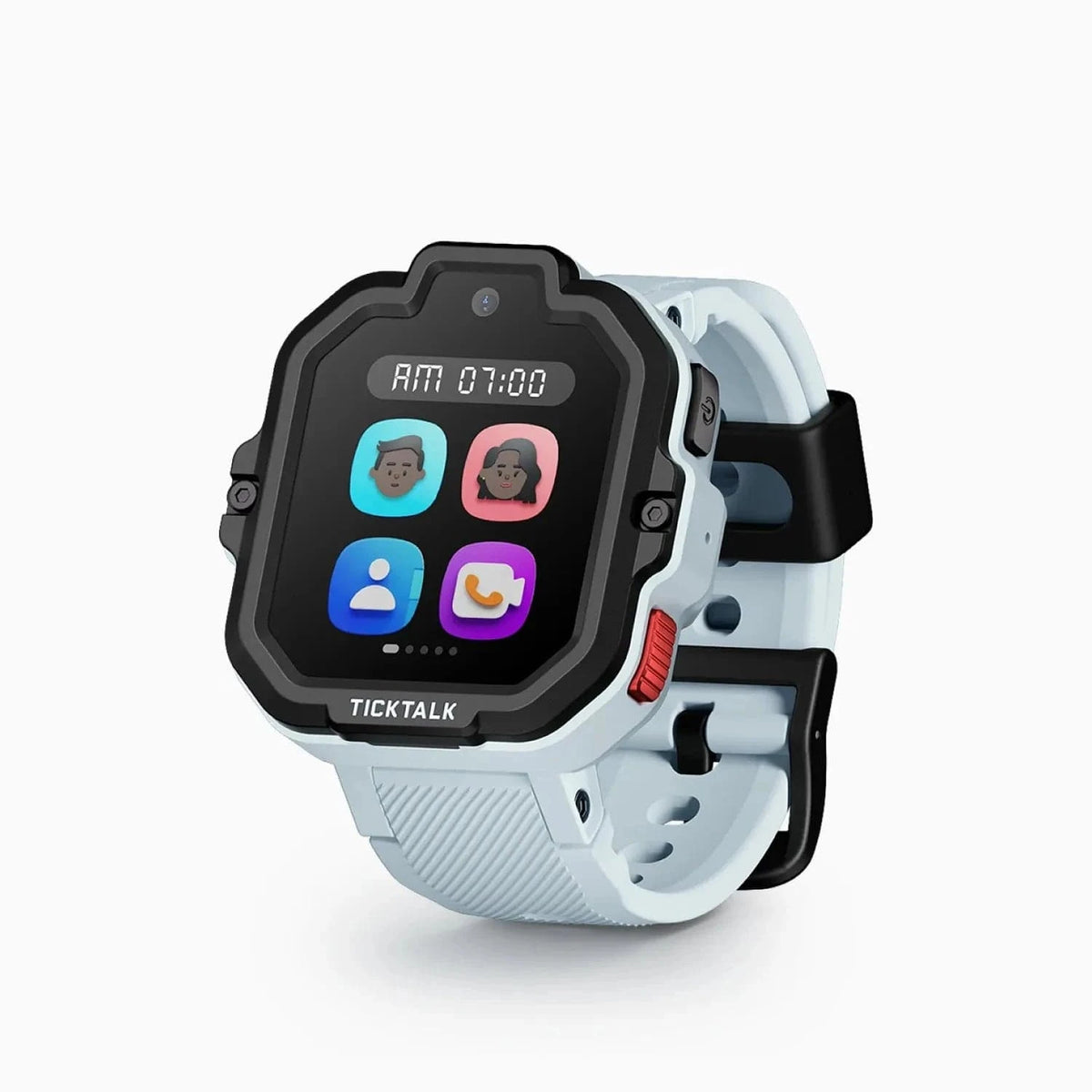
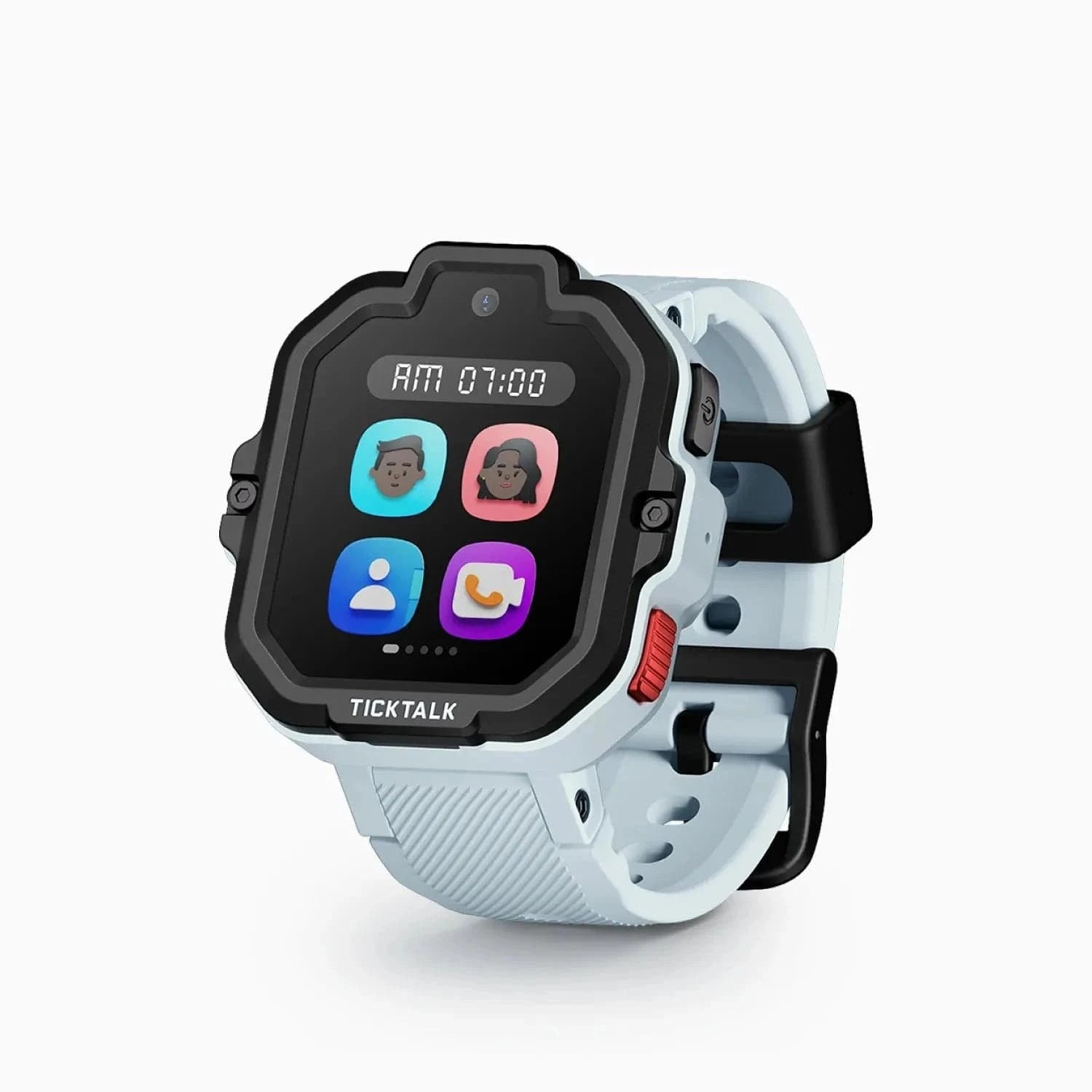
The TickTalk 4 has a 1.4-inch round IPS LCD display at 240x240 resolution. The TickTalk 5 has a 1.52-inch rectangular TFT display at 240x283 resolution.
The TickTalk 5's screen is physically larger, which means more space for text messages, the video calling interface, and menu navigation. The rectangular shape is more efficient for reading text than the TickTalk 4's round display, where text gets truncated at the edges. For a communication-heavy device, the rectangular format is the more practical choice.
Neither display is going to blow you away -- both are TFT/LCD panels rather than the AMOLED technology you find on the Garmin Bounce 2. But for the TickTalk's primary use case of calling, messaging, and camera, the larger rectangular screen on the TickTalk 5 is a functional improvement.
Category winner: TickTalk 5. The larger rectangular screen is more practical for communication features.
The TickTalk 4 has a round case with a chunky profile. At 54 x 44 x 16mm and 56 grams with the band, it is not a small watch. On younger kids with smaller wrists, it looks and feels oversized. The medical-grade silicone band is comfortable, but the overall bulk was a consistent piece of feedback from parents in my testing network.
The TickTalk 5 has a rectangular case that is slightly slimmer in profile. The silicone band is comfortable and the watch sits flatter on the wrist. It is still not a tiny watch -- housing a 5MP camera, 800 mAh battery, and cellular antenna requires physical space -- but it feels better proportioned than the TickTalk 4, especially on kids ages 7 and up.
Both watches come in multiple colors. The TickTalk 4 is available in Black, Blue, Pink, and White. The TickTalk 5 offers Purple, Pink, Black, and Blue.
Neither watch uses an eSIM: both take a physical nano-SIM on AT&T or T-Mobile. Only the newer TickTalk 6 switches to a built-in eSIM, and it requires a TickTalk Wireless plan instead of your own SIM.
Category winner: TickTalk 5. Slimmer design and better proportioned for kids' wrists.
Both watches run on the same My TickTalk app and the same cellular infrastructure. The TickTalk 4 plan runs $9.95 per month. The TickTalk 5 plan runs $9.99 per month. That four-cent difference is not worth discussing.
Both plans support T-Mobile and AT&T networks. Both include GPS tracking, calling, messaging, and all connected features. Both are managed through the same parent app.
If you are already paying for a TickTalk 4 plan, you can transfer your line to a TickTalk 5 through TickTalk's support. The process is straightforward, though it does require contacting their support team rather than handling it entirely through the app.
For a complete comparison of monthly plan costs across all major kids smartwatches, see our kids smartwatch monthly plans compared guide.
Category winner: Draw. Virtually identical pricing and features.
| Category | Winner |
|---|---|
| Price | No longer a contest (TickTalk 4 discontinued; last sold ~$109.99 vs $159.99) |
| Battery Life | TickTalk 5 (48 hours vs 1-1.5 days) |
| GPS Accuracy | TickTalk 5 (AI SmartPin) |
| Camera | TickTalk 4 (dual cameras) |
| Music | TickTalk 5 (iHeartRadio) |
| Water Resistance | Draw (both splash-proof) |
| Display | TickTalk 5 (larger, rectangular) |
| Design / Comfort | TickTalk 5 (slimmer, better proportioned) |
| Monthly Plan | Draw (~$10/mo for both) |
The TickTalk 5 wins more categories, and it wins the ones that matter most for daily use -- battery life, GPS, and music. The TickTalk 4's advantages are limited to its lower current price and its dual camera setup.
You should upgrade from the TickTalk 4 to the TickTalk 5 if any of the following describe your situation:
Battery anxiety is real. If you are tired of nightly charging, tired of the watch dying before pickup, or tired of the morning routine that includes "did you charge your watch," the TickTalk 5's 48-hour battery eliminates this problem. This alone was the most common reason TickTalk 4 parents gave me for upgrading.
GPS drift frustrates you. If you have noticed your child's TickTalk 4 showing them across the street from their actual location, or drifting to the wrong building at school, the AI SmartPin GPS on the TickTalk 5 addresses that specific issue.
Your child wants music. If your kid has been asking for music on their watch, the TickTalk 5's iHeartRadio integration is the answer. The TickTalk 4 has no music at all.
Your TickTalk 4 is showing its age. If the battery is degrading after a couple of years of use, if the screen has scratches that affect visibility, or if the software feels sluggish, it is time for a new watch anyway. You might as well get the newer model.
You are buying for a second child. If your older child has a TickTalk 4 and you are now buying for a younger sibling, get the TickTalk 5 for the new child. There is no reason to buy the TickTalk 4 new in 2025 or 2026 when the TickTalk 5 is available.
You can stick with the TickTalk 4 if:
It is still working well. If your child's TickTalk 4 makes calls reliably, the GPS is accurate enough for your needs, and the battery gets through a full school day with charge to spare, there is no urgent reason to spend $160 on a replacement.
The dual cameras matter to your family. If your child actively uses the side camera to photograph things in front of them -- and some kids genuinely do use it daily -- the TickTalk 5 drops that camera entirely.
Budget is tight. If $160 is a meaningful stretch right now, note that the TickTalk 4 is no longer sold new -- for a newer TickTalk, the TickTalk 5 (previous generation, back on Amazon) is the step up from the TickTalk 4, or look at a genuine sub-$100 option like the Cosmo JrTrack 2 (around $90). If you already own a TickTalk 4, it still handles reliable calling, video chat, GPS, and parental controls, so there is no rush to replace a working one.
Your child will outgrow a watch soon. If your kid is 11 or 12 and approaching the age where they will transition to a phone, spending $160 on a new watch for a year of use may not make sense. The TickTalk 4 can bridge that gap.
If you are already comparing TickTalk models, it is worth knowing what else is available in the same price range and feature set:
For the full picture, our best kids smartwatches in 2026 roundup ranks every top option.
The TickTalk 5 is the better watch. That is not a close call. The battery life improvement alone -- from nightly charging to every-other-night charging -- transforms the daily experience of owning a TickTalk. AI SmartPin GPS delivers measurably better location accuracy. iHeartRadio adds a feature the TickTalk 4 cannot match. And at $159.99, the TickTalk 5 is actually cheaper than the TickTalk 4 was when it first launched.
For anyone buying a new TickTalk today, the TickTalk 5 is the obvious choice. There is no scenario where buying a brand-new TickTalk 4 at its current price makes more sense than spending $50 more for the TickTalk 5.
For existing TickTalk 4 owners, the decision is more nuanced. If your TickTalk 4 is working well and the battery still lasts through a school day, you can keep using it without missing out on anything critical. The TickTalk 4 still makes reliable calls, still does video chat, and still tracks your child's location. It is not broken just because a newer model exists.
But if battery frustrations, GPS drift, or the lack of music are pain points in your daily experience, the TickTalk 5 directly addresses all three. For $160, that is a worthwhile investment in less daily stress.
My recommendation: if you are buying new, get the TickTalk 5. If you are upgrading, do it when the TickTalk 4's battery starts to noticeably degrade -- which, based on lithium-polymer battery chemistry, is typically around the 18-to-24-month mark.
Yes -- contact TickTalk's customer support to transfer your existing line from the TickTalk 4 to the TickTalk 5. The process typically takes a few business days. Your phone number and contact list can be transferred. You will need to set up the TickTalk 5 through the My TickTalk app; like the TickTalk 4, it takes a physical nano-SIM rather than an eSIM.
No -- the TickTalk 5 uses a different charging cable than the TickTalk 4. Both use proprietary magnetic charging cables, but they are not interchangeable. If you are upgrading, you will need to use the charger that comes with the TickTalk 5. I recommend keeping the TickTalk 4 charger if you plan to use the old watch as a backup.
The TickTalk 4 has been discontinued and is no longer reliably sold on Amazon (its listings now point to the TickTalk 5). If you already own one, it continues to work with cellular service and the My TickTalk app for now, but TickTalk is focusing firmware updates and new features on its newer watches. Between these two, the TickTalk 5 is the one to buy.
TickTalk has not publicly explained the decision, but the most likely reasons are a combination of cost savings, space optimization (making room for the larger 800 mAh battery), and the reality that front-facing cameras are used far more than side cameras for the watch's primary functions -- video calling and selfies. It is a trade-off that prioritizes battery life and video call quality over general photography, which makes sense for a communication-first device.
I generally do not recommend buying used kids smartwatches. Battery degradation is the primary concern -- a TickTalk 4 that has been used for a year or more will have a battery that performs noticeably worse than a new unit, and the TickTalk 4's battery life was already its weakest spec. Additionally, transferring cellular plans between owners can be complicated. Since the TickTalk 4 is no longer sold new, the safer choice today is a new unit -- the TickTalk 5 (now the previous generation, but still sold new on Amazon) is the smarter investment. For more budget options, see our best budget smartwatches under $100 guide.
Ready to buy? Compare the latest prices on both TickTalk models at our deals page.
Want more context? Read our standalone TickTalk 4 review and TickTalk 5 review for the full deep dive on each watch. Or see how the TickTalk 5 compares to its biggest competitors in our TickTalk 5 vs Garmin Bounce 2 and TickTalk 5 vs COSMO JrTrack 5 comparisons.
Bark Watch vs TickTalk 5: AI text monitoring for older kids versus HD video calling and value for younger ones. We break down GPS, camera, battery, and cost to name your winner.
Gizmo Watch 3 vs TickTalk 5: we compare GPS accuracy, video calling, battery, water resistance, and carrier lock-in to help you pick the right kids watch.
TickTalk 5 vs COSMO JrTrack 5 head-to-head comparison. We break down GPS accuracy, video calling, cameras, music streaming, monthly costs, and which watch is the better buy for your family.
Pinwheel Watch vs Apple Watch SE: one has parent-monitored AI chat, the other is a premium Apple watch via Family Setup. We break down which is right for your kid.
Garmin Bounce 2 vs Bark Watch head-to-head comparison. We break down GPS accuracy, monthly costs, fitness tracking, parental controls, and which watch delivers the best value for your family.
New review alerts, deal drops, and seasonal buying guides — delivered weekly. No spam, unsubscribe anytime.
No spam. Unsubscribe anytime.