Affiliate Disclosure: This article contains affiliate links. If you purchase through our links, we may earn a small commission at no extra cost to you.
The first time it happened to me, I was in the pickup line refreshing the parent app and getting the same message over and over: last seen 1:47 PM. It was 3:30.
That is the whole problem with a kids GPS watch. It is not a gadget that is annoying when the battery runs out -- it is a safety device that stops being one. A watch at 0% is a bracelet.
The good news: a fast-draining kids watch is almost never a defective battery. It usually comes down to two or three settings plus one environmental factor nobody tells you about.
First, What Is Normal?
Kids GPS watches cram a cellular radio, a GNSS receiver, a touchscreen, and a speaker into a case small enough for a 7-year-old's wrist. There is not much room left for a battery. Most need charging every single night; a handful genuinely go two days. That is the market -- see our long battery life roundup for which models sit where.
What is not normal is full to dead in six hours of ordinary school-day use, or a runtime that suddenly halved after months of consistency.
One exception: brand-new watches drain fast for a day or two while they pull firmware updates and GPS almanac data. Give a new watch two or three charge cycles before judging it.
What Actually Drains a Kids Smartwatch
Not all drains are equal. Here is roughly how the big ones stack up.
The two at the top are the ones parents almost never suspect.
The one nobody tells you about: weak cellular signal
A cellular radio does not draw a fixed amount of power -- it draws whatever it needs to reach the tower. In strong coverage it transmits at low power, gets an acknowledgment, and sleeps. In weak coverage three expensive things happen at once: it cranks transmit power up trying to be heard, it retries failed transmissions repeatedly, and if it loses the network entirely it starts scanning -- sweeping frequency bands for any tower it can register with.
That scanning state is brutal. A watch that cannot find service can burn more battery doing nothing than a watch in good coverage burns while being actively used. It is why the same watch lasts two days at home and dies by lunch at a school in a dead zone.
If the watch dies specifically on school days, or at one specific place, weak signal is your prime suspect. Check your watch's carrier against coverage at that address; our carrier compatibility guide covers which watches run on which networks. No setting will rescue a watch on a network with poor coverage at school.
The one you can fix in 90 seconds: location update frequency
Each location report is not one action -- it is a chain. Wake the processor, power up the GNSS receiver, acquire satellites, compute a fix, wake the cellular radio, transmit, wait for acknowledgment, sleep. Doing that every minute instead of every ten runs the whole chain ten times as often, and GNSS acquisition is especially expensive indoors where the receiver keeps hunting for satellites it cannot see. Most parent apps let you request an on-demand ping when you actually want one, so a longer interval costs you almost nothing.
The Fixes, In Order of Impact
Work down this list. Change one thing at a time and give it a full day so you know what actually helped.
1. Stretch the location reporting interval
In your parent app's tracking or location settings, look for an option controlling how often the watch reports its position, and move it from the shortest interval to something in the 5-to-10 minute range. On most watches this alone is worth hours.
2. Fix the signal problem, or work around it
- Turn on Wi-Fi and save your trusted networks (home, grandparent's house). Wi-Fi is dramatically cheaper than a struggling LTE radio, and many watches use it for both data and location assistance.
- Reconsider the carrier. If school is a dead zone on your watch's network, that is a buying decision, not a fix.
- Use airplane mode for long dead-zone stretches, if the watch offers one. It stops the scanning drain cold. You lose tracking -- a real trade-off, but a scanning watch is going to die anyway.
3. Turn on school mode or quiet mode
School mode does more than keep the watch quiet in class. It locks the screen and pauses most kid-facing activity across a six-hour stretch while leaving location tracking and SOS running in the background. Schedule it around your child's actual bell schedule; our setup guide walks through it.
4. Kill the always-on display and drop the brightness
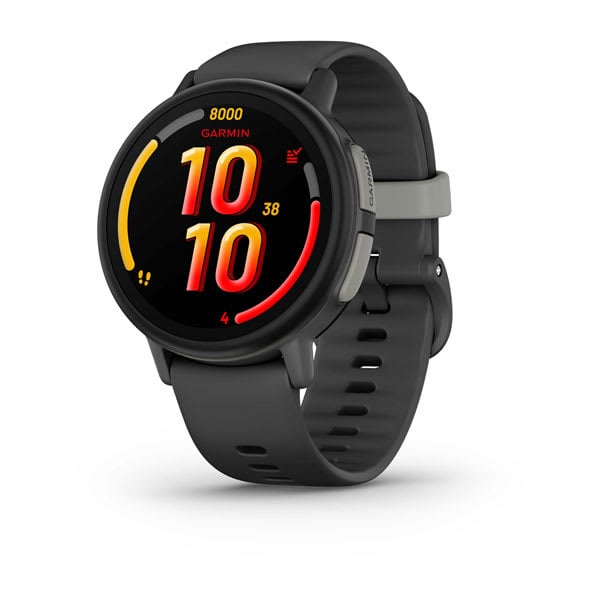
If your watch has an always-on display, turn it off. On an AMOLED panel like the one on the Garmin Bounce 2, keeping pixels lit all day is one of the largest single draws on the device. Then drop brightness a step or two and shorten the screen timeout -- a screen that stays lit 15 seconds after every glance adds up over a hundred glances.
5. Set expectations around video calls and music
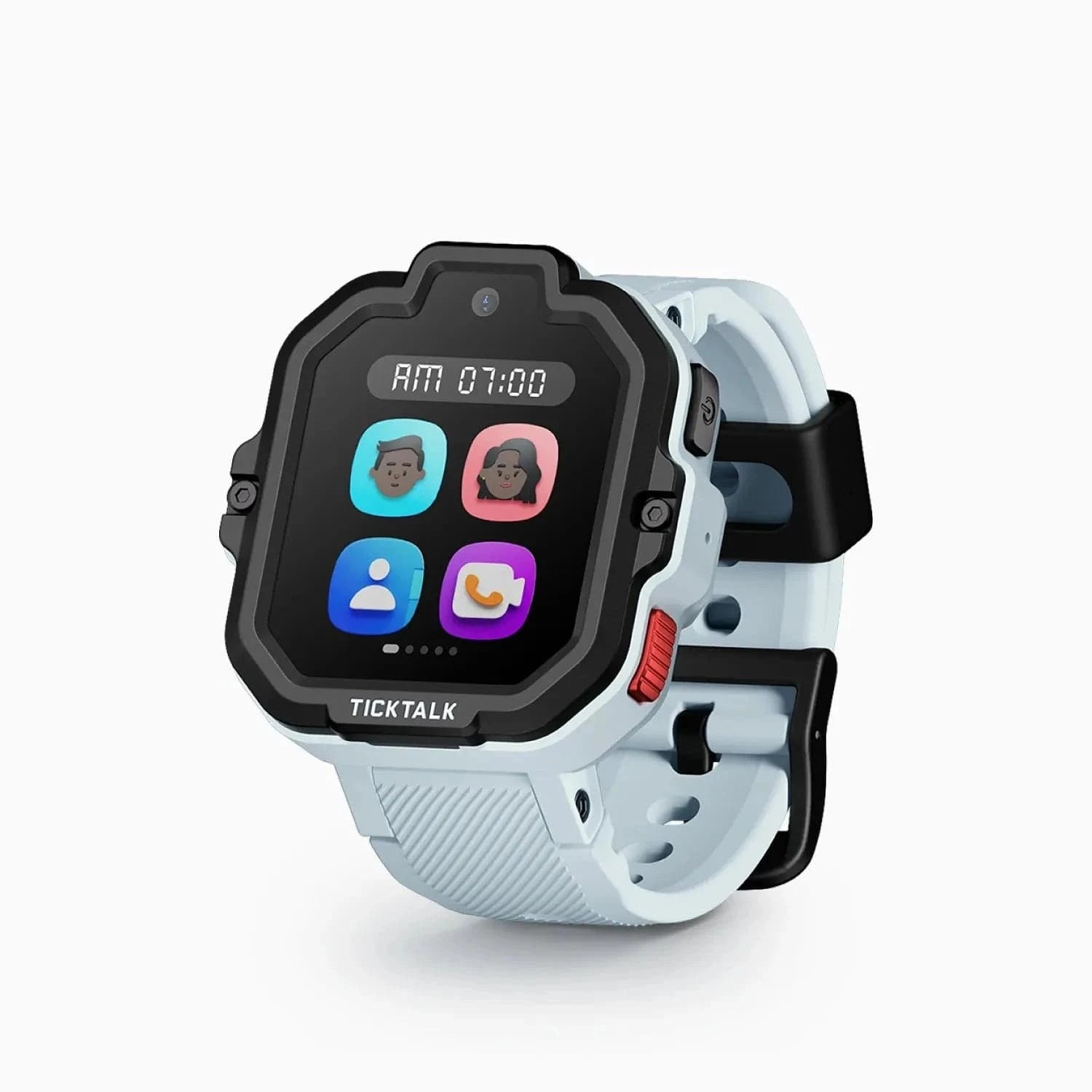
Video calling is the most power-hungry thing these watches do -- camera, display, speaker, microphone, and a sustained high-bandwidth cellular connection all at once. On a watch-sized battery, minutes matter. The TickTalk 5 has headroom for it at about 48 hours, and held up with regular video calling in our testing. On a watch that only lasts a day, two long calls are the difference between 40% at pickup and dead.
Check price on Amazon
Music streaming is the sneakier one. A video call is five minutes; streaming is 45 minutes of continuous radio and audio. If your watch has it -- iHeartRadio on the TickTalk 5, Spotify Kids on the COSMO JrTrack 5 -- most parent apps let you restrict it by time of day.
6. Turn off what you are not using
Switch off what your family does not use: continuous activity monitoring nobody looks at, step-goal animations, vibration stacked on top of sound, animated watch faces, Bluetooth if you never pair earbuds. Individually small; together a meaningful chunk on a one-day watch.
7. Restart weekly and keep firmware current
A stuck process or failed sync loop quietly drains a battery, and a restart clears it. If the watch went from good to bad overnight with no setting changes, restart before anything else. Manufacturers also push power-management fixes in firmware.
8. Manage cold weather instead of fighting it
Lithium-ion batteries lose capacity in the cold -- the chemistry slows, internal resistance rises, and the watch reports a lower charge than it actually holds. A watch showing 60% in a warm house can read far less after 20 minutes at a January bus stop. Most of that comes back once it warms up. A sleeve pulled over the watch keeps it near body temperature and genuinely helps.
Building a Charging Routine Kids Actually Follow
Most "battery problems" I have helped parents with were really charging-habit problems. The watch was fine; it just never got plugged in reliably. Build a system that does not depend on a kid remembering.
Anchor it to something that already happens. Not "charge it at night" -- that is a goal, not a routine. Pick a specific moment: the watch goes on the charger when the backpack gets hung up, or right after teeth get brushed.
Put the charger where the kid already is. One on the kitchen counter where backpacks land gets used. One in a bedroom across the house does not.
Make the charger impossible to lose. Nearly all of these watches use a proprietary magnetic cable, and losing it is a genuine crisis. Tape it down and buy a spare on day one. This is a quiet advantage of the Gabb Watch 3e -- it charges wirelessly, so there is no puck to align or misplace.
Check Price on Amazon
Verify the connection. The top cause of a dead watch on a morning it was "definitely charged" is a magnetic charger that looked attached but sat a few millimeters off. Teach your kid to check for the charging indicator.
Charge to full, not to "enough." A watch that leaves at 45% dies at 3 PM. If mornings are tight, charge in the evening so it has all night. Most parent apps show battery level and some offer a low-battery alert -- turn it on as your backstop.
On two-day watches: a 48-hour battery is not permission to charge every other night -- it is margin for the night you skip. Charge nightly and treat day two as insurance.
Is the Battery Actually Defective?
Most of the time, no. Here is how to tell the difference.
Signs the battery is behaving normally
- It lasts roughly what the manufacturer claims under light use, and less on heavy days
- Runtime dropped after you added video calling, music, or a faster tracking interval
- It drains fast at one location but is fine elsewhere -- that is signal, not the battery
- It drains fast in cold weather and recovers indoors
- It has only been draining fast since unboxing
- It has lost capacity gradually over a year or two of daily charging
That last one deserves a note. Lithium-ion cells wear out -- every full cycle degrades capacity slightly, and a watch charged daily runs through hundreds of cycles a year. Losing runtime after 18 to 24 months is expected aging, not a defect.
Signs something is genuinely wrong
- Runtime collapsed suddenly -- fine Monday, dead by noon Tuesday, no setting or location change, and a restart did not help
- The watch is warm sitting idle. Warmth means something is running; combined with fast drain, that is a stuck process or a hardware fault
- The percentage jumps erratically -- 70% to 20% in one step, or back up without charging. Often a failing cell
- It will not hold a charge, or shuts off well above 0%
- The case has visibly swelled -- a bulging back, a lifting screen, a band that no longer sits flat. Stop using it and contact the manufacturer. Do not keep charging it
- It gets hot while charging, beyond mildly warm
If you have worked the fixes above and it still dies in a fraction of its rated time, that is a warranty conversation. Before you call, do a factory reset and set it up fresh -- a corrupted configuration can mimic a hardware fault, and support will ask anyway. These batteries are not user-replaceable on mainstream kids watches, so a worn cell out of warranty usually means replacing the watch.
When the Answer Is a Different Watch
Sometimes the settings are dialed in, the routine is solid, and the watch still cannot cover your family's day. If battery is your priority, the TickTalk 5 at $159.99 gives about 48 hours with the fullest feature set at that price, and the Garmin Bounce 2 at $299.99 manages about two days despite an AMOLED display -- helped by having no camera to power. Both leave enough margin that a missed charge is an inconvenience, not an emergency.
Check Price on Amazon
Frequently Asked Questions
Why does my kid's smartwatch die faster at school than at home?
Almost always weak cellular signal. Inside a building with thick walls, the radio raises its transmit power, retries failed sends, and may scan continuously for a tower -- all far more expensive than normal operation. Screen use is minor by comparison. Check your carrier's coverage at the school address and enable Wi-Fi where a trusted network exists.
Does lowering the GPS update frequency really help battery life?
Yes, significantly, and it is the easiest change to make. Each location report wakes the processor, powers the GNSS receiver, acquires satellites, and transmits over cellular. Doing that every minute rather than every ten runs that chain ten times as often. Set a 5-to-10 minute interval and use on-demand requests when you need a live position.
Is it bad to leave a kids smartwatch charging overnight?
No -- modern lithium-ion devices stop drawing meaningful current once full, so overnight charging is fine and is the right routine for most families. What genuinely shortens battery life is heat and repeatedly running to zero. Avoid charging under a pillow or in direct sun, and top up before the watch dies rather than after.
How long should a kids smartwatch battery last before it needs replacing?
Expect noticeable capacity loss after roughly 18 to 24 months of daily charging -- normal lithium-ion wear, not a defect. Because these batteries are not user-replaceable on mainstream kids watches, an out-of-warranty watch with a worn cell usually means replacement. A sudden collapse in runtime, rather than gradual decline, points to a fault worth a warranty call.
Why does the battery drop so fast in cold weather?
Cold slows lithium-ion chemistry and raises internal resistance, so the watch delivers less usable power and reports a lower percentage than it truly holds. A watch reading 60% indoors can read far less at a winter bus stop. Most of that returns once it warms up. A sleeve pulled over the watch is the practical fix.
My watch was fine and suddenly drains in a few hours. What should I do first?
Restart it -- a stuck process or failed sync loop is a common cause of a sudden runtime collapse, and a restart clears it. If that does not help, check for a firmware update, then confirm nothing changed in your tracking interval or coverage. If the watch is warm while idle or the case has swelled, stop using it and contact the manufacturer.