Age Guides|
Best Smartwatches for 10-Year-Old Girls in 2026
Find the best smartwatches for 10-year-old girls with GPS, calling, cameras, fitness tracking, and stylish designs. Expert picks she'll actually want to wear.
Nine is when independence gets real. We tested the top GPS smartwatches for 9-year-olds who are biking solo, joining sports teams, and starting to ask for phones.
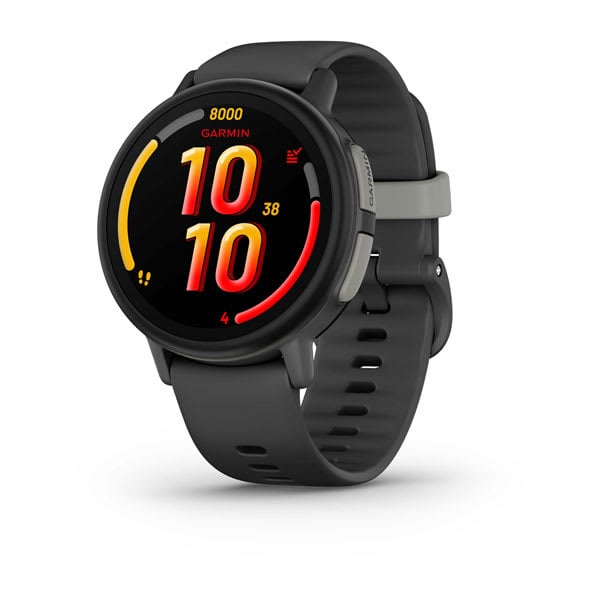
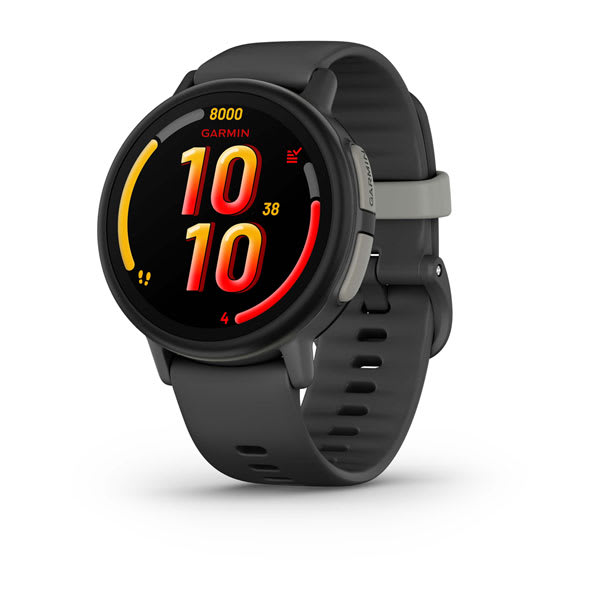
Garmin Bounce 2
$299.99· 4.3/5 rating
| # | Watch | Price | Rating | Ages | Best For | |
|---|---|---|---|---|---|---|
| 1 | Garmin Bounce 2Top Pick | $299.99 | ★★★★☆ 4.3 | 6-12 | Best Overall for 9-Year-Olds | |
| 2 | TickTalk 5 | $159.99 | ★★★★☆ 4.3 | 3-12 | Video calling keeps families connected | |
| 3 | Fitbit Ace LTE | $179.95 | ★★★★☆ 4 | 7-12 | Best for Fitness | |
| 4 | Bark Watch | $169 | ★★★½☆ 3.8 | 7-11 | Best Value Safety Watch |
Prices may vary. As an Amazon Associate we earn from qualifying purchases.
Affiliate Disclosure: This article contains affiliate links. If you purchase through our links, we may earn a small commission at no extra cost to you. We only recommend products we have personally tested and believe in. Our opinions are our own and are not influenced by any affiliate partnerships.
Top pick: For most 9-year-olds I recommend the Garmin Bounce 2 ($299.99) -- it had the best GPS tracking and durability in my testing, plus true swim-proof (5 ATM) protection and fitness tracking kids actually engage with. If budget matters most, the Bark Watch ($169) covers the safety essentials at the lowest total cost; if staying connected is the priority, the TickTalk 5 ($159.99) adds video calling and messaging.
Nine is the age when the phone conversation begins. I know because I have had it. More than once. Our 9-year-old tester came home from school one afternoon and delivered a very persuasive presentation about why he needed an iPhone. His arguments included: "Everybody has one," "I need it for emergencies," and the coup de grace, "You can track me on it." He is not wrong about that last part, but he also is not getting a phone in third grade.
Here is what I have learned after testing GPS smartwatches across every age group: nine is the inflection point. At eight, your kid was starting to explore independently. By nine, that independence is no longer a novelty. It is the default mode. Our tester bikes to practice four days a week. He walks home from school with two friends and a route that involves crossing a busy intersection. He has started going to the neighborhood park without an adult, staying for an hour, and coming back when he feels like it. On weekends, he disappears on his bike with a group of kids and I hear from him when he is hungry.
That expanded radius is exactly why a smartwatch makes more sense at nine than a phone. A watch gives your kid GPS tracking, calling, SOS, and enough communication to stay connected, all without handing them a portal to the entire internet. A phone at nine opens doors that most parents, and most child development experts, agree should stay closed for a few more years. Our kids smartwatch buying guide walks through that decision in detail, but the short version is this: a smartwatch is a safety tool. A phone is a lifestyle device. Nine-year-olds need the safety tool.
I spent six weeks testing four of the best GPS smartwatches with our 9-year-old tester to figure out which ones actually deliver for this age group. These are not the watches with the best spec sheets. These are the watches a nine-year-old will actually wear to soccer practice, survive a rainstorm during bike rides, and use correctly when they need to call home.
Before I get into specific watches, I want to explain why the criteria for a nine-year-old are meaningfully different from what I would recommend for an eight-year-old or a ten-year-old. Nine sits right in the middle, and what matters shifts in important ways.
At eight, walking to a friend's house felt like a big deal. At nine, it is Tuesday. Our tester's daily orbit includes school, practice, friends' houses in a four-block radius, and the park. He does not ask permission for most of these trips anymore. He just goes. That means GPS tracking is not a nice-to-have feature at this age. It is the entire reason you are buying the watch.
Nine-year-olds are joining travel teams, going to practice without parents sitting in the bleachers, and spending entire Saturday mornings at tournaments. The watch needs to survive that environment. It needs to handle sweat, rain, impacts, and the general abuse that comes with being strapped to the wrist of a kid who is running, sliding, and crashing into other nine-year-olds at full speed. Durability and water resistance are not optional at this age. They are requirements.
At younger ages, step counting is basically a novelty. At nine, kids are starting to develop real athletic identities. Our tester is on a soccer team and a swim team, and he genuinely cares about his activity levels. A watch that tracks steps, active minutes, and movement throughout the day gives a nine-year-old useful data about their own body, and the competitive element of step challenges keeps them motivated. This is the age where fitness tracking transitions from "cute feature" to "actually useful."
This is the big one. By nine, your kid has friends with phones. They know what group chats are. They have seen TikTok on someone else's device. The smartwatch needs to feel like a credible alternative, not a consolation prize. That means it needs to look good, work well, and provide enough communication features that your kid does not feel left out. If the watch feels babyish, your nine-year-old will stop wearing it within a week, and the phone lobbying will intensify.
| Feature | Garmin Bounce 2 | TickTalk 5 | Fitbit Ace LTE | Bark Watch |
|---|---|---|---|---|
| Price | $299.99 | $159.99 | $159.99 | $169 |
| Best For | Overall pick for 9 | Communication | Fitness-focused kids | Value safety watch |
| GPS Accuracy | Excellent (3-6m) | Good (6-10m) | Very Good (5-8m) | Good (8-12m) |
| Calling | Voice + messaging | 4G voice + video | Voice + messaging | Voice calls |
| Video Calling | No | Yes | No | No |
| Camera | No | Yes (5MP front) | No | No |
| Water Resistance | 5 ATM (swim-proof) | IP67 | 5 ATM (swim-proof) | 5ATM + IP68 |
| Battery Life | 2-3 days | 1.5-2 days | 14-17 hours | ~18-22 hours |
| Monthly Plan | ~$10/month | ~$10/month | ~$10/month | ~$15/month |
| Fitness Tracking | Full activity tracking | Step counter | Full activity + gamified | Basic step counter |
| Our Rating | 4.3/5 | 4.3/5 | 4.0/5 | 3.8/5 |
For a broader look at how these compare to the full kids smartwatch market, see our best kids smartwatches for 2026 roundup.
The Garmin Bounce 2 is the watch I would buy if I could only pick one for a nine-year-old. That is a strong statement given the price, and I stand behind it. This watch was designed by people who understand what active kids need, and it shows in every detail.
Let me start with GPS accuracy, because that is the whole reason you are reading this article. The Bounce 2 was consistently the most accurate watch in our testing, placing our tester within 3 to 6 meters outdoors. When he biked to the park, I could watch his route unfold on the map in the Garmin Jr. app, and it matched the streets I knew he was taking. When he was at soccer practice, I could see that he was on the field, not just "somewhere near the school." That precision matters when your kid is out in the world for hours at a time. For a deep dive into the full feature set, read our Garmin Bounce 2 review.
The fitness tracking is where the Bounce 2 really separates itself from the pack for nine-year-olds. It tracks steps, active minutes, and movement throughout the day, and everything feeds into the Garmin Jr. app where kids earn badges and compete in family step challenges. Our tester is competitive by nature, and the daily step challenge against me became a genuine motivator. He started asking to walk the dog in the evening specifically to pad his numbers. I lost most days, which he found deeply satisfying.
Durability is outstanding. The 5 ATM water resistance means this watch is truly swim-proof, not just splash-proof. Our tester wore it to swim practice twice a week for the entire testing period. He cannonballed into the pool, did flip turns, and wore it in the shower afterward. The watch did not flinch. For a nine-year-old who is on a swim team, plays in the rain, or just cannot be trusted to take off a watch before jumping into a sprinkler, this is one of two watches on this list that offer true submersion-proof protection, alongside the Fitbit Ace LTE. We break down water resistance ratings in detail in our best waterproof smartwatches roundup.
The look of the watch matters at nine, and the Bounce 2 looks like a legitimate sports watch. It does not look like a toy. Our tester wore it to a basketball game and nobody gave it a second glance, which is the highest compliment a nine-year-old can give a wearable device. It blends in rather than standing out as a "kid device," and that matters enormously to this age group.
LTE messaging and voice calling are both supported. The messaging interface took our tester about a day to get comfortable with, but once he figured it out, he used it constantly. Quick pre-set replies make it fast to respond without typing, which is perfect for a kid who is at practice and needs to send a fast "Picking me up at 5?" to a parent.
Battery life was 2 to 3 days, which is strong for a watch doing this much. We charged it every other night as part of the bedtime routine.
The significant downside is the price. At $299.99, this is the most expensive watch on this list by a wide margin. There is no camera, which bothered our tester less than I expected. And the Garmin proprietary charger is one more cable to keep track of.
Pros:
Cons:
Can a 9-year-old operate it independently? Absolutely. Our tester was self-sufficient within the first day. The messaging took slightly longer to master than simple calling, but nine-year-olds pick up new interfaces quickly. The fitness features he understood immediately and used daily without prompting.
Update (October 2026): back in stock on Amazon. TickTalk has replaced the TickTalk 5 with the TickTalk 6 and its own store is sold out, but Amazon has the TickTalk 5 in stock again at $159.99, sold by TickTalk's Amazon storefront. It is no longer our pick for communication: stock is finite and its successor is on pre-order. The write-up below still stands.
If staying connected is your top priority, the TickTalk 5 was the standout choice. This is the most communication-rich watch on the list, and its headline feature, video calling, is the one that makes nine-year-olds light up the moment they try it.
Video calling on a wrist-mounted screen is exactly as charming and slightly ridiculous as you would imagine. Our tester called me from the park to show me a frog he found, and the entire call was a wobbly close-up of a frog on a rock while he narrated in excited whispers. The call quality over 4G was solid in good coverage areas and occasionally choppy in weaker signal zones, but when it worked, it felt like a genuine connection that a voice call alone does not replicate. For a complete breakdown, see our TickTalk 5 review.
Beyond video calling, the TickTalk 5 supports 4G voice calls, voice messages, and text messaging to a pre-approved contact list. It has a 5MP front camera, so kids can take selfies and snap photos of whatever caught their attention. Our tester took roughly 200 photos during the testing period, which is a lot, but nine-year-olds are documentarians by nature. They want to capture everything and show it to someone.
GPS tracking was good, typically in the 6 to 10 meter range outdoors. Not quite as precise as the Garmin Bounce 2, but more than accurate enough to know which block your kid is on, whether they are at school, and when they have arrived at a friend's house. Geofencing worked reliably, and I received notifications within about 30 seconds of our tester entering or leaving a zone I had set up.
The parent app is well designed and straightforward to configure. Setting up contacts, school mode, and geofences took about ten minutes. School mode disables everything except the time display and SOS during set hours, which keeps teachers happy and keeps your kid focused.
The trade-off is battery life. Video calling hits the battery harder than voice-only communication, and I consistently got 1.5 to 2 days on a full charge. On days when our tester made multiple video calls and took a bunch of photos, the battery occasionally dipped to concerning levels by late afternoon. If you rely on GPS tracking for after-school activities, this is a real consideration. Nightly charging is not optional with this watch. It is mandatory.
Water resistance is IP67, which handles rain, splashes, and hand-washing but is not swim-proof. Take it off before the pool. The build quality is solid, and the silicone band is comfortable for all-day wear.
The price point is worth noting. At $159.99, the TickTalk 5 is the second most affordable watch on this list, and it packs more communication features than anything else at any price. If your nine-year-old's primary argument for wanting a phone is "I want to call and text my friends," this watch addresses that argument directly.
Pros:
Cons:
Can a 9-year-old operate it independently? Without question. Our tester figured out video calling on his first attempt because the concept is intuitive for kids who have grown up watching adults FaceTime. Voice calls, messaging, camera, and SOS were all immediately accessible. Nine-year-olds are fluent in touchscreen interfaces.
The Fitbit Ace LTE is what happens when a company known for fitness tracking builds a kids smartwatch with cellular connectivity. It takes the fitness-first philosophy that made Fitbit popular with adults and wraps it in a package designed for the 7-to-12 age range. For a nine-year-old who is starting to take sports seriously, this watch hits a unique niche. For the full breakdown, check our Fitbit Ace LTE review.
The fitness tracking is the best in class for a kids watch. Steps, active minutes, movement trends, and gamified activity goals all work together to make fitness feel like a game rather than a chore. Our tester loved the achievement system, which rewards consistent activity with digital badges and unlockable content. On days when he was close to hitting his goal, he would ask to go for a walk after dinner specifically to close out his numbers. That is the kind of behavior change that justifies the price of the watch.
GPS and LTE connectivity are both solid. Location accuracy was very good at 5 to 8 meters outdoors, which is more than sufficient for tracking a nine-year-old's daily movements. The companion app gives parents a clean overview of location, activity, and communication, all in one place. The Google-backed ecosystem means the app is polished and reliable, which is a meaningful advantage over some smaller brands.
Calling and messaging are supported through the LTE connection, with a pre-approved contact list managed by parents. The communication features are functional but not the focus of the watch. If your primary need is calling and texting, the TickTalk 5 does it better. If your primary need is fitness tracking with safety features layered on top, the Fitbit Ace LTE is the one to beat.
The watch looks modern and clean on the wrist. It does not scream "kids device," which matters at nine. Our tester wore it comfortably alongside kids wearing Apple Watches and basic Casios, and it blended in naturally.
Battery life was 14 to 17 hours, the shortest on this list. The combination of LTE connectivity, GPS tracking, and continuous fitness monitoring draws a lot of power. Nightly charging is essential, and on particularly active days with heavy communication use, I sometimes saw the battery dip to low levels by late afternoon. This is the one area where the Fitbit Ace LTE falls short.
The price is $159.99, which puts it in the premium tier alongside the Garmin Bounce 2. Add the monthly plan at roughly $10 per month and the total cost of ownership is significant. But for families where fitness and health tracking are priorities, the Ace LTE provides value that no other kids watch matches.
Pros:
Cons:
Can a 9-year-old operate it independently? Yes. The interface is intuitive and the fitness tracking requires zero effort from the kid. It just works in the background. Calling and messaging are straightforward, and the SOS function is simple and reliable. Our tester was fully independent with it on day one.
The Bark Watch takes a fundamentally different approach than the other watches on this list. Where the Garmin and Fitbit pile on fitness features and the TickTalk goes deep on communication, the Bark Watch strips everything down to the essentials: GPS tracking, calling, SOS, and not much else. For families who want a safety device and nothing more, that simplicity is the selling point. Read our full Bark Watch review for the complete picture.
The Bark Watch comes from the same company behind the popular Bark parental monitoring service, and it plugs into that ecosystem. If you are already a Bark family, the watch integrates naturally with the tools you are already using. If you are not, the watch still works as a standalone GPS watch with calling.
GPS tracking was good at 8 to 12 meters outdoors. Not the tightest accuracy on this list, but sufficient for the practical question every parent is asking: "Is my kid where they are supposed to be?" The answer was always clear. I could tell when our tester was at school, at the park, or at a friend's house. The geofencing worked reliably, and SOS connected within about 15 seconds every time we tested it.
Calling is limited to a pre-approved contact list, which is exactly the right approach for a nine-year-old. No messaging, no video calling, no cameras. Just tap a contact and call. The simplicity means there is almost nothing to learn. Our tester was making calls within the first five minutes.
Where the Bark Watch really stands out is the price. At $169 for the device and roughly $5 per month for the cellular plan, it is the most affordable option on this list by a significant margin. Over a year, the total cost of ownership is approximately $229, compared to $420 or more for the Garmin Bounce 2. That is a meaningful difference, especially if you are not sure how long your nine-year-old will actually wear a watch before transitioning to a phone in a year or two.
The trade-off is obvious: you get fewer features. No camera, no fitness tracking beyond basic steps, no video calling, no messaging. The watch does three things — tracks, calls, and SOS — and does them competently. Some nine-year-olds will find it boring compared to what their friends are wearing. Our tester described it as "fine" with a shrug, which is the nine-year-old equivalent of a middling restaurant review. It worked. He used it. He was not excited about it.
Battery life was about 18 to 22 hours, partly because there are so few features draining the battery. The build quality is decent, and IP68 water resistance handles rain, splashes, and brief submersion, but not swimming.
Pros:
Cons:
Can a 9-year-old operate it independently? Immediately. There is almost nothing to learn. Our tester understood every feature within five minutes. The trade-off for that simplicity is that there is not much to do beyond calling and checking the time.
I promised I would address this, so here it is. Nine is the age when the phone question stops being hypothetical and starts being a real conversation in most families. Your kid's friends are starting to get phones. Group chats exist that your kid is not in. The social pressure is real, and it would be dishonest to pretend otherwise.
Here is my position after years of testing both kids smartwatches and kids phones: for most nine-year-olds, the smartwatch is still the right answer.
A smartwatch gives your child everything they actually need for safety and communication: GPS tracking, calling, SOS, and enough messaging to stay connected with family. It does not give them a web browser, social media, an app store, YouTube, or access to content that most parents agree is not appropriate for a nine-year-old.
The argument for a phone usually boils down to "they need it for emergencies" and "everyone else has one." The smartwatch handles emergencies better than a phone because it is strapped to their wrist. They cannot leave it in a backpack, forget it at a friend's house, or drop it between the bleachers at a soccer game. And "everyone else has one" is almost never true. It just feels true to a nine-year-old. Check out our Apple Watch SE for kids guide if you want a middle-ground option that provides smartwatch functionality within Apple's ecosystem.
If you do decide your nine-year-old is ready for more connectivity, a smartwatch is an excellent stepping stone. Let them prove they can keep track of a device, use communication features responsibly, and handle the independence that comes with being reachable. If they succeed with a watch for a year, they are better prepared for a phone when the time comes.
For a detailed comparison of ongoing costs across all the watches on this list and others, our monthly plans comparison guide breaks down what you will actually pay over time.
Nine-year-olds are capable enough to earn some trust, but they are not old enough for a completely hands-off approach. Here is how I set up the parental controls for our testing.
I started with eight contacts: both parents, grandparents, the two families where he spends the most time after school, his coach, and his best friend's parent. The contact list should cover every realistic scenario where he might need to reach someone. I also told him clearly which contacts were for emergencies and which were for everyday use.
Configure school mode for school hours plus a buffer on each end. I used 7:45 AM to 3:20 PM on weekdays. During school mode, only the time and SOS are active. No calls, no camera, no notifications. Do this on day one. Do not wait for a note from the teacher.
I created five geofence zones: home, school, the park, soccer practice, and his best friend's house. These five locations account for about 95% of his daily movements. I get a notification when he arrives and when he leaves. This is the single most valuable feature for daily peace of mind. You do not need to stare at the map if you know you will get an alert when something unexpected happens.
At nine, your kid is old enough to charge their own watch. Make it part of the bedtime routine: brush teeth, put watch on charger, go to bed. Our tester forgot exactly twice in the first week, had a dead watch at school the second time, and never forgot again. Natural consequences are effective teachers.
This is the hardest part. You have a device on your child's wrist that can show you exactly where they are at any moment. The temptation to check the live map every ten minutes is real, especially when they are out on their bikes and you are home imagining worst-case scenarios. Resist it. Set your geofence alerts, trust the system, and let your kid have the experience of unsupervised play. They need it developmentally, and the watch is there as a safety net if something goes wrong. It is not a surveillance tool.
I tested all four watches with our primary tester and got feedback from two of his friends who tried them during weekend hangouts. Here is the unfiltered nine-year-old perspective.
The watch they wanted to show off: The TickTalk 5. Video calling is the feature that makes nine-year-olds say "whoa" and crowd around the kid wearing it. One of the other kids FaceTimed his dad from our backyard just to demonstrate that he could, and every kid present wanted a turn.
The watch they respected: The Garmin Bounce 2. It looks like the kind of watch a grown-up athlete would wear, and at nine, that matters. Our tester described it as "actually cool" which is high praise from someone whose default evaluation of everything is "it's okay I guess." The fitness challenges gave it ongoing engagement that the other watches lacked.
The feature they used most: Calling. Nine-year-olds call their parents constantly. "Can I stay at Jake's?" "When are you picking me up?" "Can we get pizza?" The watch becomes a direct line to logistics, and they use it dozens of times a week.
The feature that surprised me: Fitness tracking on the Garmin Bounce 2 and Fitbit Ace LTE. I expected the kids to ignore it. Instead, our tester and his friend turned step counting into a daily competition that lasted the entire testing period. They would check each other's counts at school and trash-talk about who walked more. At nine, competition is a powerful motivator.
The one they found boring: The Bark Watch. I am reporting this honestly. The nine-year-olds found it too simple. They appreciated the safety features in theory, but in practice, they wanted more to do with it. The Bark Watch is a fantastic safety device, but it does not win the "cool factor" battle with this age group.
No -- nine is actually one of the ideal ages for a GPS smartwatch. Most nine-year-olds can operate the watch completely independently, understand when and how to use SOS, and are engaged in the kind of independent activities — biking, walking to school, sports practices, neighborhood play — where GPS tracking provides genuine value. If anything, nine is the age where a smartwatch becomes most useful because the child's independence has outpaced the parent's ability to keep them in sight.
For most nine-year-olds, a smartwatch is the better choice. A watch provides GPS tracking, calling, and SOS without the risks that come with a full smartphone: social media, unrestricted web browsing, app stores, and content exposure. A watch also stays on the wrist, making it harder to lose or leave behind. Most child development experts recommend waiting until at least middle school for a smartphone. A GPS smartwatch gives your nine-year-old the safety and communication tools they need without opening the door to content and social platforms they are not ready for.
Yes -- all four watches on this list require a monthly cellular plan to enable GPS tracking, calling, and SOS. Plan costs range from approximately $5 per month for the Bark Watch to $10 per month for the Garmin Bounce 2, TickTalk 5, and Fitbit Ace LTE. This ongoing cost is a real factor in total ownership. Over a year, a $169 watch with a $5 monthly plan costs about $229 total, while a $299.99 watch with a $10 plan costs about $420. Budget for the monthly cost when making your decision. Our monthly plans comparison guide has the full breakdown.
The Garmin Bounce 2 delivered 2 to 3 days of battery life in our testing, the strongest in this group, while the Bark Watch came in at about 18 to 22 hours. The TickTalk 5 came in at 1.5 to 2 days, and the Fitbit Ace LTE was 14 to 17 hours. For any watch, heavy use of calling, camera, and video features will drain the battery faster. I recommend making nightly charging part of the bedtime routine regardless of which watch you choose.
The Garmin Bounce 2 is the clear winner for athletic nine-year-olds. It has the best durability, a true swim-proof rating (5 ATM), and the most comprehensive fitness tracking. The Fitbit Ace LTE is a strong runner-up with its gamified fitness goals, though it is not as rugged and has shorter battery life. If your nine-year-old is on a swim team specifically, the Garmin Bounce 2 and the Fitbit Ace LTE are the two options on this list that can go in the pool.
Yes -- all four watches use a closed contact system where your child can only communicate with contacts you pre-approve through the parent app. A stranger cannot call or message your child's watch. GPS location data is encrypted between the watch and the companion app. No system is perfectly hack-proof, but the closed-contact model is an effective safeguard.
Because these watches have GPS tracking, you can locate a lost watch using the companion app, which shows the last known location. Most watches also support a "find my watch" feature that makes the watch ring loudly. In practice, watches are much harder to lose than phones because they are strapped to the wrist. During our six-week testing period, our tester never lost a watch. As for durability, the Garmin Bounce 2 is the most rugged option, and the TickTalk 5 held up well to normal nine-year-old use. If your kid is exceptionally rough on devices, invest in the more durable option upfront rather than replacing a cheaper watch twice.
A smartwatch is an excellent training device for phone ownership. It teaches your nine-year-old to keep track of a device, charge it regularly, use communication features responsibly, and manage the independence that comes with being reachable. If your child proves they can handle a smartwatch for a year or two, they are demonstrably better prepared for the responsibility of a phone when you decide the time is right.
For the majority of families, the Garmin Bounce 2 is my top pick. It offers the best GPS tracking, the strongest durability, true swim-proof protection, and fitness tracking that nine-year-olds genuinely engage with. It looks like a real sports watch rather than a kid gadget, which matters at this age.
If budget is the priority, the Bark Watch delivers essential safety features at the lowest total cost of ownership. If your nine-year-old's main argument for wanting a phone is about staying connected, the TickTalk 5 addresses that need with video calling and messaging at a competitive price. And if fitness and health tracking are priorities for your family, the Fitbit Ace LTE is the specialist.
Nine is a pivotal age. Your kid is genuinely independent in ways that are both exciting and terrifying. They are biking to practice, walking home from school, spending hours at the park without an adult, and starting to manage their own social logistics. The phone pressure is mounting, and you need a solution that gives them enough connectivity to thrive while keeping the guardrails up.
A GPS smartwatch is that solution. It gives your nine-year-old the freedom to explore their growing world while giving you the peace of mind to let them. It is a safety net, not a leash. And at nine, that distinction matters more than ever because your kid is old enough to notice the difference.
I have tested watches across every age group, and the difference between buying for a nine-year-old and buying for a younger child is striking. At nine, these watches work exactly as intended. Kids use them correctly and consistently. The GPS matters because they are genuinely going places on their own. The calling matters because they are coordinating real logistics. The fitness tracking matters because they are developing real athletic habits. Everything about the smartwatch experience improves at this age because the child has grown into the technology.
Pick the watch that fits your kid's personality, your family's priorities, and your budget. Set it up thoughtfully. Give them the independence to use it. And then enjoy the fact that your nine-year-old can bike to the park, call you when they are ready to come home, and you can confirm they are safe with a single glance at your phone.
They are growing up. The watch helps you let them.
Looking for the best price? Check our deals page for current discounts on all the watches in this guide.
Find the best smartwatches for 10-year-old girls with GPS, calling, cameras, fitness tracking, and stylish designs. Expert picks she'll actually want to wear.
Six is when kids start exploring on their own. We tested the top GPS smartwatches with a 6-year-old to find the ones that are simple, durable, and parent-approved.
Age 7 is the sweet spot for a first kids smartwatch. We tested the top GPS watches with a 7-year-old to find the best fit for first graders and second graders gaining independence.
Find the best smartwatches for 10-year-old boys with GPS, calling, fitness tracking, and durability. Expert picks for active pre-teens.
Age 8 is the perfect time for a first GPS smartwatch. We tested the top 5 options with an 8-year-old to find the best fit for this age group.
New review alerts, deal drops, and seasonal buying guides — delivered weekly. No spam, unsubscribe anytime.
No spam. Unsubscribe anytime.