Affiliate Disclosure: This article contains affiliate links. If you purchase through our links, we may earn a small commission at no extra cost to you. We only recommend products we have personally tested and believe in. Our opinions are our own and are not influenced by any affiliate partnerships.
Former top pick: For most 7-year-olds I recommended the TickTalk 5, since replaced by the TickTalk 6 but back in stock on Amazon -- its AI SmartPin GPS is highly accurate, the 48-hour battery is class-leading, and the interface is intuitive enough that a first grader masters it quickly. On a tighter budget, the COSMO JrTrack 5 ($99.99) covers the essentials with 4G calling, GPS, and SOS.
Seven is the age when it happens. The door opens, your kid says "I'm going to Ethan's house," and they just... walk out. No hand to hold. No parent trailing behind pretending to check the mail. Just a seven-year-old marching down the sidewalk with a backpack and a sense of purpose, and you standing in the doorway realizing the world just got a whole lot bigger.
Our tester turned seven last winter, and the shift was immediate. He started walking to school with the older kid next door. He got invited to playdates where the other parents expected drop-off, not stay-and-hover. He joined an after-school art club that ended 45 minutes after the bell. Suddenly there were pockets of the day when I genuinely did not know where my kid was, and that feeling, the not-knowing, is what brought me to GPS smartwatches in the first place.
Here is what I have learned after testing kids smartwatches across every age group: seven is the sweet spot. Most kids GPS watches are designed for roughly ages 5 through 12, and a seven-year-old lands right in the middle of that range. They are old enough to operate a touchscreen, read text on a display, and understand concepts like "press this button if you need help." But they are young enough that they genuinely need the safety net. They are not making complex decisions about strangers or navigating the city alone. They are walking four blocks to a friend's house and you just want to know they got there.
That combination, capable enough to use it and young enough to need it, is exactly why seven-year-olds and GPS smartwatches are a perfect match. I spent six weeks testing the best options on the market with our seven-year-old tester to find out which ones actually work for this age group. Not which ones look good on a spec sheet. Which ones a first or second grader will wear, use correctly, and not destroy during recess.
What a 7-Year-Old Actually Needs in a Smartwatch
Before I get into specific watches, let me walk through the criteria I used. Seven-year-olds have particular needs, and they are different from what a six-year-old or an eight-year-old requires, even though the gap seems small.
The Must-Haves
GPS tracking that actually works. This is the reason you are reading this article. Your kid is starting to move through the world without you, and you need to see where they are on a map. Accuracy matters. A watch that tells you your child is "somewhere in this neighborhood" is not nearly as useful as one that shows you they are at the school or at a friend's house. Geofencing, the ability to set virtual boundaries and get alerts when your kid enters or leaves a zone, is also critical. It is the difference between checking the map every ten minutes and getting a calm notification that says "arrived at school."
Two-way calling to approved contacts. A seven-year-old is ready to call you when they need a pickup, when plans change, or when something feels wrong. They are also ready to answer your calls without accidentally hanging up seven times in a row. (If you have tried this with a five-year-old, you know what I mean.) But calls should only go to a pre-approved list: parents, grandparents, the babysitter. Not the entire phone book.
An SOS button. One press to alert a parent and share location in an emergency. Every watch on this list has one. Non-negotiable.
School mode. Your child's teacher does not want a ringing, buzzing watch disrupting reading time. School mode disables everything except the clock and SOS during set hours. Enable it on day one. Do not wait for the email from the teacher.
Durability. Seven-year-olds are rough on everything. The watch has to survive recess, rain, hand-washing, drops onto concrete, and the general chaos of being strapped to a first grader's wrist five days a week.
What They Do Not Need
Social media or a web browser. Not at seven. Not even a little.
An app store. A safety device should come ready to go. Your kid should not be downloading games onto their GPS watch.
Excessive games. A couple of simple games are fine. A watch that is primarily a gaming device that happens to have GPS has completely missed the point. You want your kid to use this for safety and communication, not to play Candy Crush during math.
For a deeper dive into all the features worth considering, our kids smartwatch buying guide walks through every decision point.
Quick Comparison: Top 4 Smartwatches for 7-Year-Olds
For a full breakdown of what each carrier plan includes and costs over time, check our kids smartwatch monthly plans compared guide.
Detailed Reviews
Update (October 2026): back in stock on Amazon. TickTalk has replaced the TickTalk 5 with the TickTalk 6 and its own store is sold out, but Amazon has the TickTalk 5 in stock again at $159.99, sold by TickTalk's Amazon storefront. It is no longer our top pick: stock is finite and its successor is on pre-order. The write-up below still stands.
Check price on Amazon
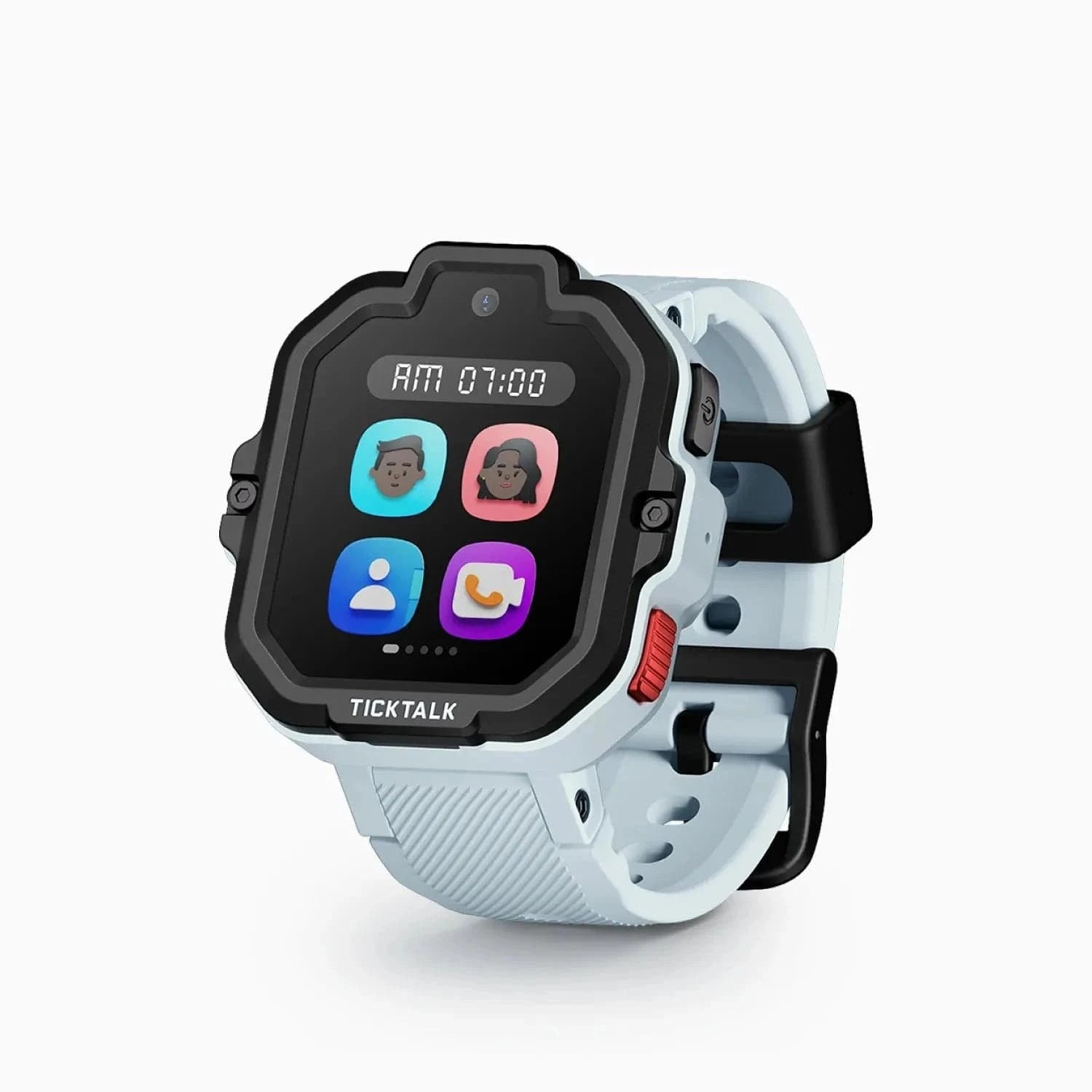
The TickTalk 5 was the watch I recommended to most families with a seven-year-old, and it is the one our tester reached for most mornings when I gave him the choice. That is not a controlled experiment, but it tells you something important about how a kid experiences this watch versus the others.
The TickTalk 5 checks every box for this age group. It has 4G calling to a pre-approved contact list, reliable GPS tracking with the AI SmartPin system, video calling, an SOS button, school mode, and a 5MP camera. The interface is colorful and intuitive with large icons and clear labels. Our seven-year-old tester was navigating it confidently by the end of the first day. He did need help understanding the messaging feature initially, but voice calls and the SOS button were immediate.
GPS accuracy was consistently excellent. The AI SmartPin technology combines GPS, Wi-Fi, and cellular positioning to deliver location data that was accurate enough to show me which part of the school building our tester was in during the day. When he walked to a friend's house after school, I watched the blue dot move along exactly the route I expected. Geofencing alerts arrived within 30 seconds of him entering or leaving a zone. That is the kind of reliability that lets you put your phone down and stop worrying.
The video calling was, predictably, the feature our tester cared about most. Seven-year-olds have grown up seeing FaceTime on their parents' phones, so the concept is immediately familiar. He called me from the playground to show me the fort he was building with his friends. He called his grandma to show her his art project. The calls were slightly up-the-nose and wobbly because seven-year-olds do not think about camera angles, but they worked, and they turned a safety device into something he genuinely wanted to use.
Battery life was roughly two days with moderate use, which included a few calls per day and some camera use. On days with heavier video calling, it needed a charge by the evening of day one. I made nightly charging part of the bedtime routine and never had an issue.
The one consideration for seven-year-olds specifically: the TickTalk 5 is a touch on the large side. Our tester has average-sized wrists for his age and the watch fit fine, but if your seven-year-old is on the smaller side, try it on before committing. For a much deeper look at everything this watch can do, read our full TickTalk 5 review.
Pros:
- AI SmartPin GPS delivers excellent location accuracy
- Video calling is a standout feature kids love
- 5MP camera adds fun beyond pure safety
- 48-hour battery life with moderate use
- Intuitive interface a 7-year-old can learn quickly
- SOS button connected reliably every time
- School mode is easy to configure
Cons:
- Slightly large on smaller 7-year-old wrists
- Video calling drains battery faster
- Monthly cellular plan adds ~$10/month ongoing cost
- Camera quality is decent but not phone-level
Can a 7-year-old operate it independently? Yes, with about a day of practice. Our tester mastered calling and SOS immediately. Messaging and camera took a little longer but came together by the second day. By day three he was fully independent with every feature.
2. Bark Watch ($149) — Best Safety-First Option for 7-Year-Olds
Learn more at Bark
If your primary concern is safety and you want the most locked-down, distraction-free experience available, the Bark Watch deserves serious consideration. Bark built its reputation on content monitoring and digital safety for kids, and the Bark Watch is that philosophy turned into hardware.
The Bark Watch includes GPS tracking, two-way calling to pre-approved contacts, an SOS button, and Bark's signature check-in feature. That check-in feature is worth explaining because it is particularly valuable for seven-year-olds. You can send a check-in request to the watch, and your child taps a button to confirm they are okay and share their location. It is less intrusive than a phone call and faster than waiting for a geofence alert. When our tester arrived at his after-school art club, I sent a check-in request, and within ten seconds I had confirmation he was there. Simple, effective, and it did not interrupt whatever he was doing.
The interface is deliberately minimal. There are no games, no camera, no web browser, and no social features. The watch does three things: it tracks location, it makes calls, and it sends check-ins. Some kids will find this boring. Our tester did not complain about it, partly because there was nothing to fiddle with and partly because at seven, calling Dad is still pretty exciting when you have your own device to do it from.
GPS accuracy was very good. Location updates were consistent and the companion app displayed our tester's position accurately. Bark's parent app is one of the best in the business because the company has years of experience building software for worried parents. The controls are clear, the alerts are timely, and the overall experience feels polished.
The trade-off is feature set. No camera means no showing you what they built at recess. No video calling means audio only. And the Bark Watch is not available on Amazon, so you will purchase directly from Bark's website. The monthly subscription for Bark's services is an additional cost to factor in.
For families who already use Bark's content monitoring on other devices, adding the Bark Watch is a natural extension of an ecosystem you already trust. For a detailed look at everything this watch offers, see our full Bark Watch review.
Pros:
- Check-in feature is perfect for after-school activities
- Zero distractions: no games, no camera, no apps
- Bark's parent app is polished and reliable
- GPS tracking is accurate and consistent
- Clean interface a 7-year-old understands immediately
- Built by a company focused entirely on child safety
- Two-way calling to pre-approved contacts
Cons:
- No camera or video calling
- Not available on Amazon (purchase directly from Bark)
- Monthly Bark subscription is an added cost
- Fewer features than competitors at a similar price
- Limited customization options for the watch face
- Some kids may find it too plain
Can a 7-year-old operate it independently? Immediately. There is almost nothing to learn. Our tester was making calls and responding to check-ins within the first fifteen minutes. The simplicity is both the strength and the limitation.
3. Garmin Bounce 2 ($299.99) — Best for Active 7-Year-Olds
Check price on Amazon
If your seven-year-old is the kid who comes home drenched in sweat with grass stains on both knees and a story about how they climbed the tallest thing on the playground, the Garmin Bounce 2 was built for them. This is the toughest, most fitness-oriented kids watch on the market, and it comes from a company that has been making nearly indestructible GPS devices for decades.
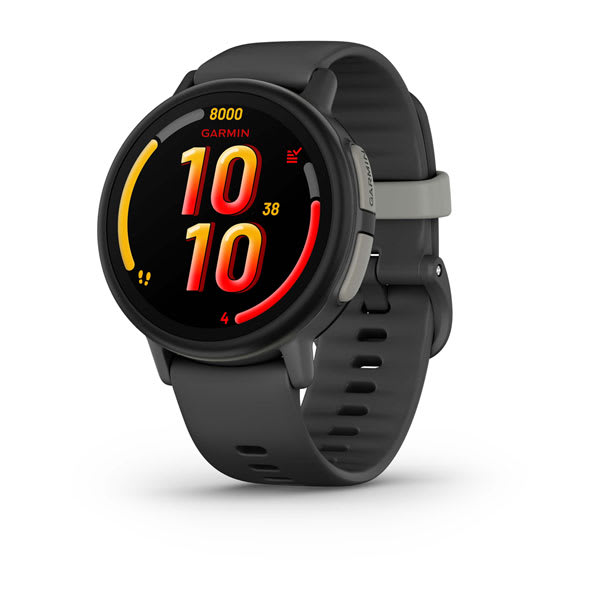
The Garmin Bounce 2 features a vibrant AMOLED display, LTE messaging and voice calling, GPS tracking, an SOS feature, and Garmin's full activity-tracking ecosystem. That activity tracking is the differentiator. The watch tracks steps, active minutes, and movement throughout the day, feeding data into the Garmin Jr. app where kids earn badges and compete in family step challenges. Our seven-year-old tester got absolutely hooked on the step challenges. He challenged me to a weekend step competition and beat me by 3,000 steps, mostly by running in circles in the backyard. He was thrilled. I was winded.
GPS accuracy was the best of any watch I tested, which is not surprising given Garmin's heritage. Location data was tight and consistent, and geofencing alerts came through promptly. When our tester was at the park three blocks away, I could see roughly where on the playground he was. That precision matters when you are learning to trust your seven-year-old with new independence.
The 5 ATM water resistance is the headline durability spec. This watch is swim-proof. Not splash-proof, not rain-proof. Swim-proof. Our tester wore it in the pool, in the sprinklers, and in the bathtub. The watch did not care. If your seven-year-old does swim lessons or you just want to stop worrying about water, this and the current Bark Watch are the only swim-rated watches on this list; the TickTalk 5 and COSMO JrTrack 5 are not. For more on how we tested water resistance across watches, see our full Garmin Bounce 2 review.
The significant downside is price. At $299.99, the Garmin Bounce 2 is roughly twice the cost of the TickTalk 5 or Bark Watch and three times the cost of the COSMO JrTrack 5. That is a lot of money to strap to a seven-year-old's wrist. The watch also lacks a camera and video calling, which might disappoint kids who want to show you things rather than just tell you about them over a voice call.
Battery life was around two days with typical use. The AMOLED display looks fantastic but uses more power than simpler screens. Charging nightly is the safest approach.
Pros:
- Best GPS tracking of any kids watch
- Vibrant AMOLED display
- True swim-proof 5 ATM water resistance
- Full activity tracking with step challenges and badges
- Garmin's legendary build quality and durability
- LTE voice calling and messaging
- Looks like a real sports watch, not a toy
Cons:
- Premium price at $299.99 is hard to justify for some families
- No camera or video calling
- Monthly cellular plan adds to the already high cost
- Messaging has a slight learning curve for younger kids
- Garmin's proprietary charger is easy to misplace
Can a 7-year-old operate it independently? Yes, with some patience. Voice calling was intuitive, and SOS was immediate. The messaging feature took our tester a couple of days to get comfortable with because it relies on pre-set responses and voice-to-text rather than typing. The fitness tracking features he understood right away because kids instinctively understand "more steps = win."
4. COSMO JrTrack 5 ($99.99) — Best Budget Pick for 7-Year-Olds
Check price on Amazon
If you are not ready to spend $150 to $300 on a device that might get smashed during a game of tag at recess, the COSMO JrTrack 5 delivers the essential features at the lowest price point on this list. And for most seven-year-olds, the essentials are genuinely enough.
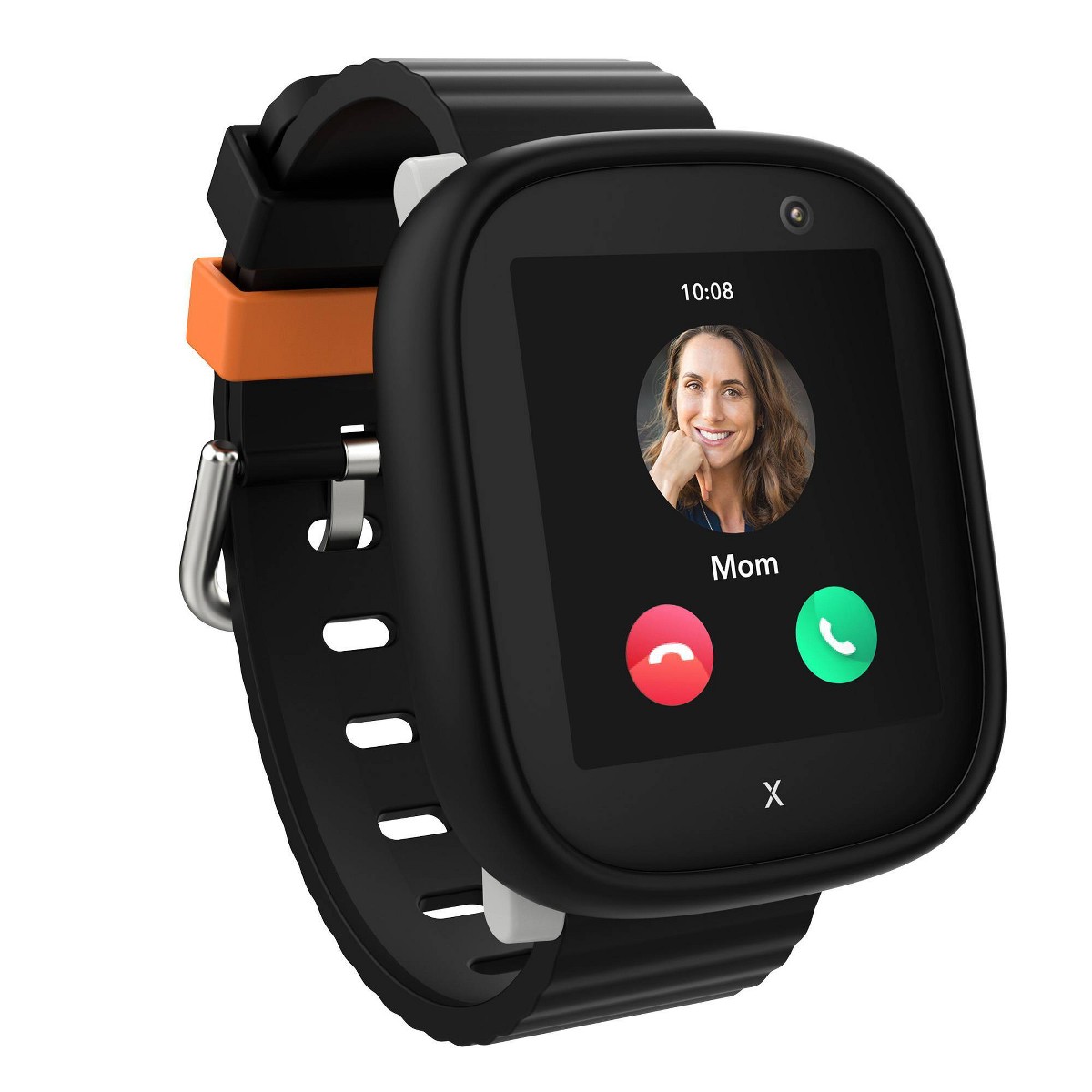
The JrTrack 5 includes 4G calling to pre-approved contacts, GPS tracking, an SOS button, geofencing, a camera, and school mode. It covers the same safety checklist as the TickTalk 5, camera included, for $60 less. The monthly plan runs about $10 per month, comparable to the other cellular watches here. For more affordable options, our roundup of the best kids smartwatches in 2026 includes additional budget-friendly picks.
The interface is colorful and kid-friendly with large icons that a seven-year-old can tap without any confusion. Our tester picked it up quickly. He was making calls independently within the first couple of hours and figured out the camera on his own. The SOS function, a long press on the side button, worked reliably in every test.
GPS accuracy was good but not great. I could tell which block our tester was on, but the position occasionally drifted more than I saw with the TickTalk 5 or Garmin Bounce 2. For practical purposes, it was always accurate enough to tell me he was at the school, at the park, or at a friend's house. That level of granularity satisfies most parents most of the time.
Where the JrTrack 5 falls short is battery life and build quality. The battery consistently needed a charge by the end of day one with heavy use, or by midday on day two with light use. On afternoons with lots of calling and camera use, it dipped into low battery territory right around when our tester was heading to an after-school activity, which is exactly when you want GPS tracking to be working. The watch also feels more plastic than the TickTalk or Garmin. It is not fragile, but it does not inspire the same confidence that it will survive a year on a seven-year-old's wrist.
The parent app is solid. Location tracking, contact management, geofencing, and school mode scheduling are all present and functional. It is not as polished as Garmin's app or as comprehensive as Bark's, but it does the job. Read our COSMO JrTrack 5 review for the full breakdown.
Pros:
- Most affordable watch on this list at $99.99
- 4G calling, GPS, SOS, camera, and school mode included
- Colorful interface that kids navigate easily
- Camera lets kids share photos of their day
- Geofencing and location history work well
- Good parent app with solid remote management
Cons:
- Battery life is short (about 24 hours)
- GPS accuracy is a step behind premium options
- Build quality feels less robust
- IP68 water resistance handles splashes but not swimming
- Some distracting extras that should be disabled via parent app
Can a 7-year-old operate it independently? Yes. Our tester was comfortable with it within a few hours. The large, colorful icons and straightforward menu made it easy for him. Calling and SOS were immediate, and the camera was intuitive.
Why 7 Is the Sweet Spot Age for a Kids Smartwatch
I have tested smartwatches with kids ranging from four to thirteen, and seven is the age where everything lines up.
They are gaining real independence. Seven is when most kids start walking to school, getting dropped off at playdates, and participating in activities where parents are not hovering nearby. That independence is healthy and important for development. A GPS watch supports it instead of restricting it.
They are old enough to use it properly. A seven-year-old can read a screen, navigate a menu, understand the concept of an emergency button, and follow simple instructions like "call Dad when you get to Tyler's house." Five-year-olds struggle with this. Seven-year-olds handle it naturally.
They are young enough to actually need it. A thirteen-year-old might be fine with a phone. A seven-year-old is not ready for a smartphone, and honestly, most child development experts agree they should not have one. A smartwatch provides the communication and safety layer without the bottomless pit of distractions that comes with a phone.
The watches fit them. Most kids GPS watches are designed for wrists between about 5 and 7 inches in circumference. The average seven-year-old falls right in that range. With younger kids, the watches often look and feel comically oversized. By seven, the fit is natural.
They will not destroy it (probably). Seven-year-olds still break things, but they have enough body awareness and coordination that they are less likely to submerge the watch in the sink "to see what happens" or use it as a hammer. Probably.
Setting Up a Smartwatch for a 7-Year-Old
The way you configure the watch matters as much as which watch you buy. Here is how I approached setup for our seven-year-old tester.
I started with five contacts: both parents, grandma, the after-school sitter, and his best friend's mom. These covered every realistic scenario. I told him: "You can call anyone on this list whenever you want. These are the only people who can call you." He understood immediately. At seven, the concept of a pre-approved list makes intuitive sense to kids because they already have a mental list of trusted adults.
Enable School Mode Before the First School Day
Do not wait for problems. Configure school mode before your kid walks into the classroom wearing the watch. I set it for 7:45 AM to 3:15 PM on weekdays. During those hours, the watch displays only the time and allows only SOS. No calls, no camera, no buzzing. His teacher never had a single complaint.
Set Up Geofences for Every Routine Location
Geofencing is the feature that gives you the most peace of mind with the least effort. I set up zones around home, the school, and the two houses where our tester goes for playdates most often. Now I get a quiet notification when he arrives and when he leaves, without having to open the app and check the map.
Have a Clear Conversation About SOS
Seven-year-olds understand emergencies, but they need a concrete explanation of when to use the SOS button. I told our tester: "If you are lost, if you are hurt, or if a grown-up you do not know makes you feel scared, press and hold this button. It will call me immediately and show me where you are." He practiced it twice. He has never needed it. But he knows it is there.
Resist the Urge to Over-Monitor
This is the part I have to remind myself about. A GPS watch is a safety net, not a surveillance system. I check the location when he is supposed to arrive somewhere and I want to confirm he made it safely. I do not sit there watching the dot move in real time while he plays at the park. Seven-year-olds need room to explore and make small decisions on their own. The watch should give you peace of mind, not feed an anxiety habit.
Frequently Asked Questions
Is 7 years old the right age for a GPS smartwatch?
Yes -- seven is the age I recommend most often for a first GPS smartwatch. Most seven-year-olds are beginning to gain real independence: walking to school, attending playdates without parents, joining after-school activities. They are old enough to operate the watch, understand the SOS button, and use calling features independently. And they are young enough that GPS tracking provides genuine safety value. If your child is almost seven but already doing these independent activities, a smartwatch might make sense a little early. If your child just turned seven but is not yet walking places alone, you can wait a few months. The need should drive the timing, not the birthday. For younger kids who might be ready, see our guide to the best smartwatches for 6-year-olds.
Do these watches require a monthly plan?
Yes -- every watch on this list requires a monthly cellular plan or subscription to enable GPS tracking, calling, and SOS functionality. Plans typically run about $10 per month. The Bark Watch requires a Bark subscription instead. These watches use 4G LTE to transmit location data and make calls, which requires cellular connectivity. Factor the monthly cost into your budget. Over a year, a $130 watch with a $10/month plan costs $250 total. Our monthly plans comparison guide breaks down the costs for each watch.
Which smartwatch is the most durable for a 7-year-old?
The Garmin Bounce 2 is the most durable watch on this list by a significant margin. It has 5 ATM water resistance (swim-proof), a tough build inherited from Garmin's outdoor GPS heritage, and it survived every abuse test our seven-year-old tester put it through. The TickTalk 5 and Bark Watch are also well-built and will survive normal kid use. The COSMO JrTrack 5 is the least rugged of the group, though it held up fine during our testing period.
Can a 7-year-old use the SOS feature independently?
Absolutely -- every seven-year-old we tested understood the SOS button after a single explanation and one practice use. The concept of "press and hold this button to call Mom or Dad if something is wrong" is straightforward at this age. All four watches on this list make SOS activation simple: a long press on a dedicated button. The watch then calls the primary emergency contact and shares the child's GPS location.
Is a smartwatch better than a phone for a 7-year-old?
For the vast majority of seven-year-olds, a smartwatch is significantly better than a phone. A smartwatch provides GPS tracking, calling, and SOS without any of the distractions that come with a smartphone: no social media, no web browsing, no YouTube, no app store. It also stays on the wrist, so it is much harder to lose, leave in a backpack, or forget at a friend's house. Most child development experts recommend delaying smartphones until at least middle school. A GPS watch bridges the gap.
How accurate is GPS tracking on kids smartwatches?
In my testing, the Garmin Bounce 2 was the most accurate at roughly 3 to 6 meters outdoors, meaning I could tell where on a playground my child was standing. GPS accuracy varies by device and environment. The TickTalk 5's AI SmartPin system was close behind. The COSMO JrTrack 5 was the least precise but still accurate enough to show the correct block and building. All watches lose accuracy indoors because GPS signals weaken inside buildings. Watches that supplement GPS with Wi-Fi and cellular positioning (like the TickTalk 5) tend to perform better indoors.
What happens if the watch runs out of battery?
If the battery dies, GPS tracking, calling, and SOS all stop working. This is why battery life matters and why I recommend making nightly charging a non-negotiable part of the bedtime routine. Most watches on this list will send a low-battery alert to your phone when the charge drops below 15-20%, giving you a heads-up. The TickTalk 5 and Garmin Bounce 2 both lasted roughly two days in our testing, which is enough to survive a forgotten charge. The COSMO JrTrack 5's shorter battery life means skipping a charge is riskier.
Which watch do you recommend for most 7-year-olds?
For most families, the TickTalk 5 was my top pick until TickTalk replaced it with the TickTalk 6 in September 2026; it is back in stock on Amazon, but it is no longer our top pick. It delivered the best combination of GPS accuracy, calling, video calling, camera, and battery life at a reasonable price point. It is the watch our tester enjoyed using the most, and it is the one that gave me the most consistent peace of mind.
If safety with zero distractions is your priority, the Bark Watch is the cleanest option. If your kid is athletic and you need something swim-proof and tough, the Garmin Bounce 2 is worth the premium. And if you want to keep costs down while still getting the essentials, the COSMO JrTrack 5 is a solid budget pick.
Final Thoughts
Seven years old is a turning point. Your kid is not a toddler who needs to hold your hand in a parking lot, but they are not a teenager who can navigate the world on their own. They are somewhere in that beautiful, nerve-wracking middle ground where they want to do things independently and you want to let them, as long as you have a way to make sure they are safe.
A GPS smartwatch is the tool that makes both sides of that equation work. Your kid gets the freedom to walk to school, go to playdates, and stay after for activities. You get the peace of mind that comes with knowing where they are and being able to reach them with a tap on your phone.
I have tested dozens of kids smartwatches, and the four on this list are the ones I would actually put on my own seven-year-old's wrist. The TickTalk 5 (our former top pick, now previous-generation) if you want video calling, the Bark Watch for safety-first parents, the Garmin Bounce 2 for active kids, and the COSMO JrTrack 5 for families watching their budget.
Pick the one that fits your kid and your priorities. Set it up thoughtfully. Have the SOS conversation. Enable school mode. And then let your seven-year-old walk out that door and start exploring their world with a little more independence and a lot more confidence.
They are ready. And now you have a way to confirm they are okay without being the parent who follows them on a bicycle.
Looking for the best price? Our deals page tracks current discounts on all the watches in this guide. And for the complete rundown of every top-rated option this year, check our best kids smartwatches in 2026 master guide.